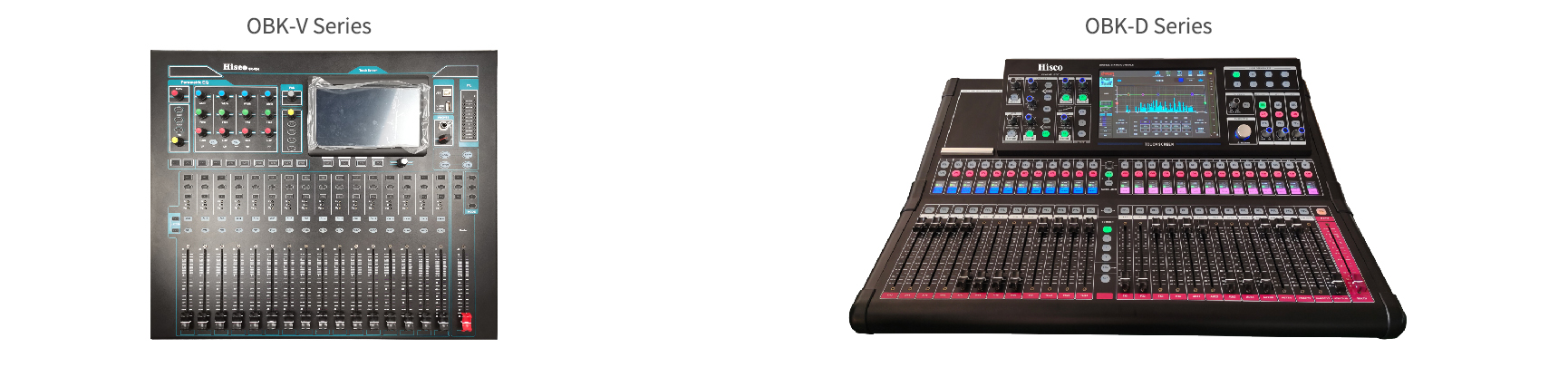



A mixing console, also known as a mixing desk or audio console, is a device used to adjust, mix, and control audio signals.
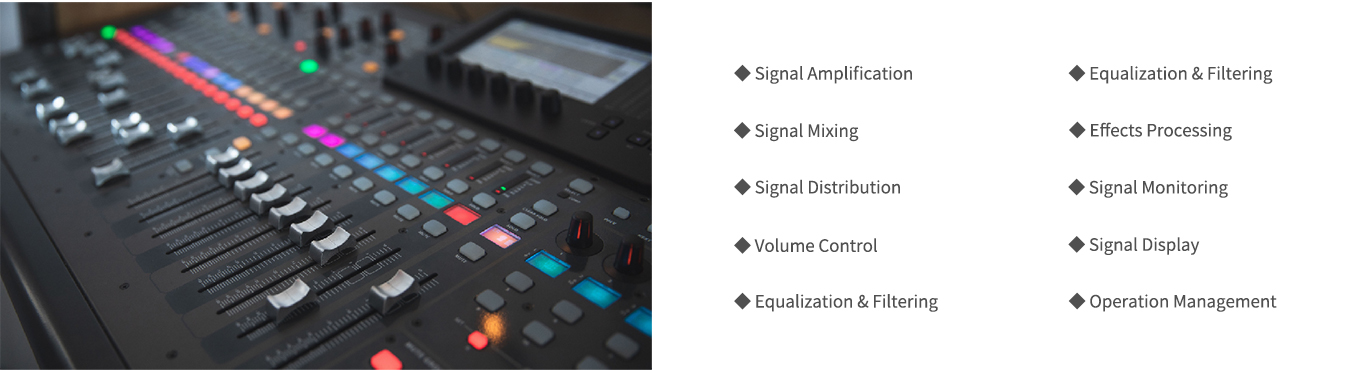
The Importance of a Mixing Console:
• A mixing console plays a crucial role in professional sound reinforcement systems and is indispensable; it not only affects sound quality and the audience’s listening experience but also impacts the stability and flexibility of the entire sound reinforcement system.
• Whether in concerts, conferences, theatrical performances, or public address systems, the mixing console is the key piece of equipment that ensures audio signals are clear, balanced, and dynamic.
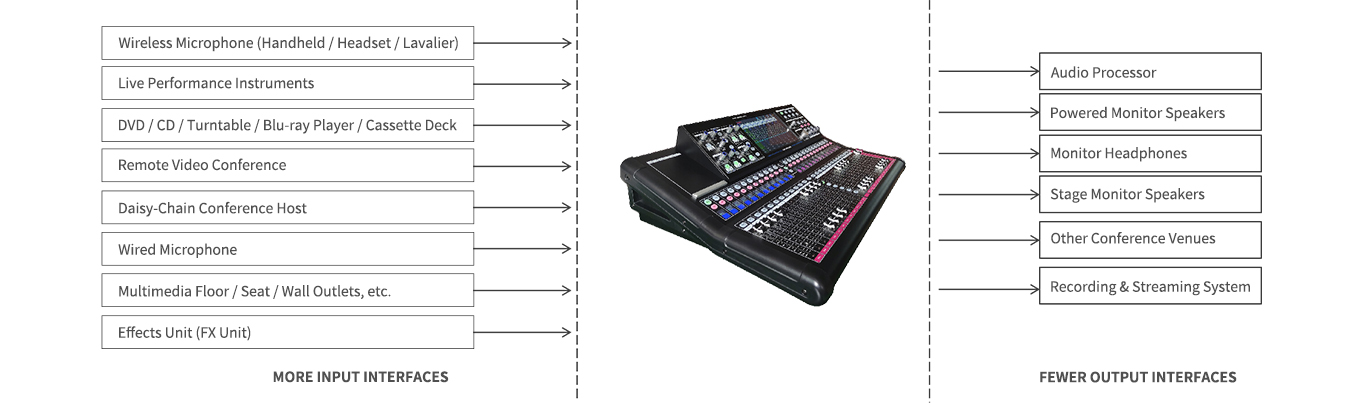
The Role of the Mixing Console in a Sound Reinforcement System:
Application Scenarios;
Large Lecture Halls and Multipurpose Halls:
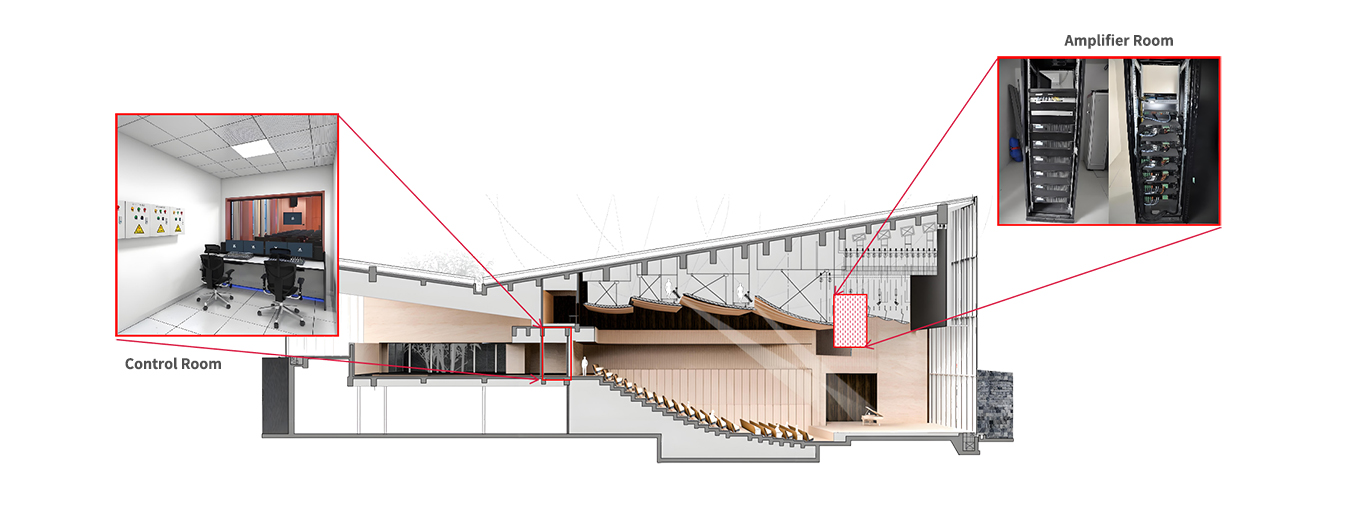
1. Control Room: Typically located directly behind the stage, featuring a viewing window and glass partitions.
2. Amplifier Rooms: Located on both sides of the second level of the stage, with generally one room on each side. These rooms house the amplifiers, and the speaker cables from around the stage are routed back to these locations.
3. Stage Connection Boxes: Installed on both sides of the stage, approximately 10–20 centimeters above the floor.
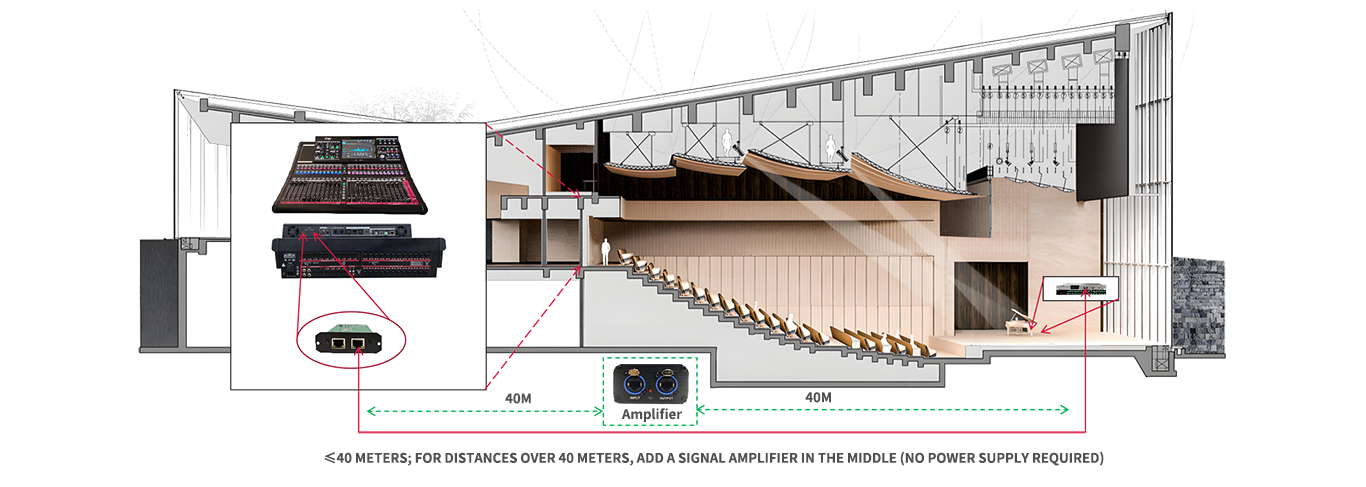
Connecting the Mixer to the Interface Box (Analog Interface Box):
OBK-D2060/OBK-D2480 + OBK-D3322 + OBK-JL21 + OBK-JL21F (Select this option only if the distance exceeds 40 meters)
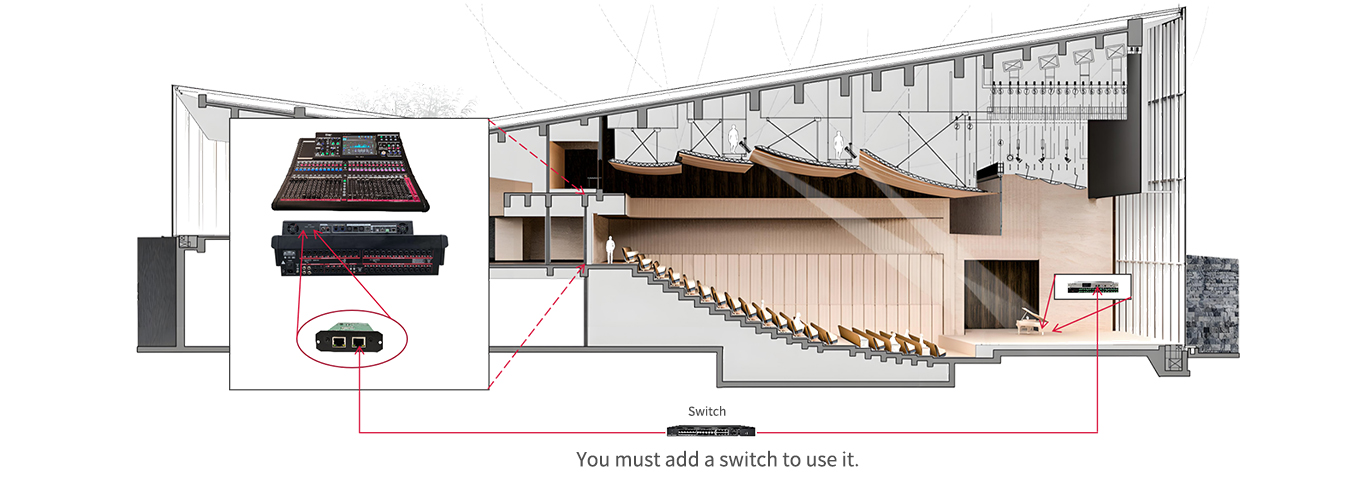
Connecting the Mixing Console to the Interface Box (Digital Interface Box):
OBK-D2060/OBK-D2480 + OBK-D3322 + OBK-DL1616
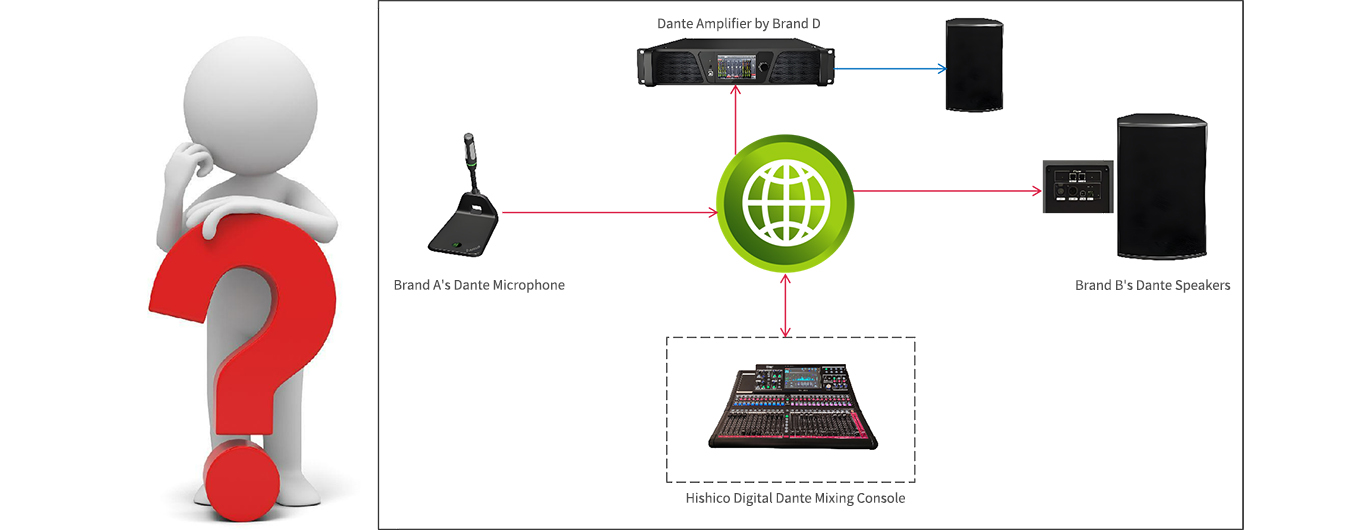
Integrating Dante Mixers with Products from Other Manufacturers:
Digital/Analog Mixer Dual-Link Backup:
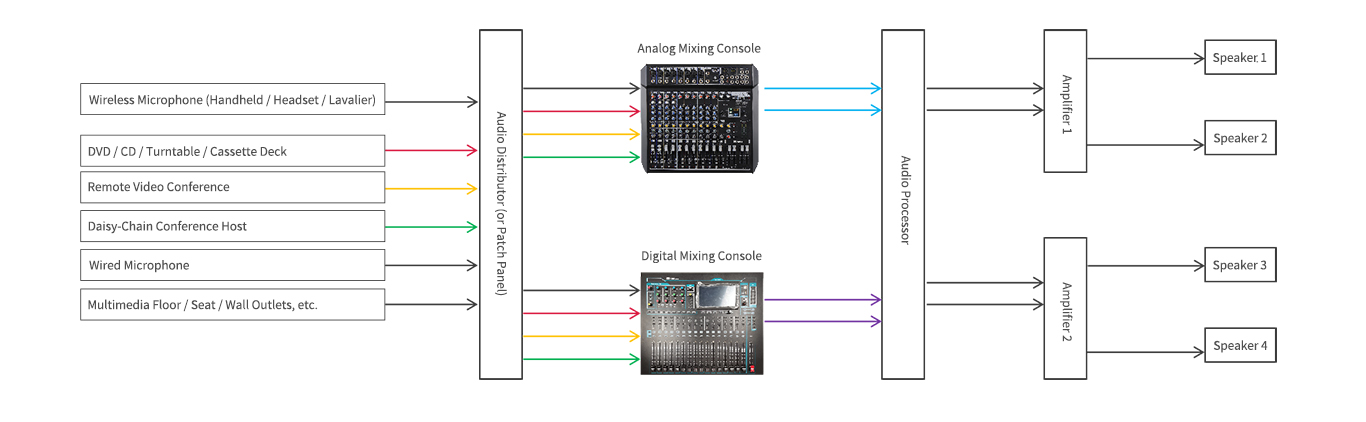
• All audio sources are first connected to a signal splitter (automatic, splits one signal into two) or a patch panel (manual patching, splits one signal into two). The signal is simultaneously sent to both the analog mixing console and the digital mixing console, so both consoles receive the signal at the same time. The signal is also routed to the audio processor. Under normal circumstances, the digital mixing console link is used; however, if the digital mixing console link fails, you can manually switch to the analog input channel on the audio processor to quickly resolve the issue. Alternatively, you can add an audio control panel to enable one-button switching.
Signal Classification and Processing on a Mixing Console:
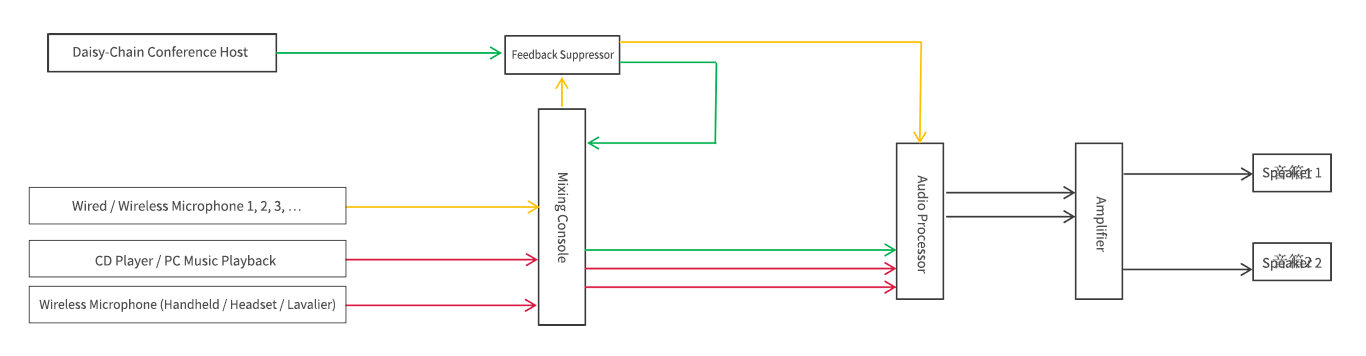
• All input sources can generally be divided into two major categories: line inputs, such as DVDs, CDs, and PCs; and microphone inputs, such as handheld microphones and wired/wireless gooseneck microphones. Only microphone inputs are prone to feedback when they form a loop with the speakers for sound pickup and amplification; therefore, feedback suppressors are used to mitigate this.
• Provided there are sufficient output channels on the mixing console, it is recommended to route line and microphone signals through separate output channels, as shown in the figure below:
Solution Selection;
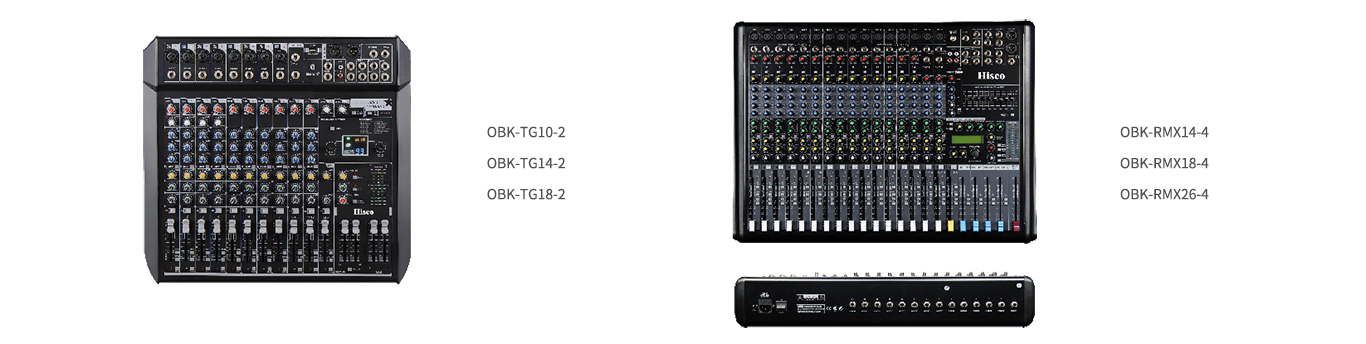
• Top Recommendations: Based on our technical testing and company positioning, we recommend two main models: the OBK-TGXX-2 and the OBK-RMXXX-4. Compared to other types of analog mixing consoles, these two models feature lower noise floor, a smoother and richer sound, and physical buttons and faders that provide a more tactile experience.
Selecting a Broadcast Mixing Console:
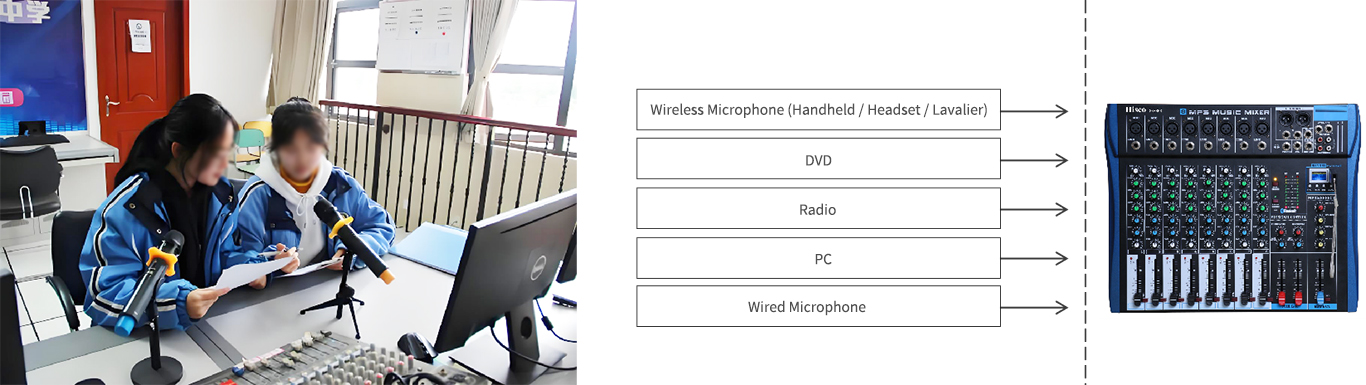
• For use in broadcast systems where the project has no specific requirements, we recommend the OBK-6PS, OBK-8PS, and OBK-12PS. These are suitable for environments where the system is used solely for mixing and sound quality requirements are not particularly high. For example, in student radio stations within campus broadcast systems, where it is often necessary to switch between audio sources during daily program broadcasts, a mixing console is more convenient to operate than a preamplifier.
High-Channel-Count Mixing Consoles:
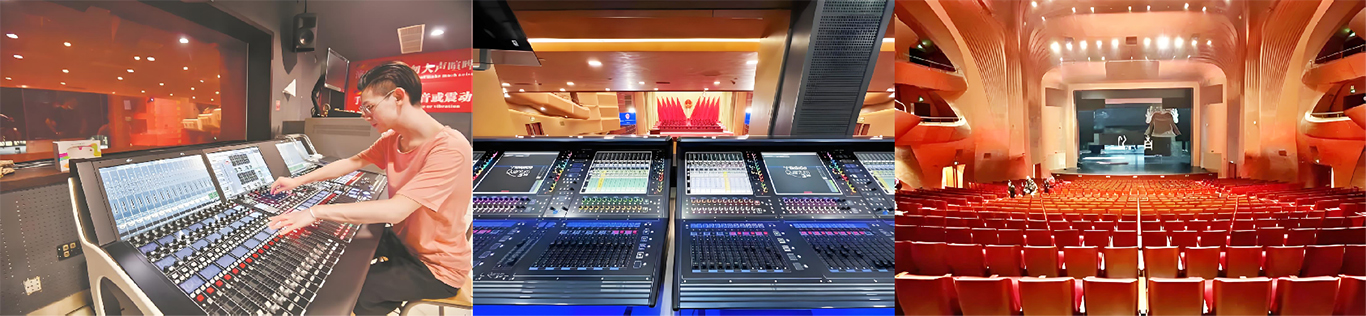
• When designing solutions for performance venues such as concert halls, multipurpose performance halls, theaters, and banquet halls, it is essential to use a high-channel-count mixing console—at least 20 channels or more—and preferably a digital mixing console. When we design these systems ourselves, we might count only a few audio sources, but in such venues, there are often many unknown signal inputs unless the client explicitly states that only a few channels are needed.
• This is especially true in venues with live instruments. Each type of instrument—and even each individual instrument—occupies one channel. Once configured, that channel is dedicated exclusively to that specific instrument and is not subject to ad-hoc adjustments. This is primarily because the sound engineer needs to adjust each channel individually, which can be very time-consuming.
Selecting a Digital Mixing Console:
• Under normal circumstances, when a customer requests a digital mixing console, the OBK-V series is the default recommendation, such as the OBK-V16, OBK-V20, OBK-V24, and OBK-V32. If the venue is a large-scale, high-profile facility (such as a theater, concert hall, or broadcast studio), the OBK-D series may be proactively recommended, such as the OBK-D2060 or OBK-D2480.