


Market Background and Demand:
System Overview:
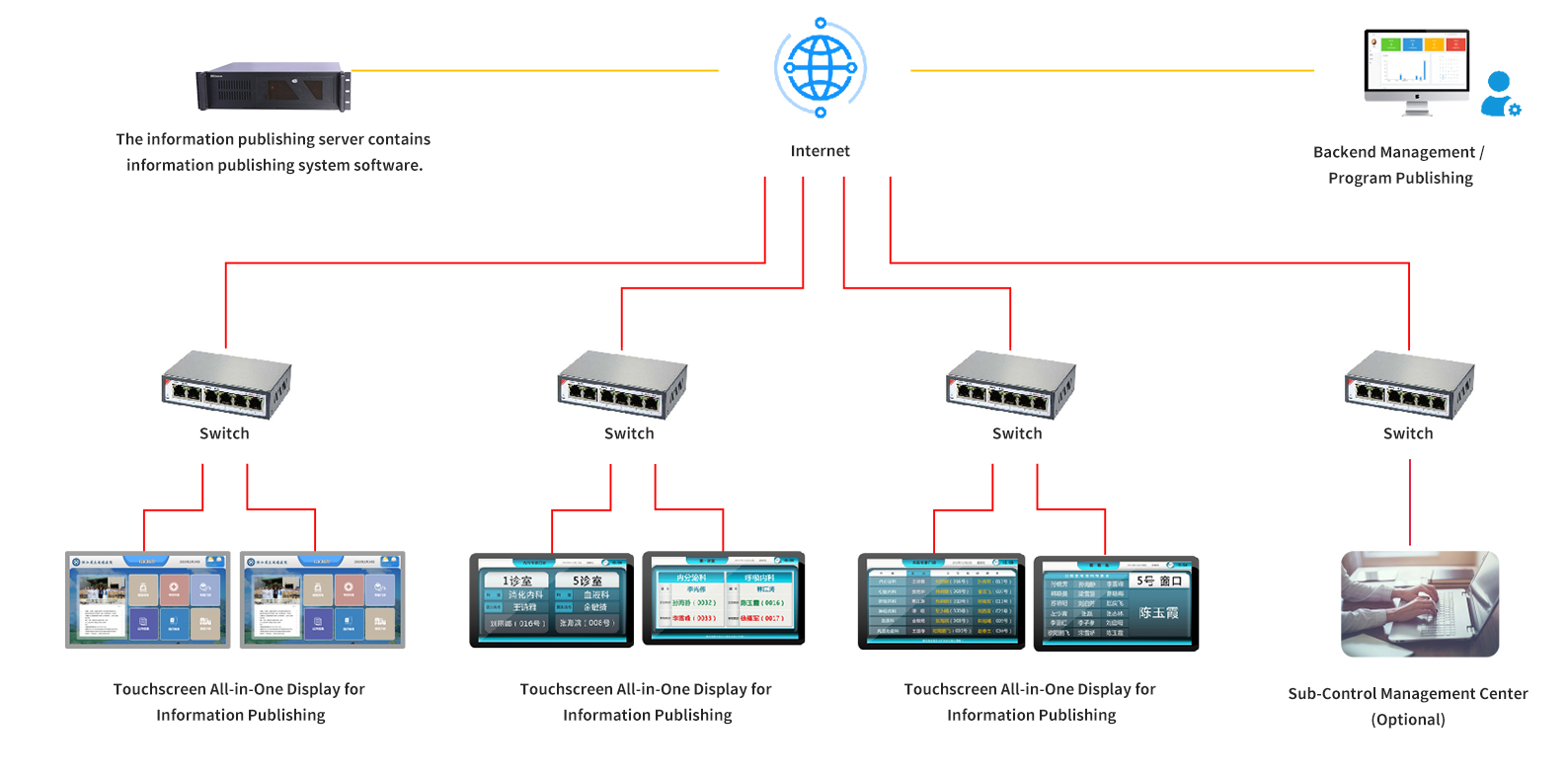
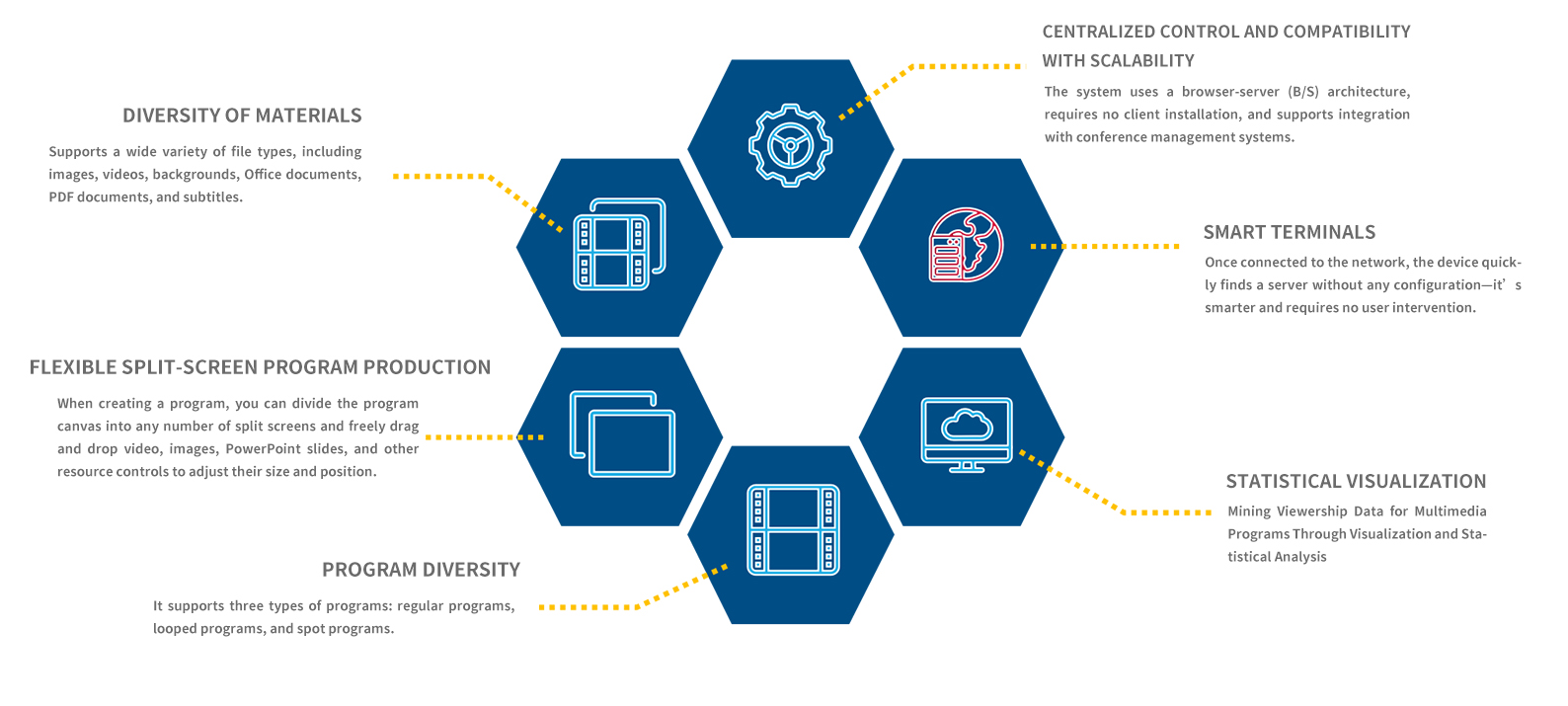
• A multimedia information dissemination system refers to a system that uses computer-based integrated processing technology to establish logical connections between various types of information—such as text, audio, graphics, images, animations, and video—integrating them into a single, interactive system.
• It employs a “B/S” architecture, offers a seamless cross-platform solution, supports private and public cloud deployments, and utilizes distributed regional management technology to effectively integrate various multimedia resources.
• It provides real-time, centralized control and management, automated broadcast management, and program editing and configuration.
Advantages/Features of Information Publishing:
II. System Features:
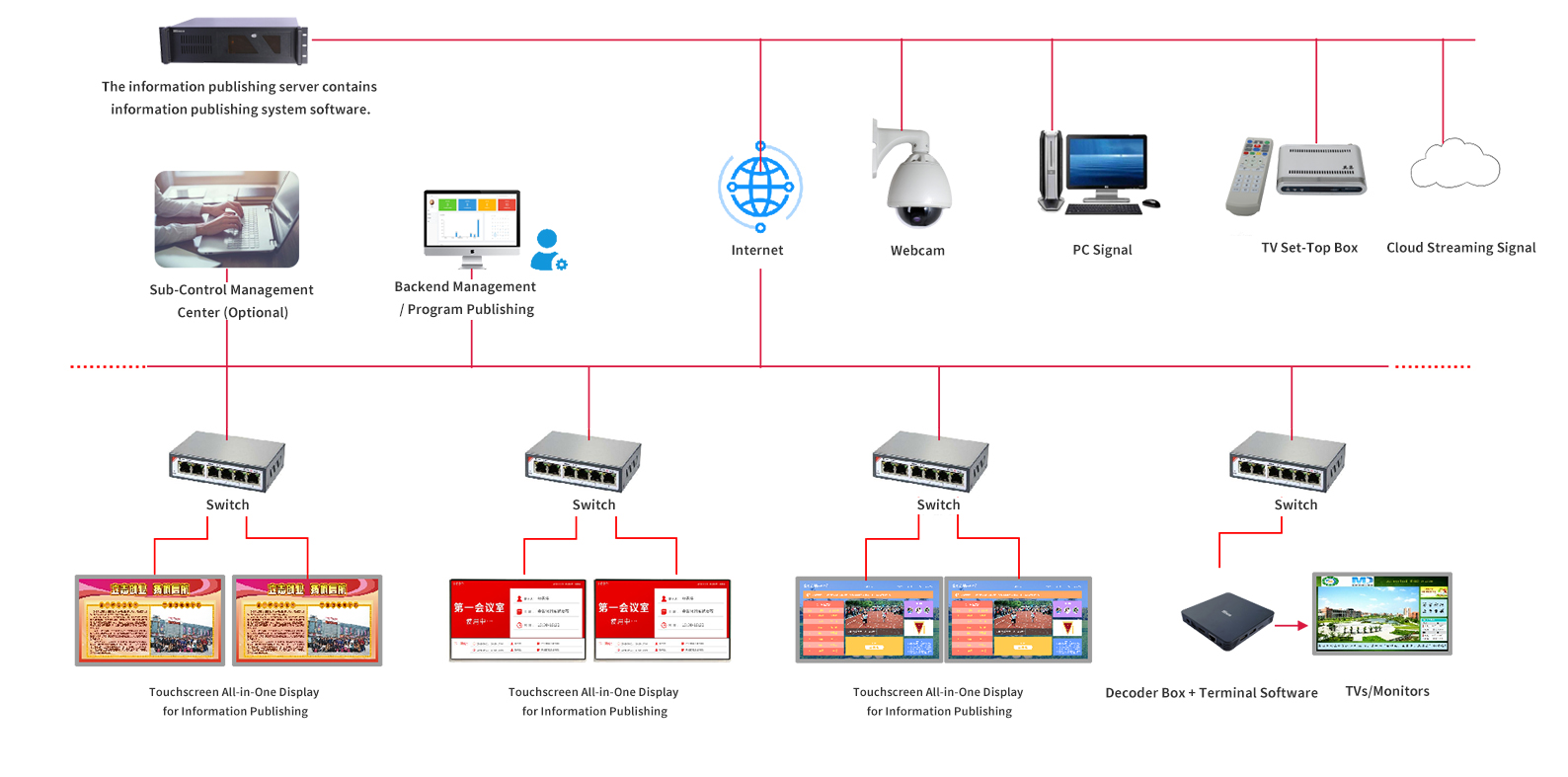
System management software is the core of the entire system management process. It manages playback terminals over a network and serves as the system’s management center, encompassing all management functions such as resource management, terminal management, program management, and user management.
Usage Instructions:
Supported media types:
1. Video and audio formats: MPEG-2, MPEG-4, AVI, WMV, MP3, MKV, RMVB, FLV, etc.
2. Image formats: JPG, BMP, PNG, etc.
3. Document formats: PPT, DOC, XLS, PDF, etc.
4. Other data: video streams, weather, time, date, etc.

Asset Management:
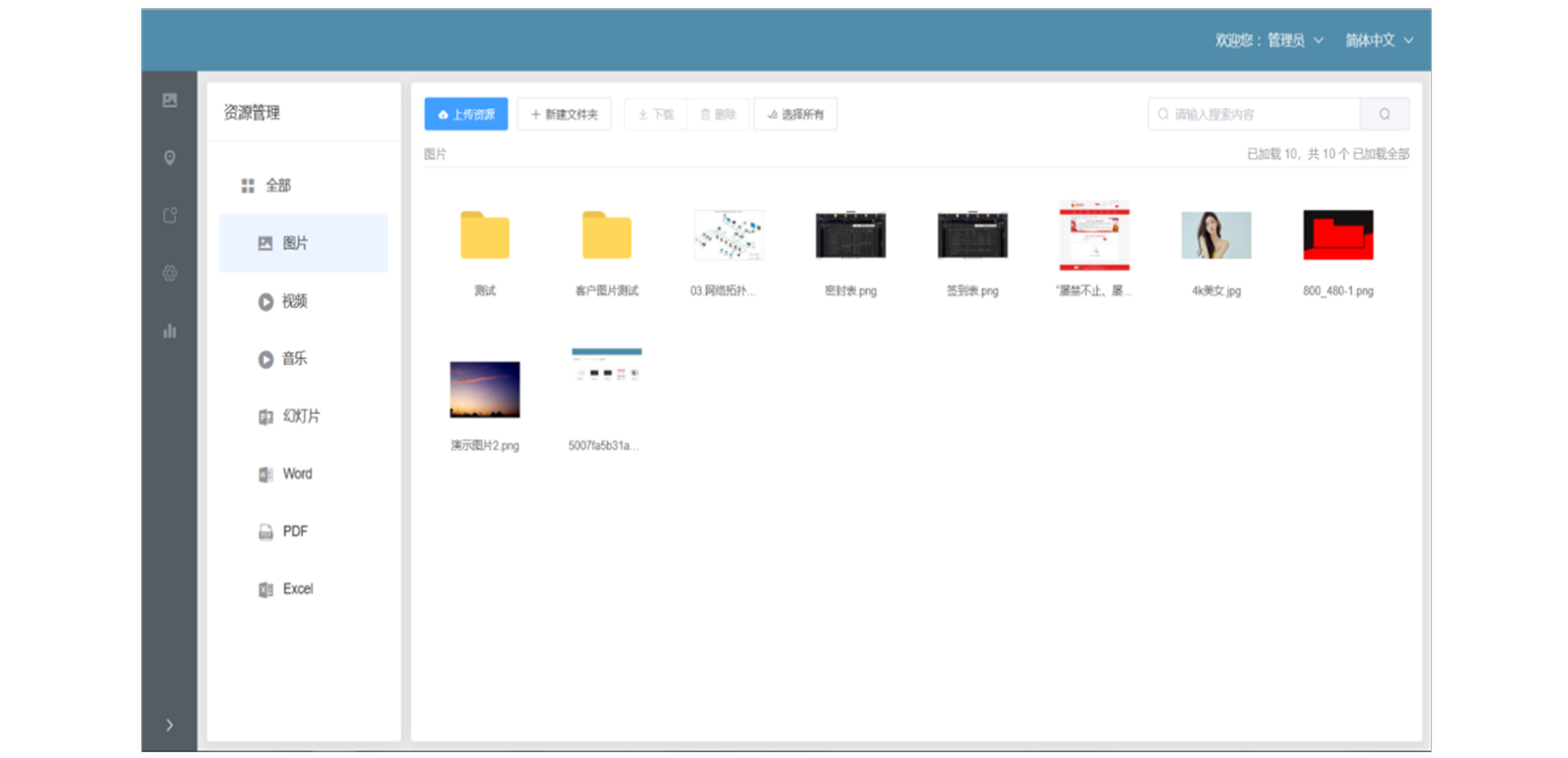
To streamline program production and ensure efficient use of content, a centralized content sharing hub has been established. This hub allows for a “one-time upload, multiple-user access” model, where general promotional materials—such as videos and documents—can be accessed directly from the hub, eliminating wait times for provincial and regional content uploads and conserving server storage space. Additionally, the system incorporates permission management, enabling program producers to upload their own private content resources for use in their specific productions.
Upload Files:
• Images: PNG, JPG, JPEG, GIF formats
• Videos: MP4, MKV, WMV, FLV, F4V, M4V, RMVB formats
• Audio: MP3 format
• Files: doc, docx, xlsx, and pdf formats
• Transcoding tools provided
Asset Preview:
• One-click asset preview
Asset Search:
• Quick asset search and location
Asset Sharing:
• Upload assets to the shared area
• View asset details
High compatibility:
The multimedia information publishing system natively supports common audio, video, image, and document formats. At the same time, to meet the compatibility and expansion needs of various industries regarding multimedia information publishing systems, it provides open data integration interfaces to enable integration with third-party systems.
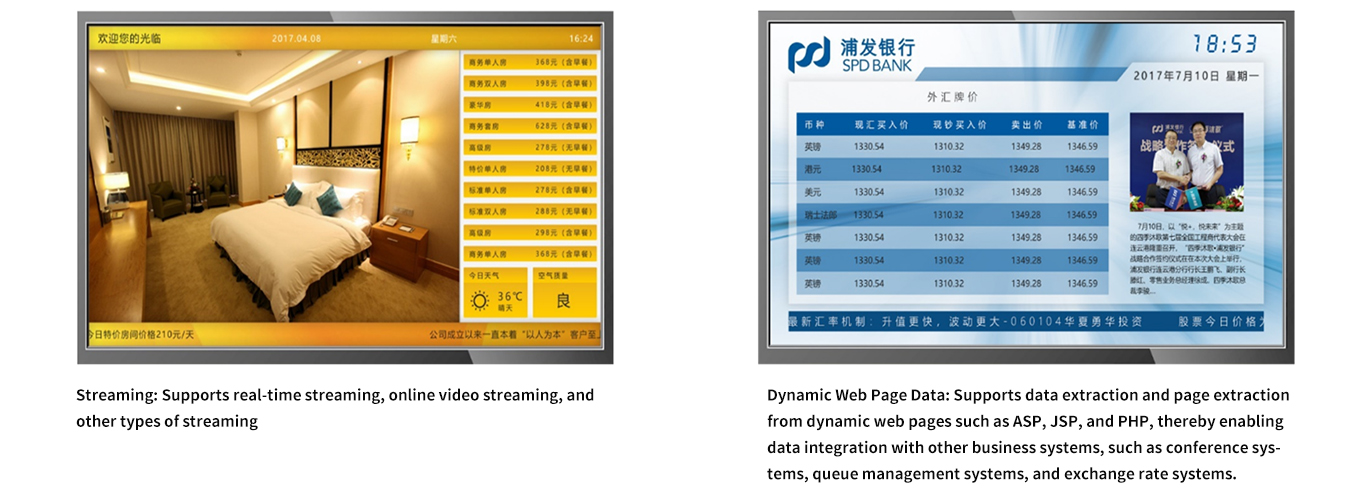
Template Management:
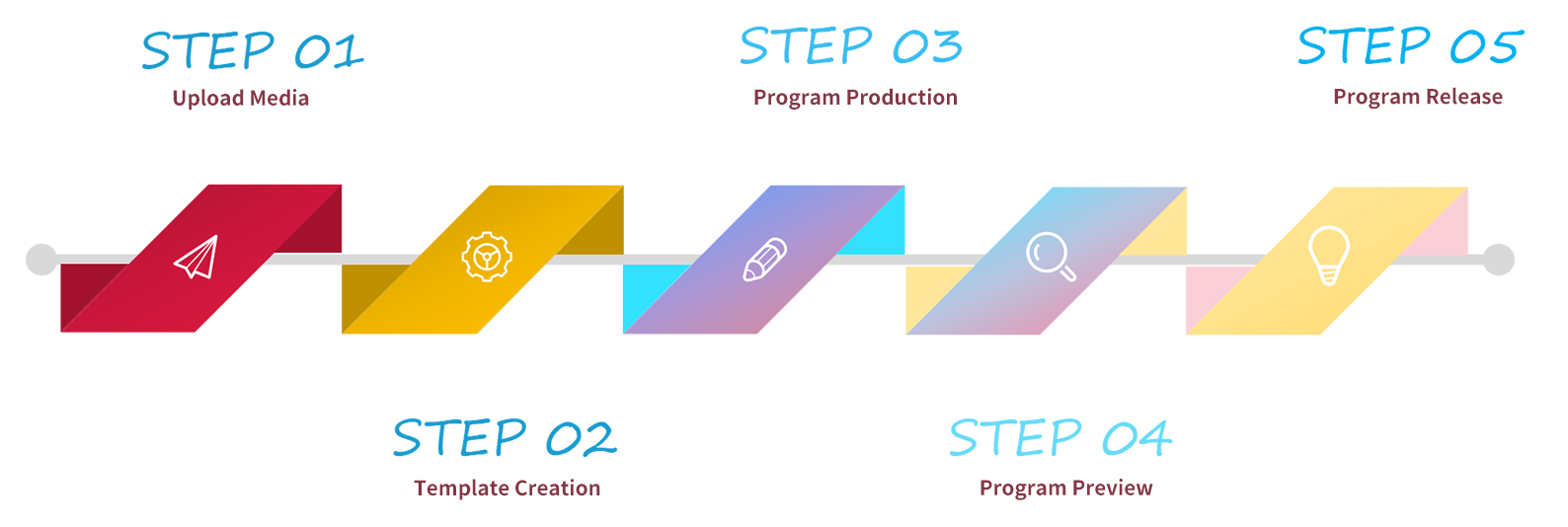
The template editing feature is a core and essential function of the multimedia publishing system. The template editing feature provided by this system is powerful, flexible, and user-friendly, allowing users to customize their own templates as easily and simply as creating a slide show in PowerPoint.
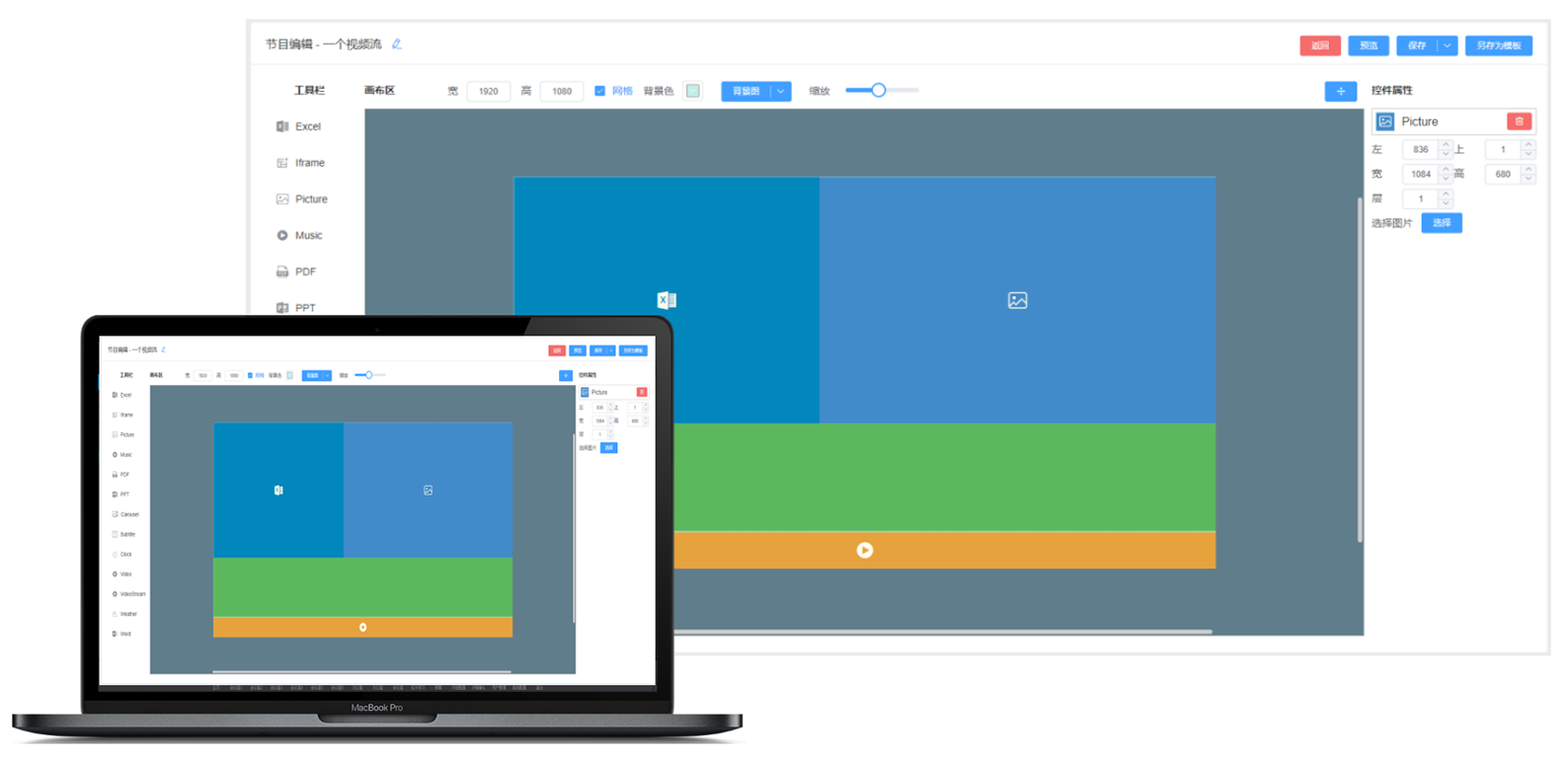
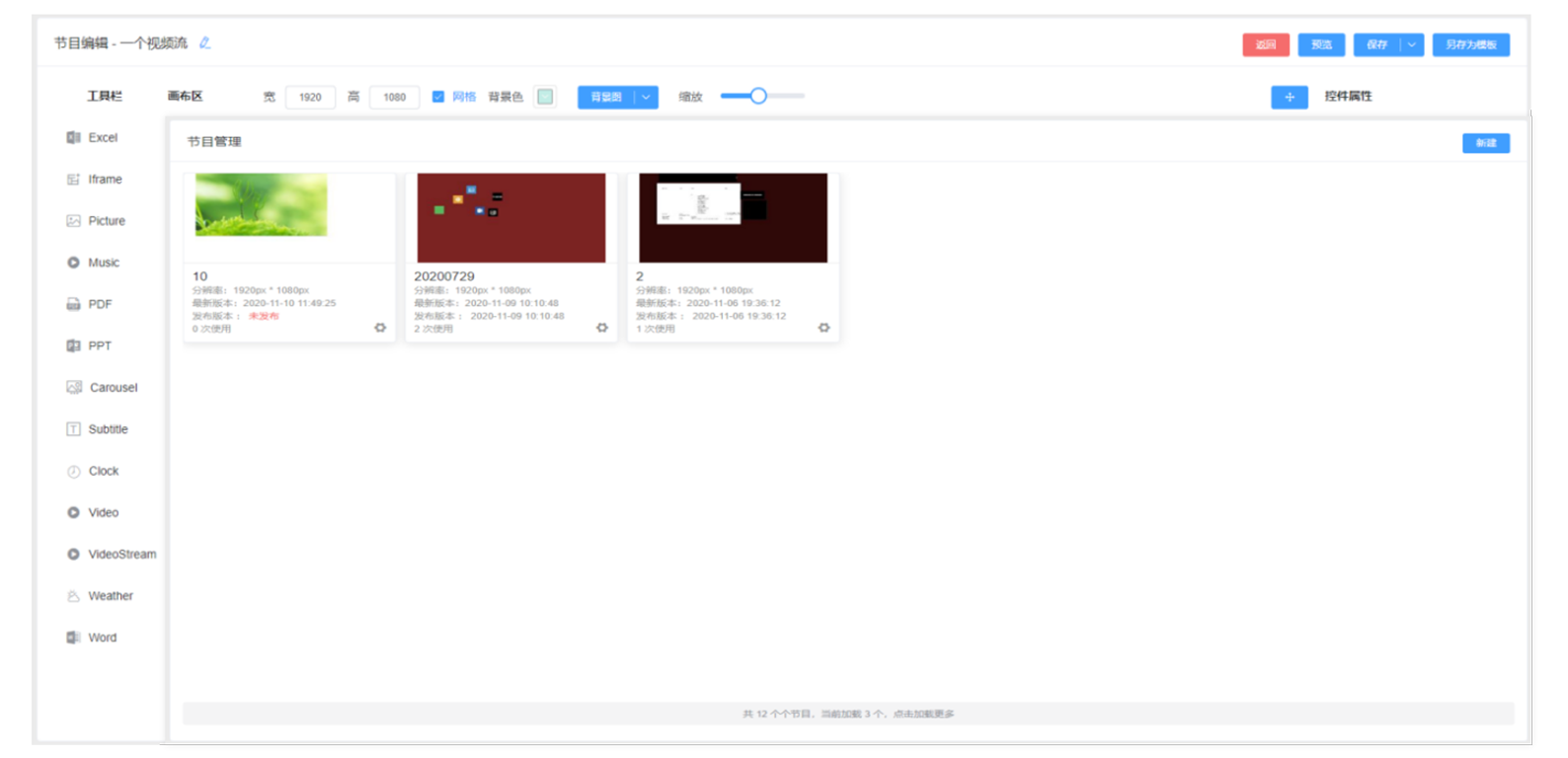
Program Management:
A unique visual list presents the produced program content to operators in a concise and clear manner. Unlike program titles, it provides a more efficient way for operators to select programs when editing, publishing, and performing other tasks.
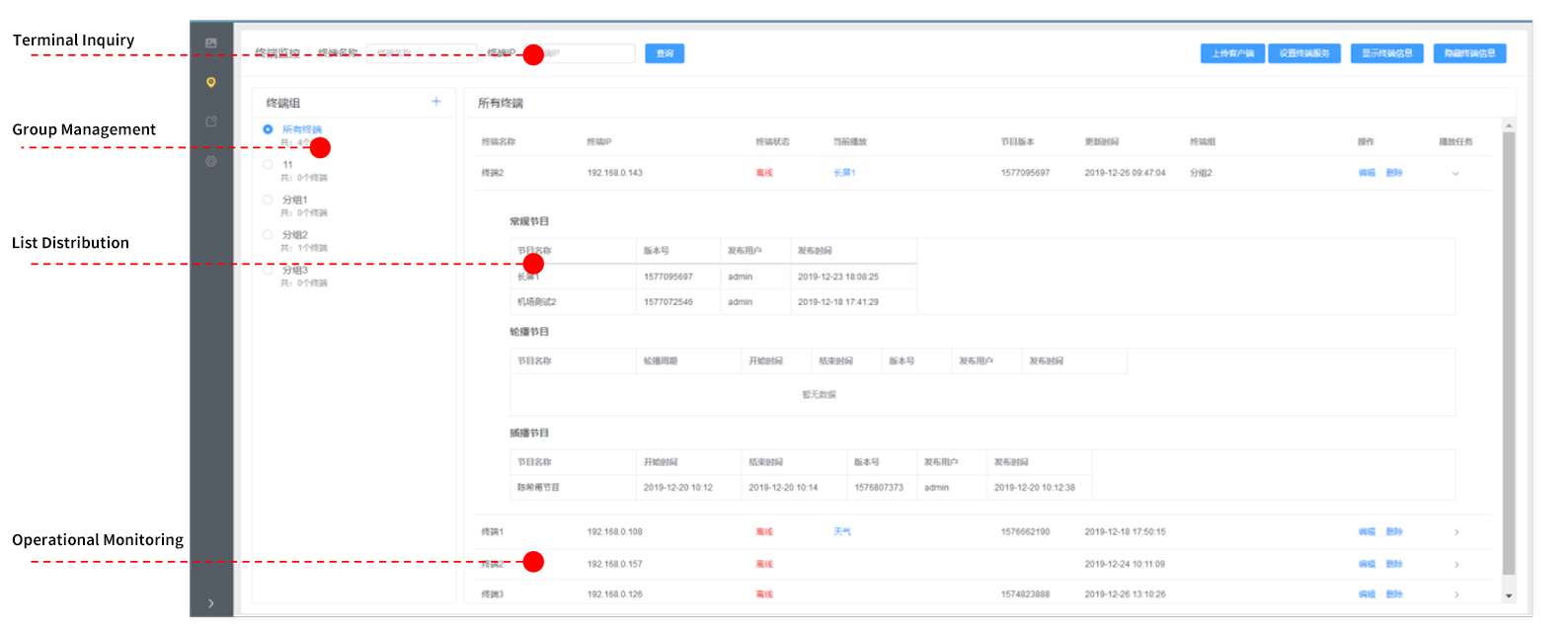
Device Management:
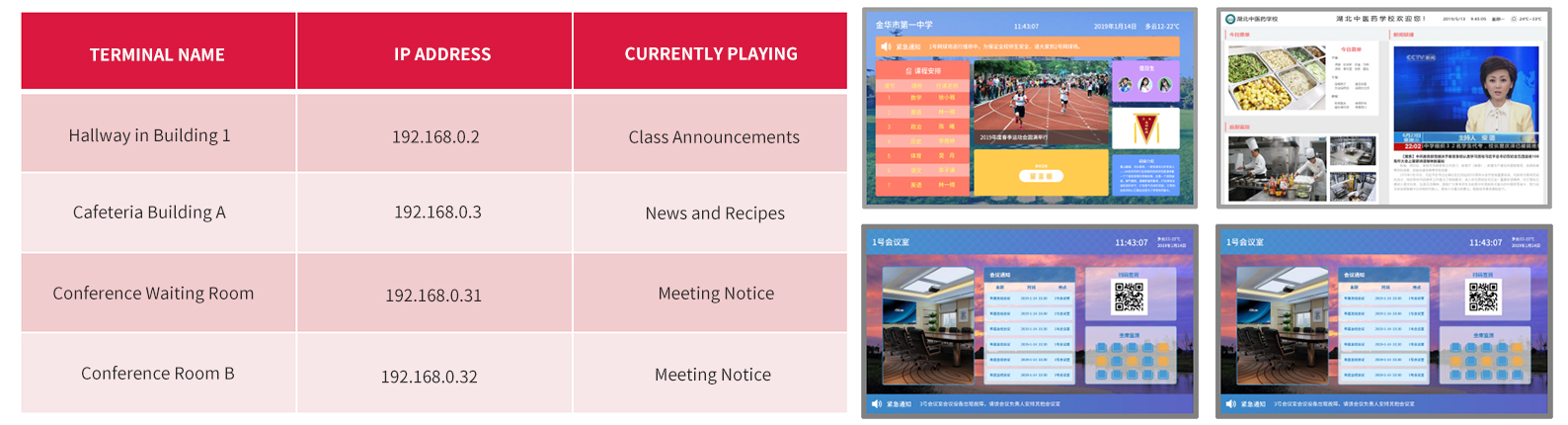
The Terminal Management module primarily enables control and management of playback terminals during file distribution, including the configuration and management of different types of display devices within the same system. It allows for both synchronous and asynchronous playback of terminals organized into groups.
Diverse Playback Modes:
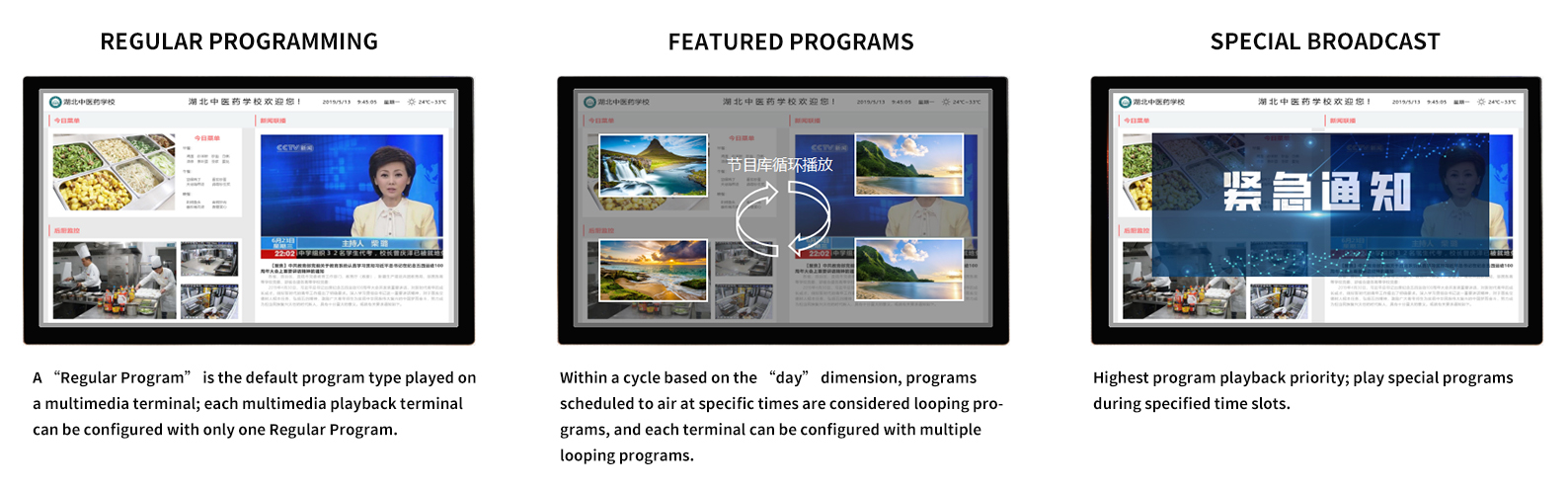
• Supports multiple program broadcast methods: regular broadcast, loop playback, scheduled broadcast, and on-the-fly insertion.
• Loop playback programs can be broadcast during specified time slots each day.
• On-the-fly insertion does not affect the validity period of the main task’s regular broadcast; once the insertion is complete, the main task will resume playback from where it left off.
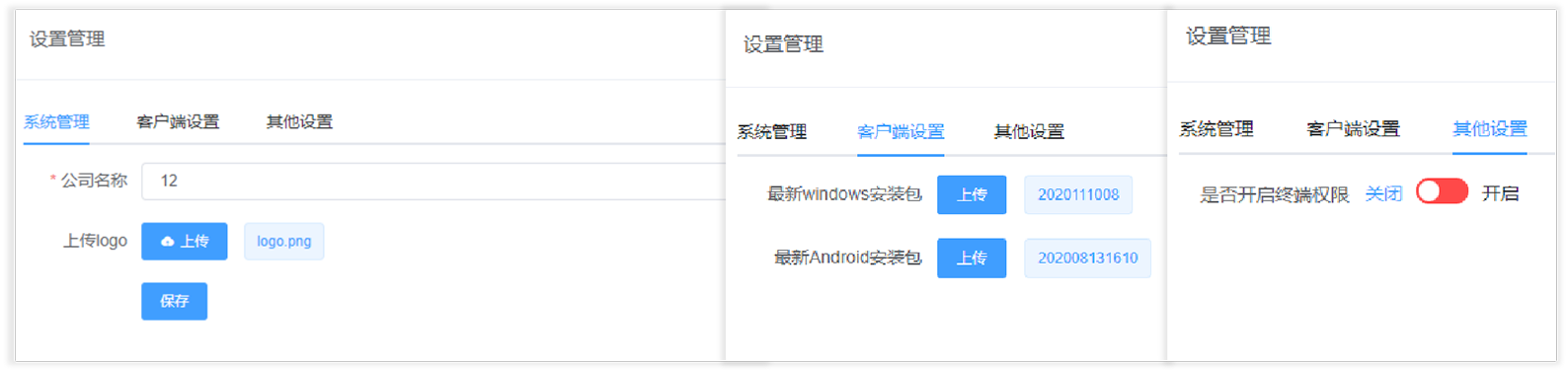
System Settings:
System Settings provides system-level control and management options. These include settings for the system logo and company name; uploading client installation packages for remote updates; program approval settings; and terminal permission settings, among others.
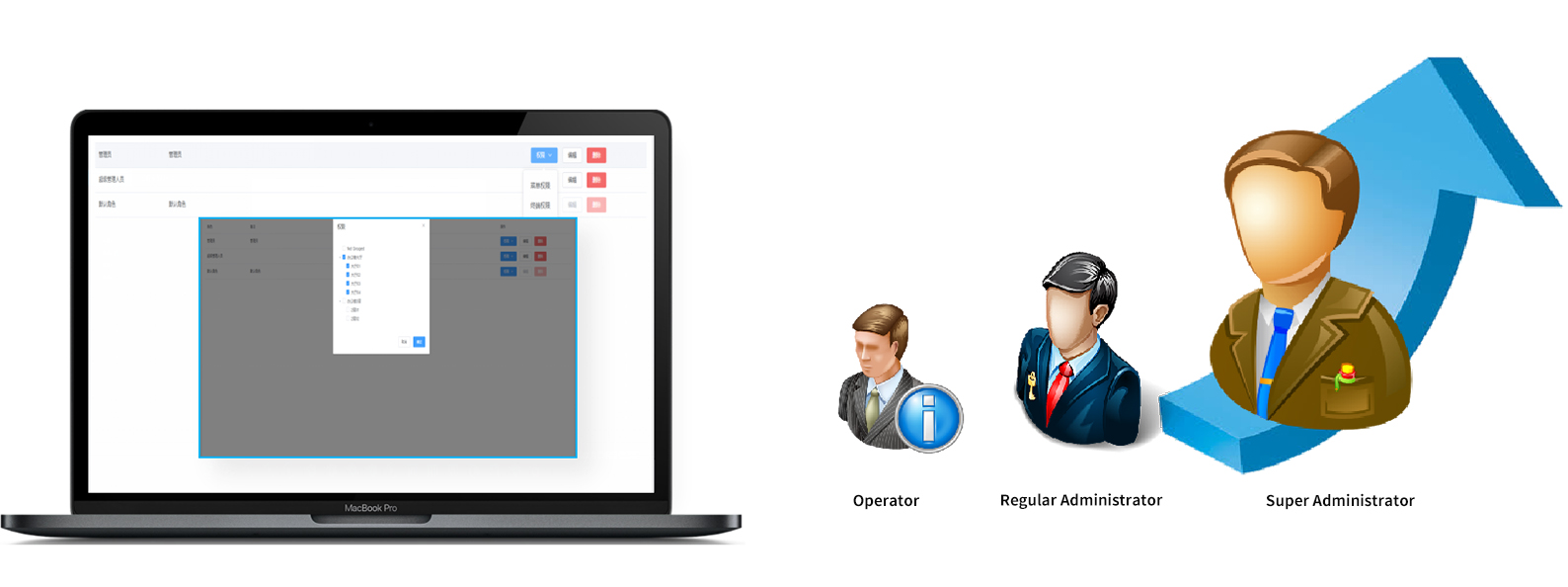
Permissions Management:
User permissions in the system are managed using role groups. Different system roles can be defined within the system, and each role can be granted different functional permissions and terminal operation permissions.
Status Monitoring:
Through remote real-time monitoring of device status, you can monitor the network connection status, program name, resolution, and live playback screen of terminal players. This facilitates personnel management after a program is released and eliminates the need for on-site checks.
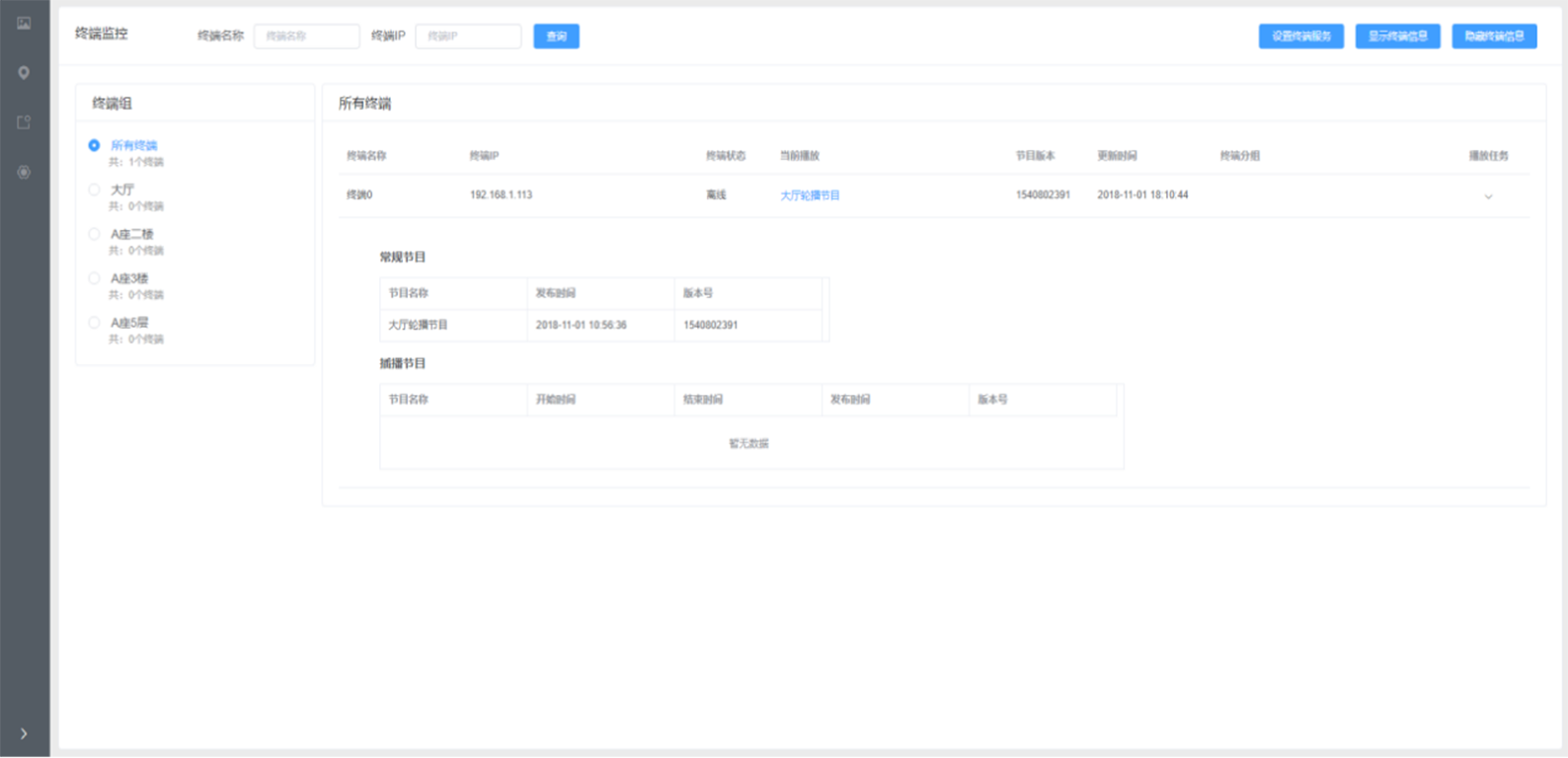
• The system supports grouping and categorizing information display terminals; different groups can play different content, while terminals within the same group display the same content.
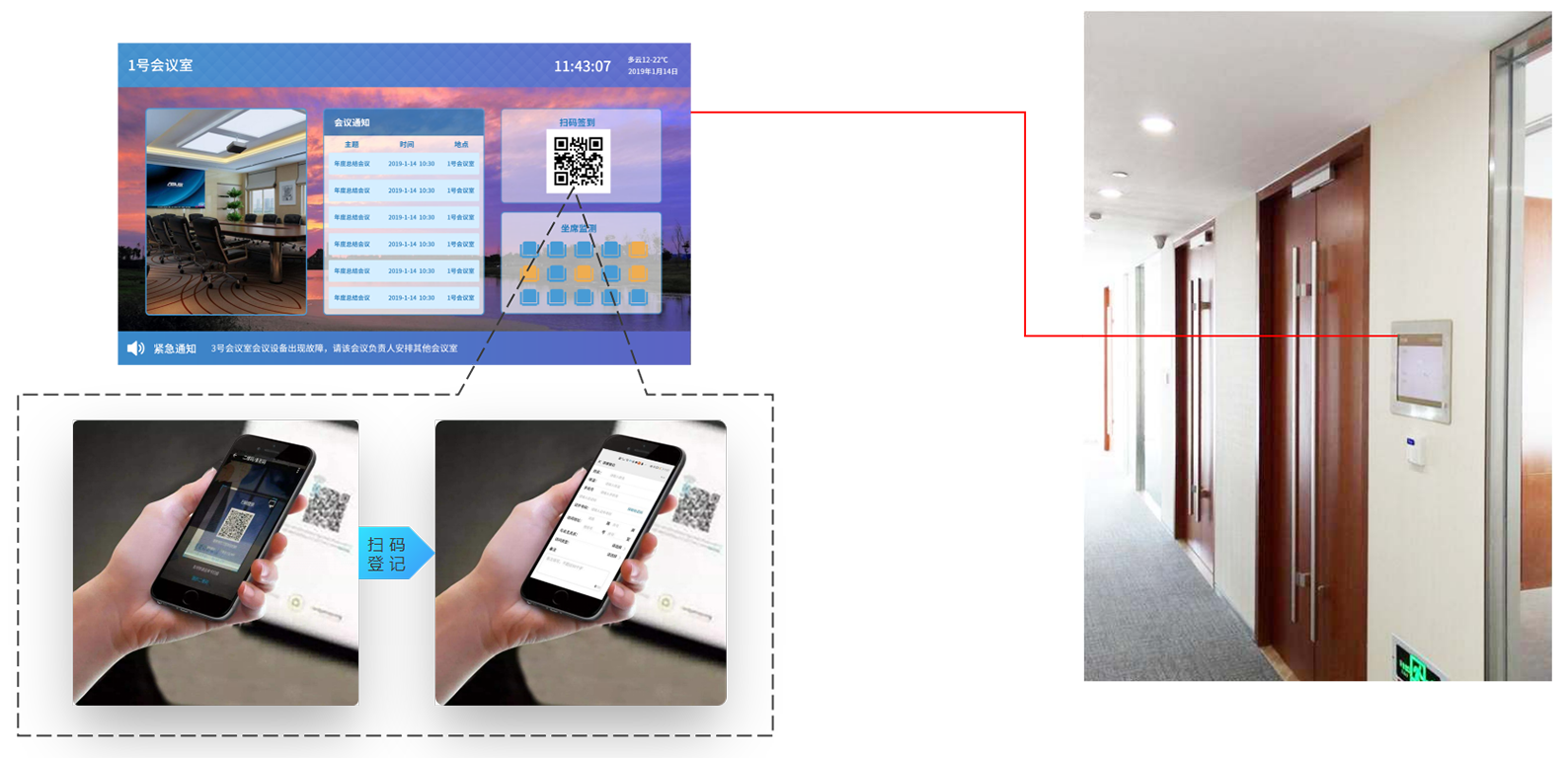
Scan the QR code to register and download resources:
External resources can be embedded in the terminal software program, or QR codes can be generated for these resources; by scanning the QR codes in the program with a mobile device, users can access features such as visitor registration and resource downloads.
III. Application Scenarios:
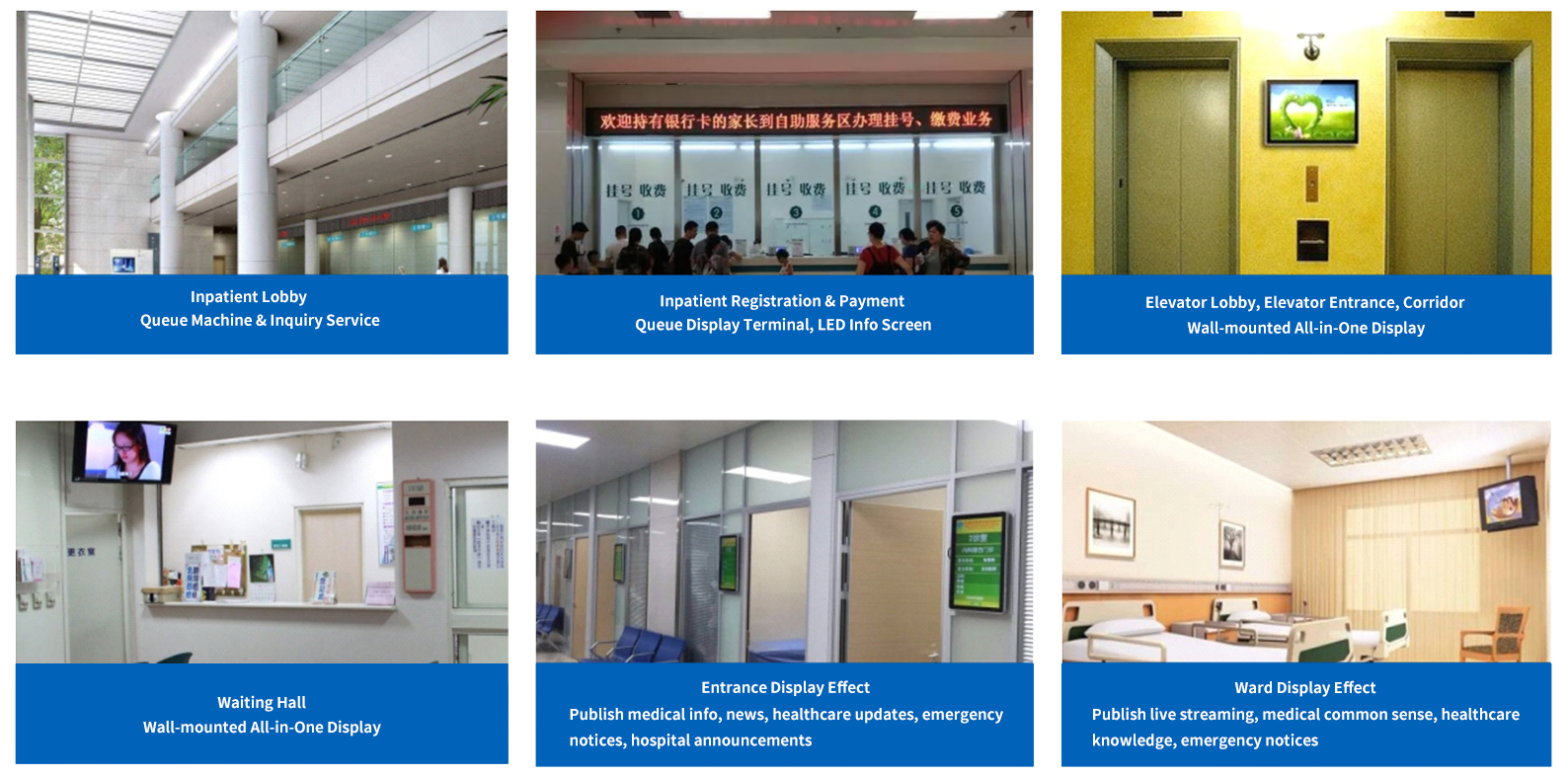
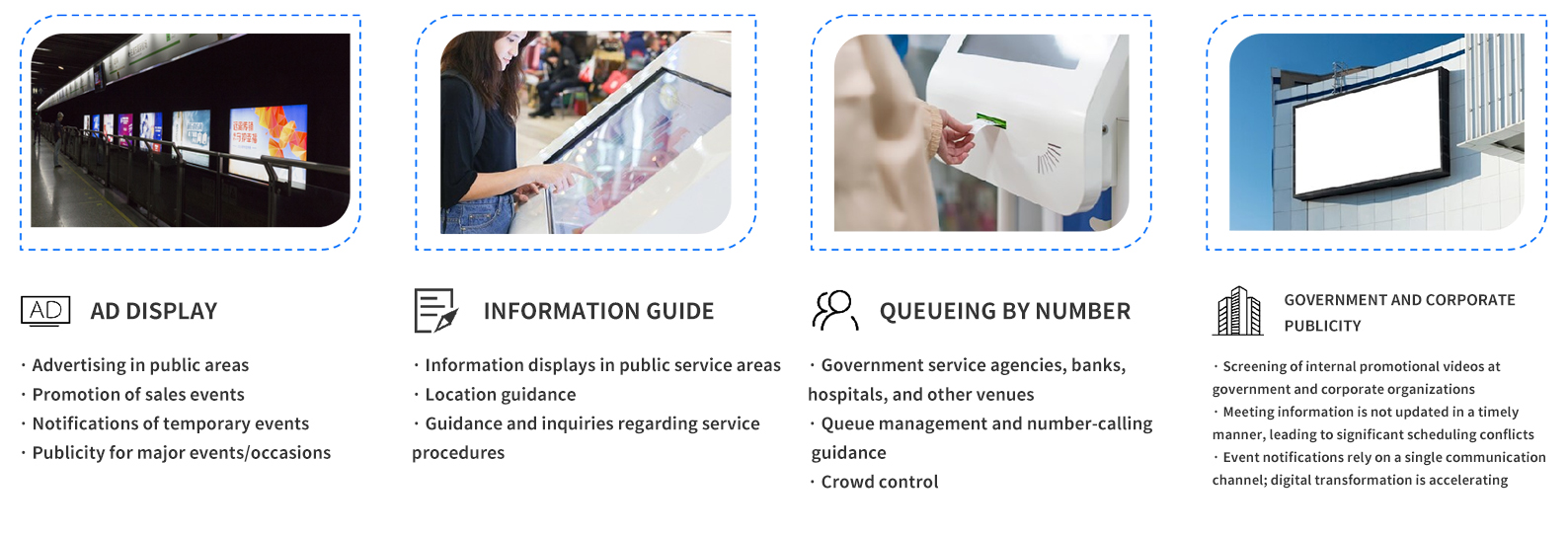
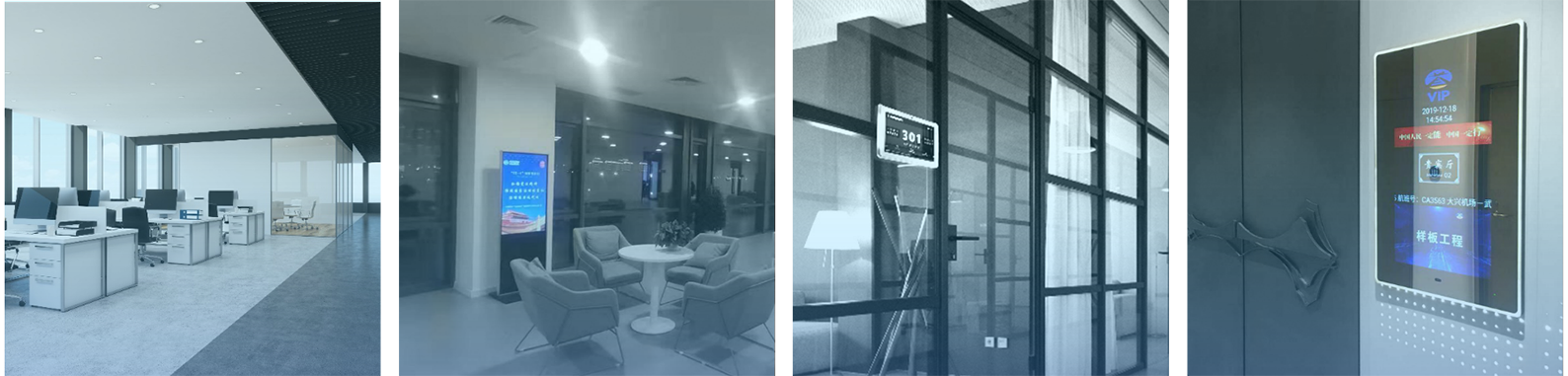
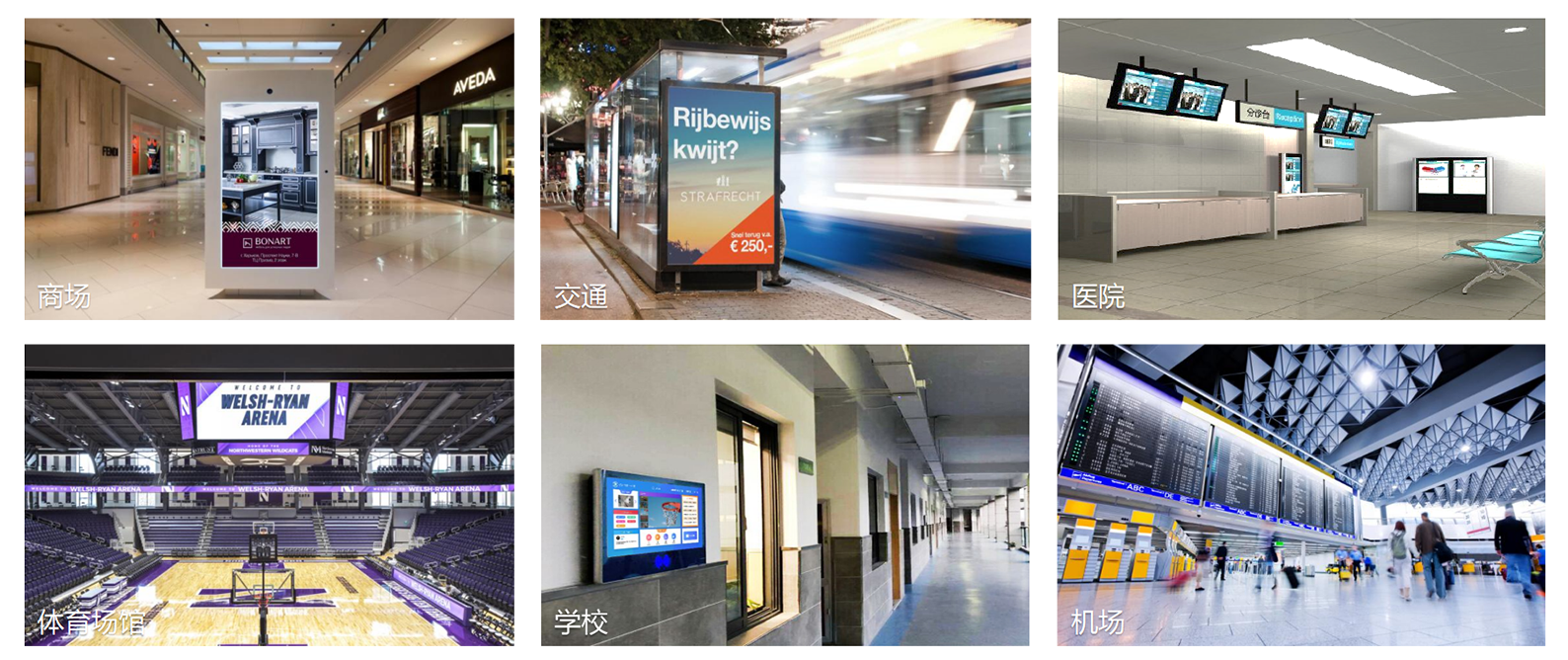
With the advent of the information age, there is a growing demand for networked information display systems in sectors such as banking, healthcare, transportation, retail, education, sports venues, and airports. Industries across the board urgently require digital multimedia information display systems that provide real-time, centralized control and management, as well as automated content playback.
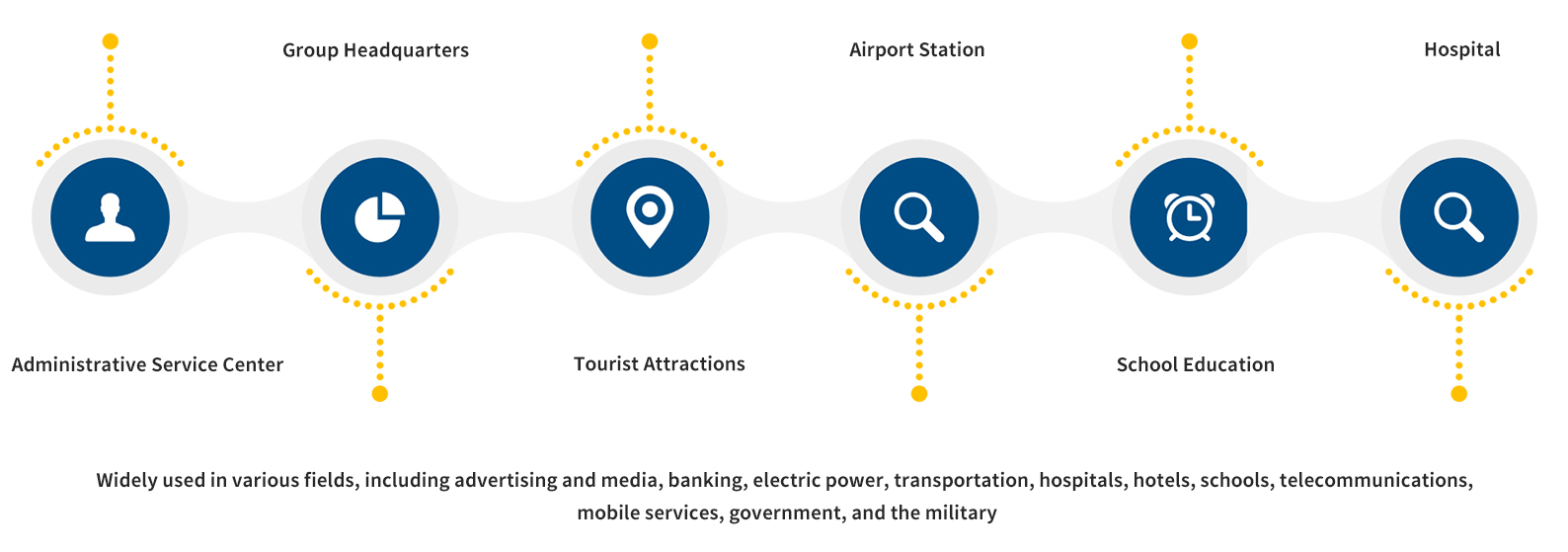
Organizational Chart of the Administrative Service Center:
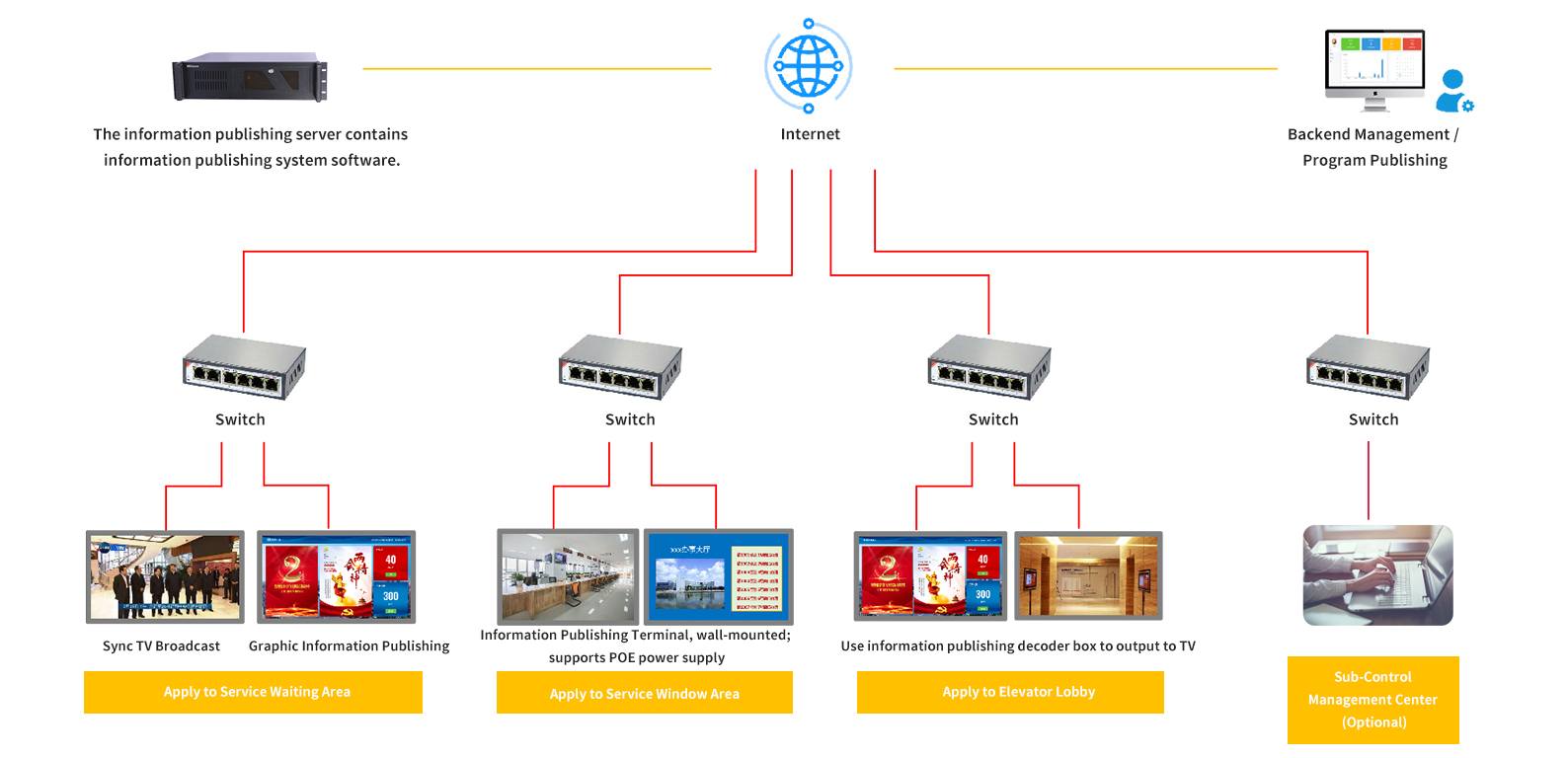
Administrative Service Center:
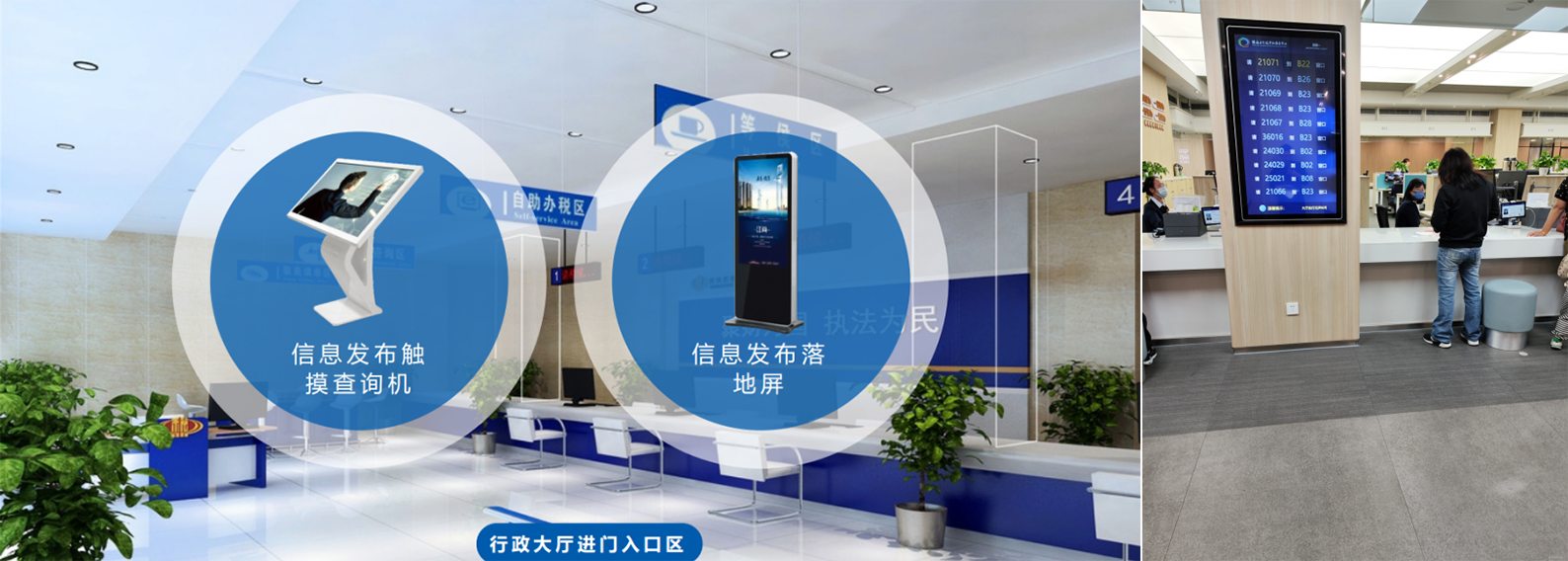
• Deploy multimedia information kiosks; when members of the public enter the service hall, they can obtain a queue number based on the relevant service category (integrated with the visitor queue-calling system to display and update queue information in real time, making it convenient for visitors to check)
• Install several display terminals in the service hall; program schedules can be set according to broadcast times to display news on current social issues, announcements of national policies, campaigns for outstanding officials, information on meetings and training sessions, reviews of confidential information, job openings, and introductions to public services
• Display promotional materials highlighting the Administrative Center’s achievements and brochures; integrate with the queue-calling system to synchronize and display real-time information on current window numbers, service items, and processing progress
• Staff, leaders, or designated personnel waiting for or riding elevators may broadcast guidance messages, government announcements, and notices
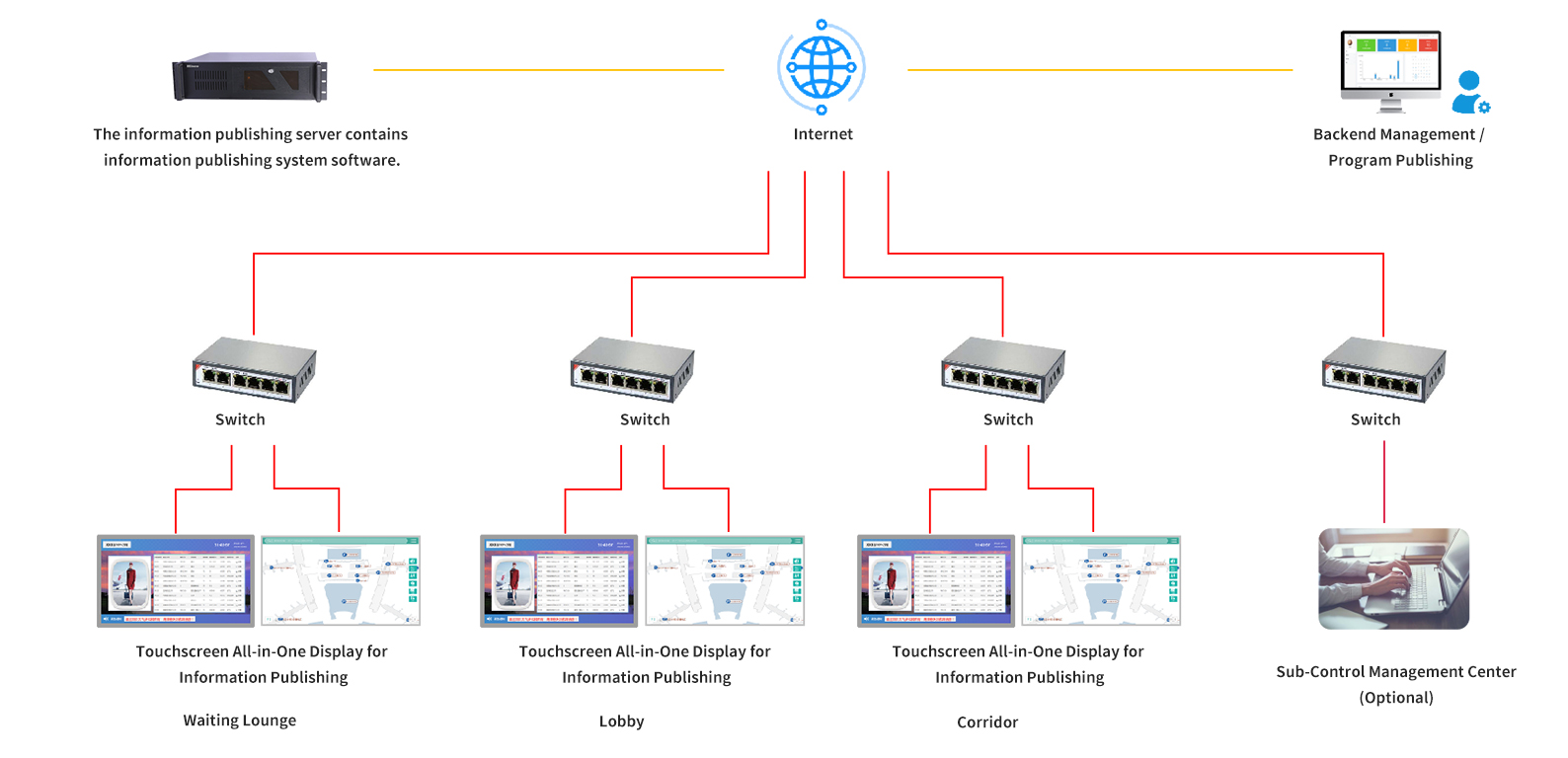
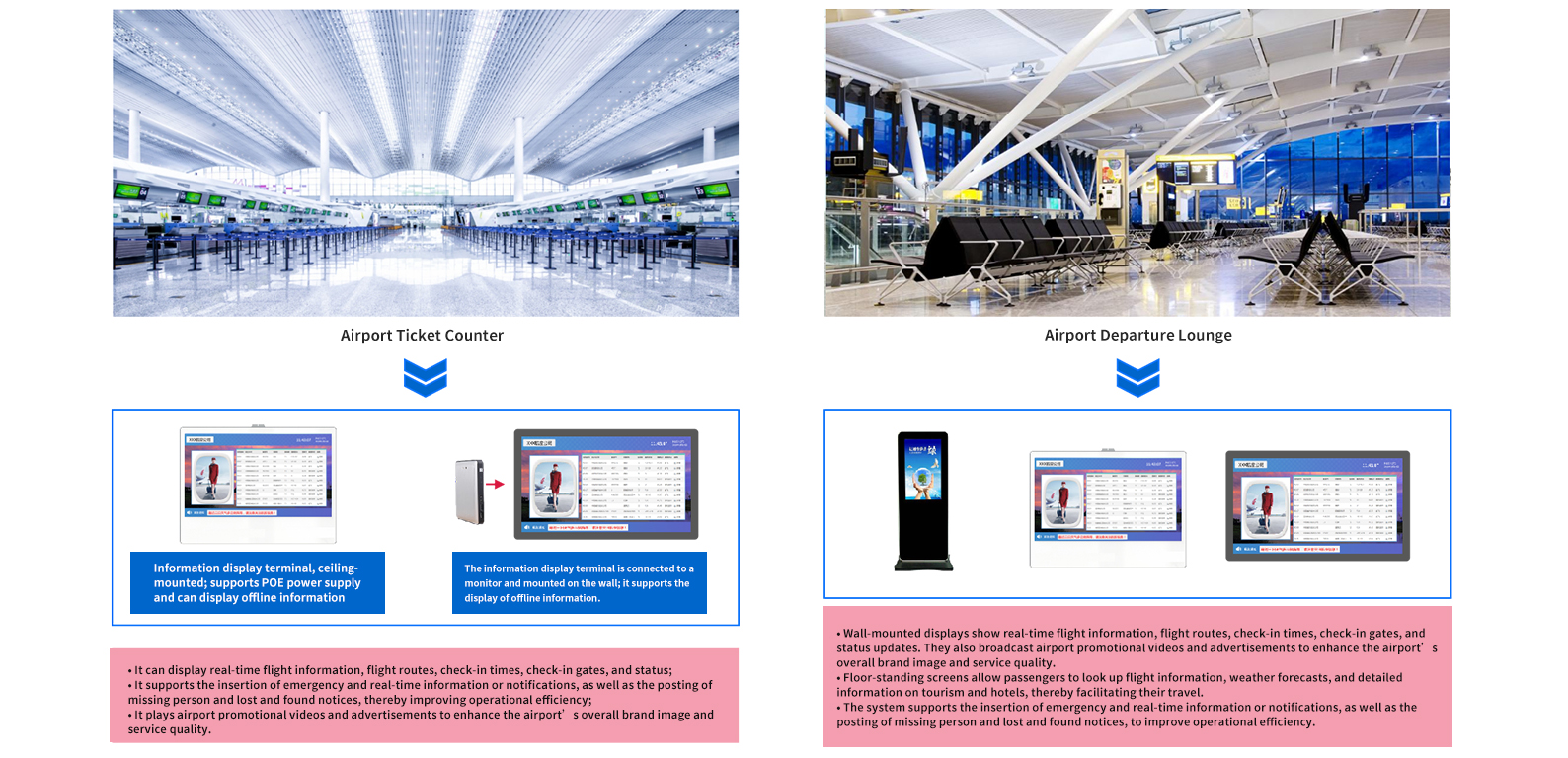
Airport Layout Diagram:
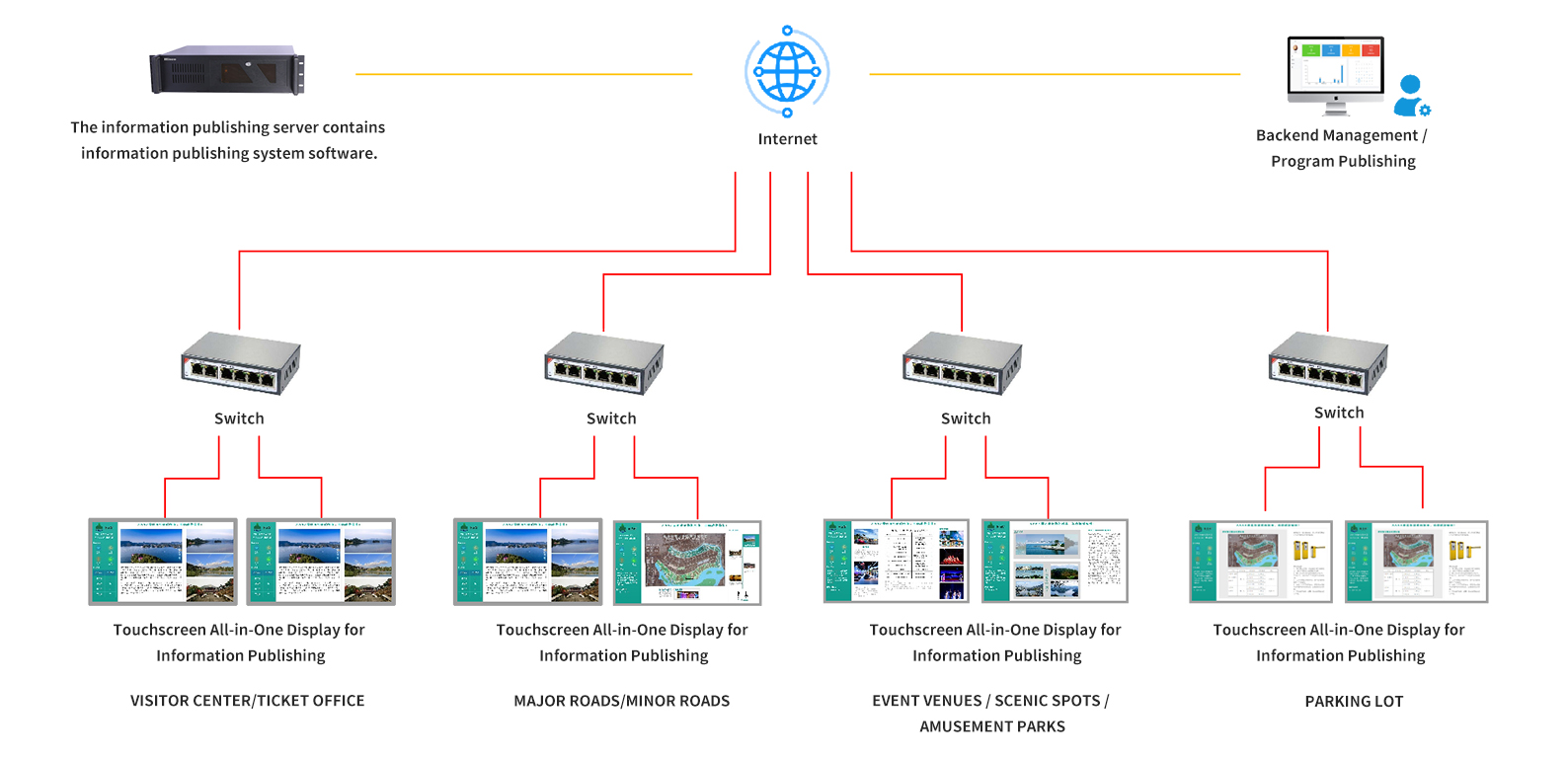
Scenic Area Organizational Chart:
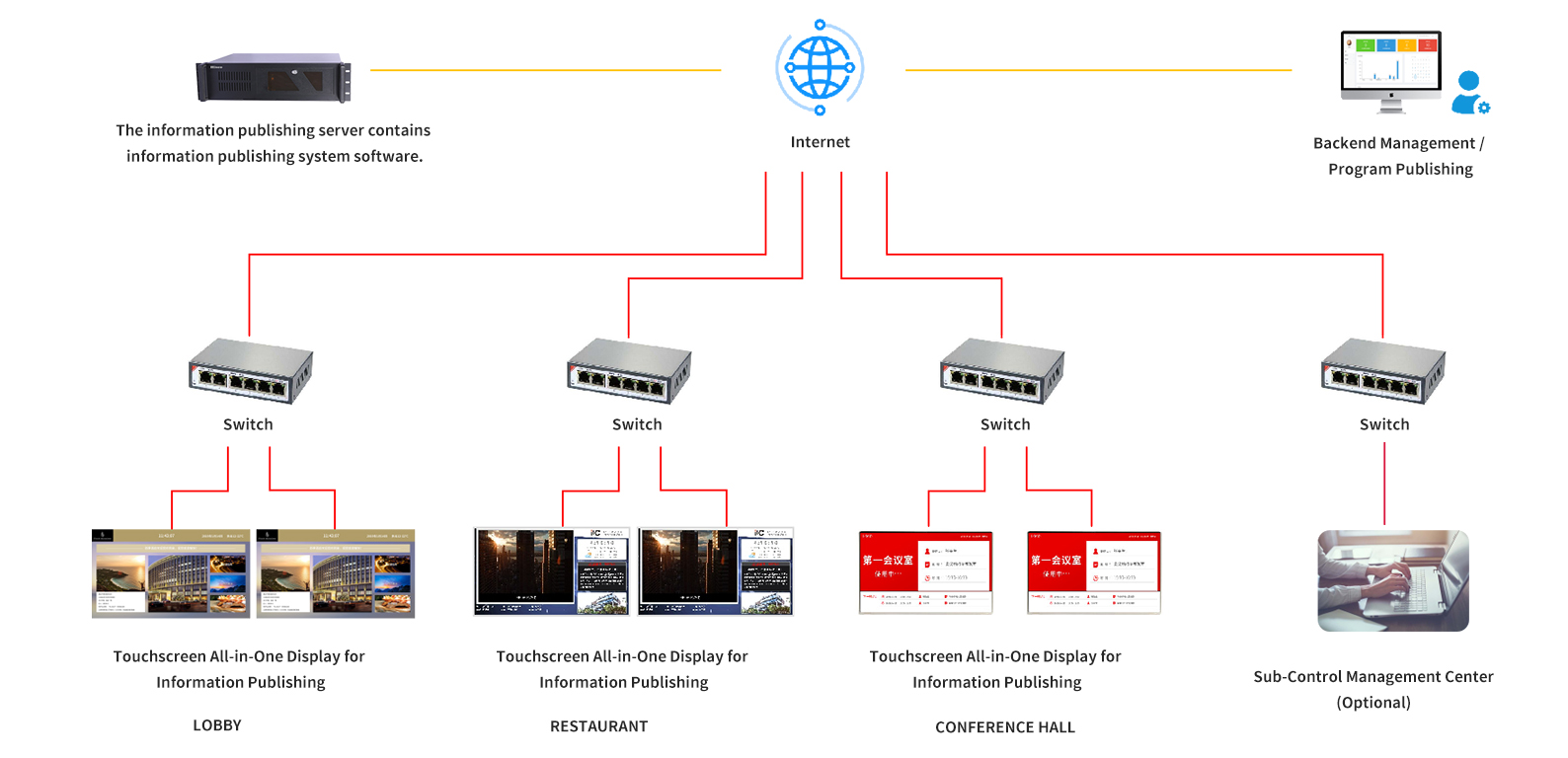
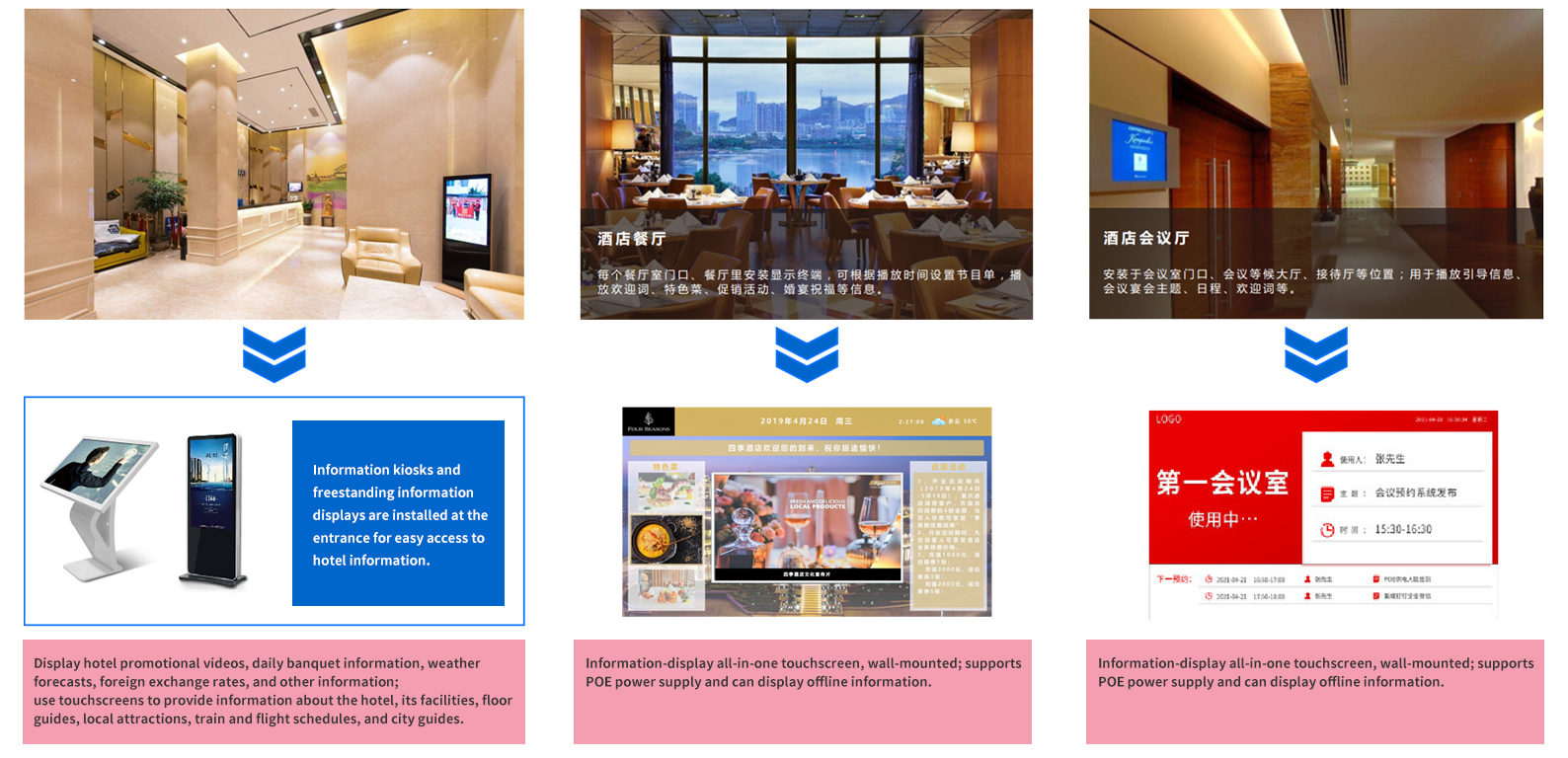
Hotel Structure:
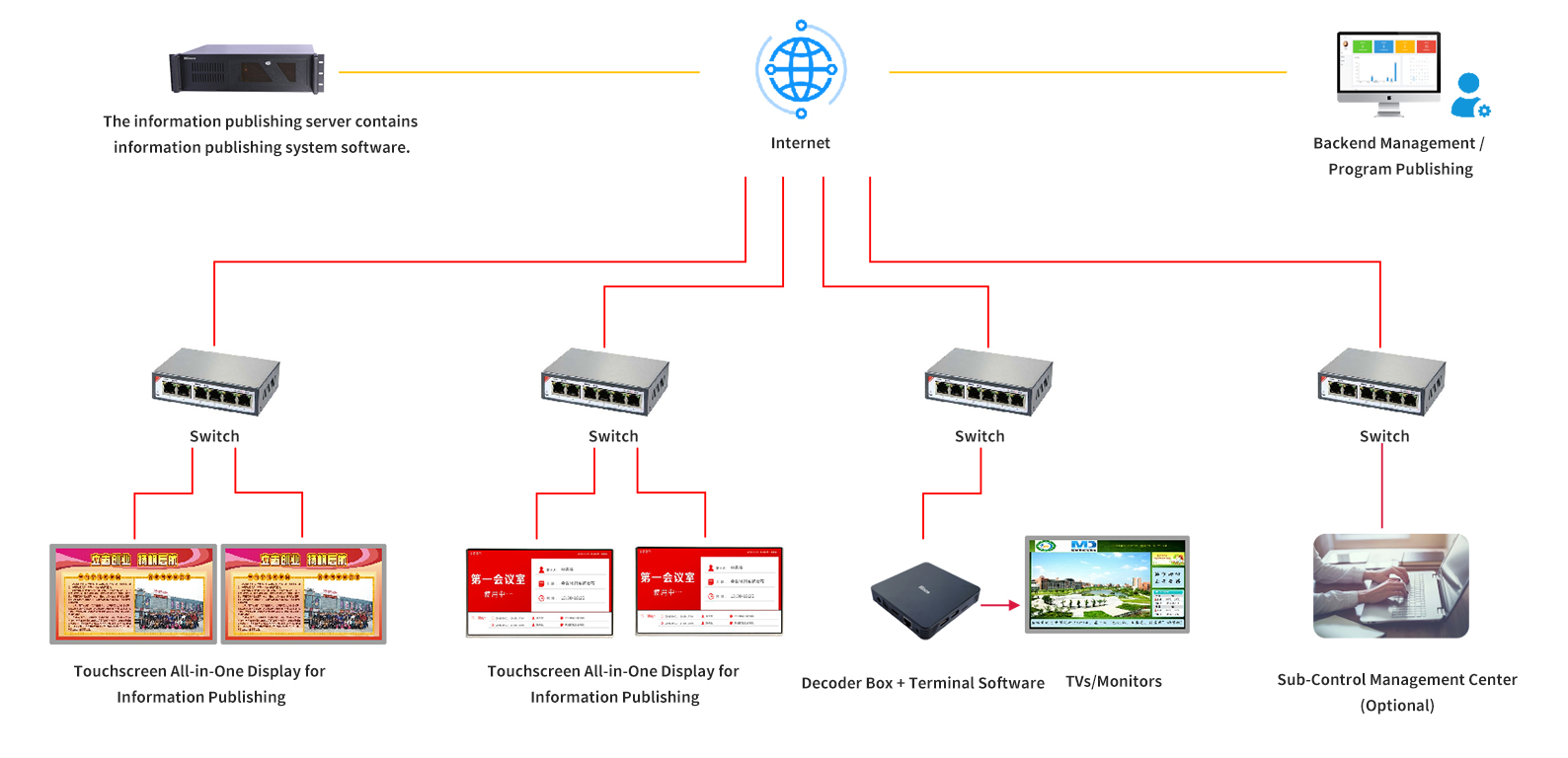
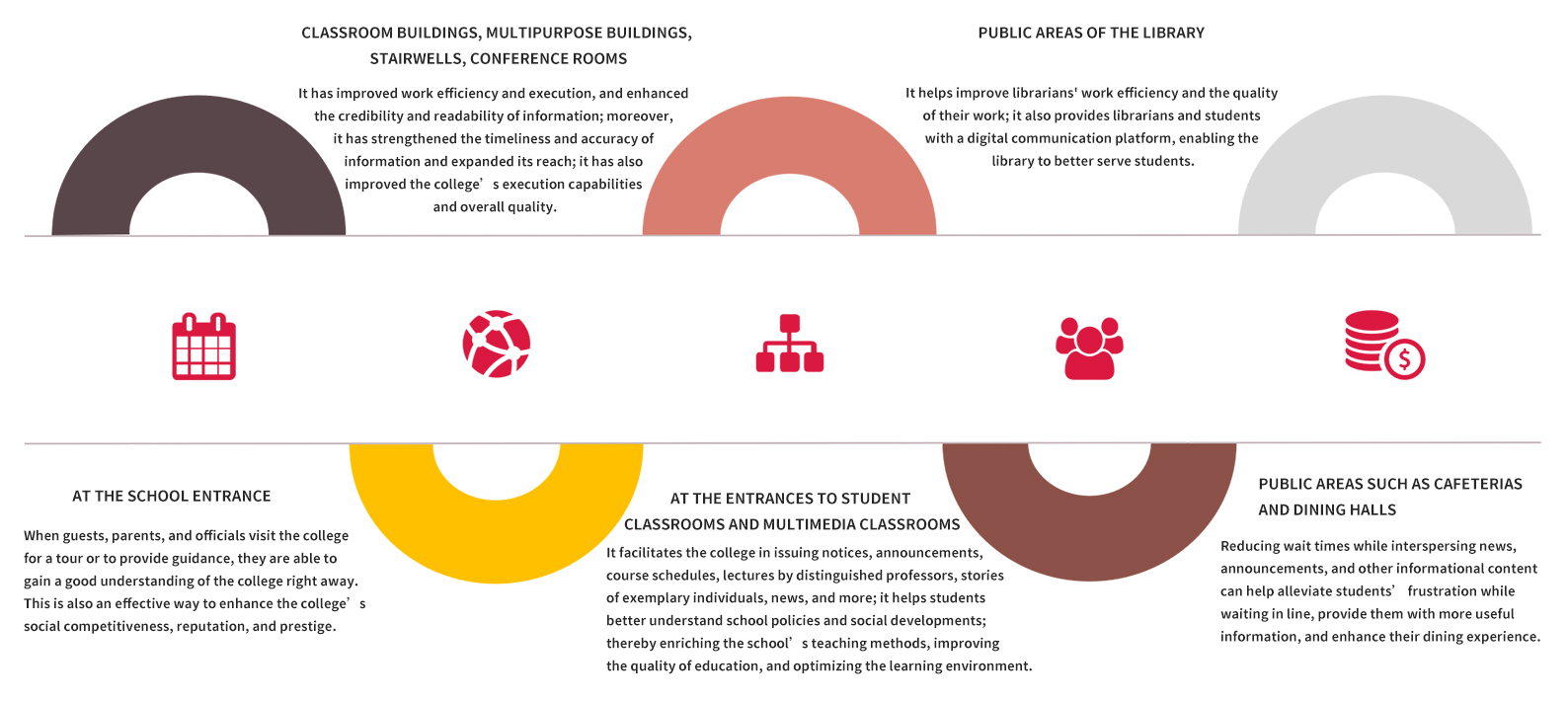
School Organizational Chart:
Hospital Organizational Chart: