


In today’s increasingly competitive society, the number of internal meetings at enterprises and organizations is constantly rising, and the volume of information discussed in these meetings is gradually expanding. Companies frequently rely on meetings for internal communication, problem-solving, and decision-making. However, meeting management at these organizations is currently burdensome and lacks systematic processes. Manual processes are inefficient, difficult to manage, and prone to errors.
A meeting management system utilizes digital management tools to establish an efficient, convenient, and well-structured meeting management framework.
With the advancement of technology, the penetration rate of smartphones continues to rise. According to 2021 global statistics on smartphone penetration, China’s smartphone penetration rate exceeded 68%, with the rate among young and middle-aged adults in first- and second-tier cities reaching over 95%. To keep pace with the times, the meeting management system has launched quick-access applications based on WeChat and DingTalk, making the dissemination of meeting information more direct and the sharing of meeting materials more convenient.
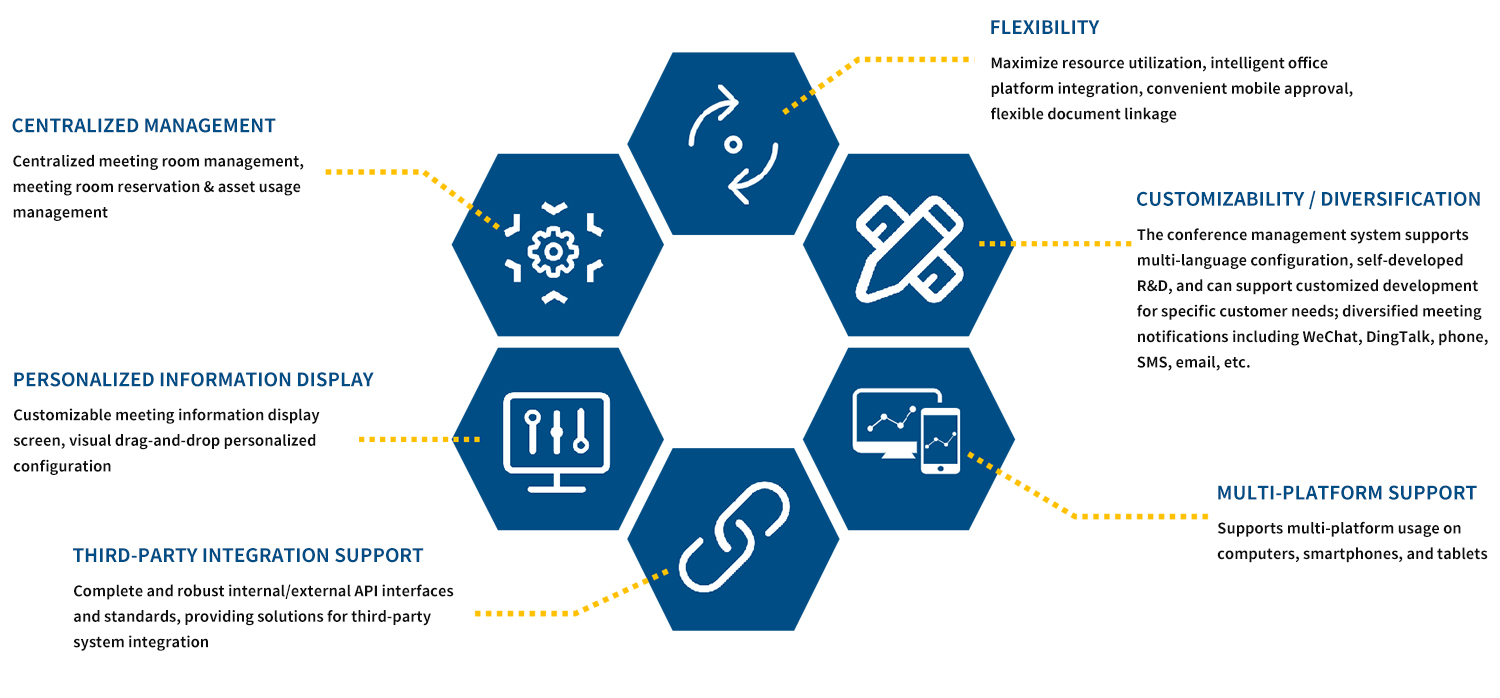
Advantages/Features of the Conference Management System:
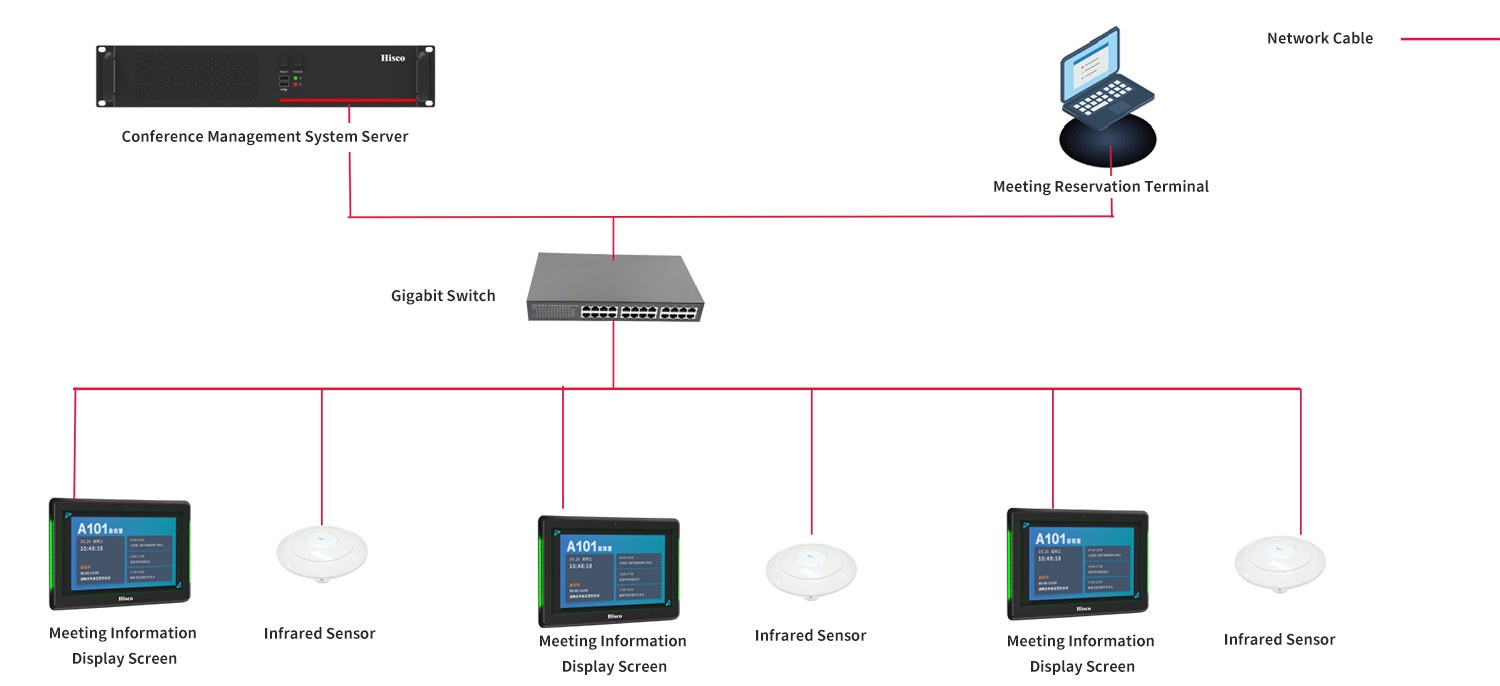
System Architecture:
Product Overview:
1. Meeting Management System (Required): Installed on the server, it supports the simultaneous management of multiple meeting rooms and meetings. This system uses information technology to build an efficient, convenient, and well-organized meeting management system that centrally and effectively manages meeting information, including centralized meeting room management, meeting reservations, and meeting services.
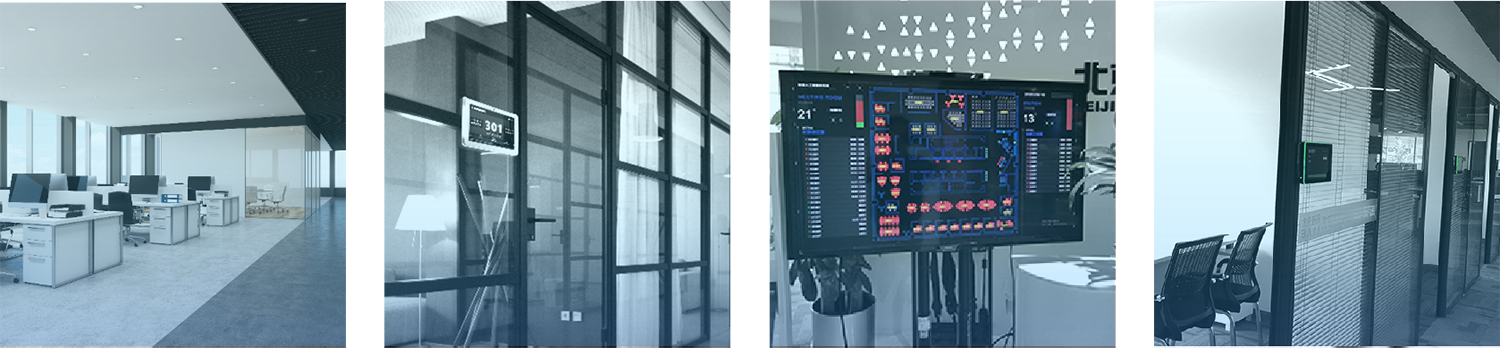
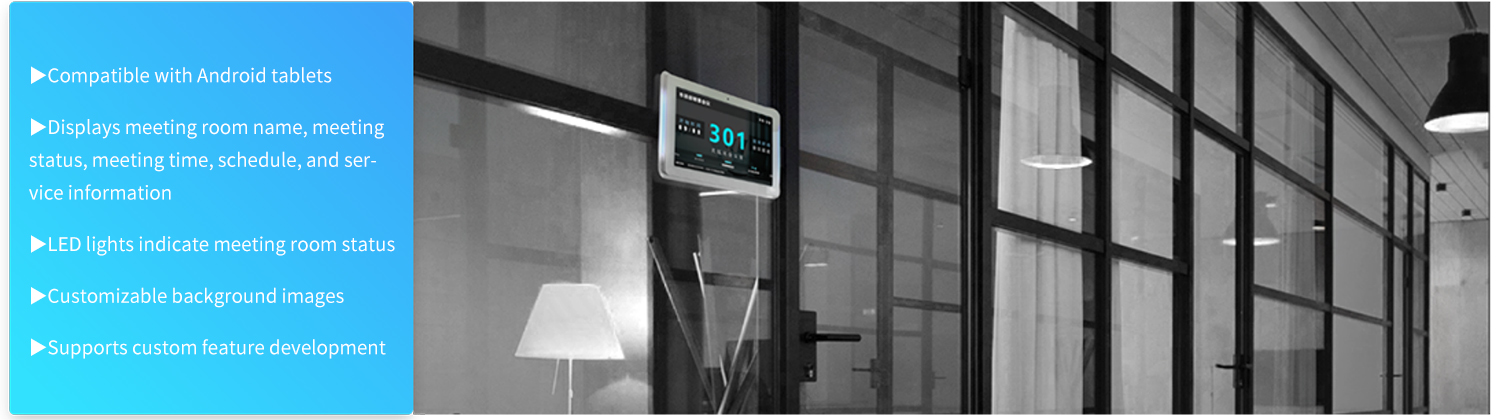
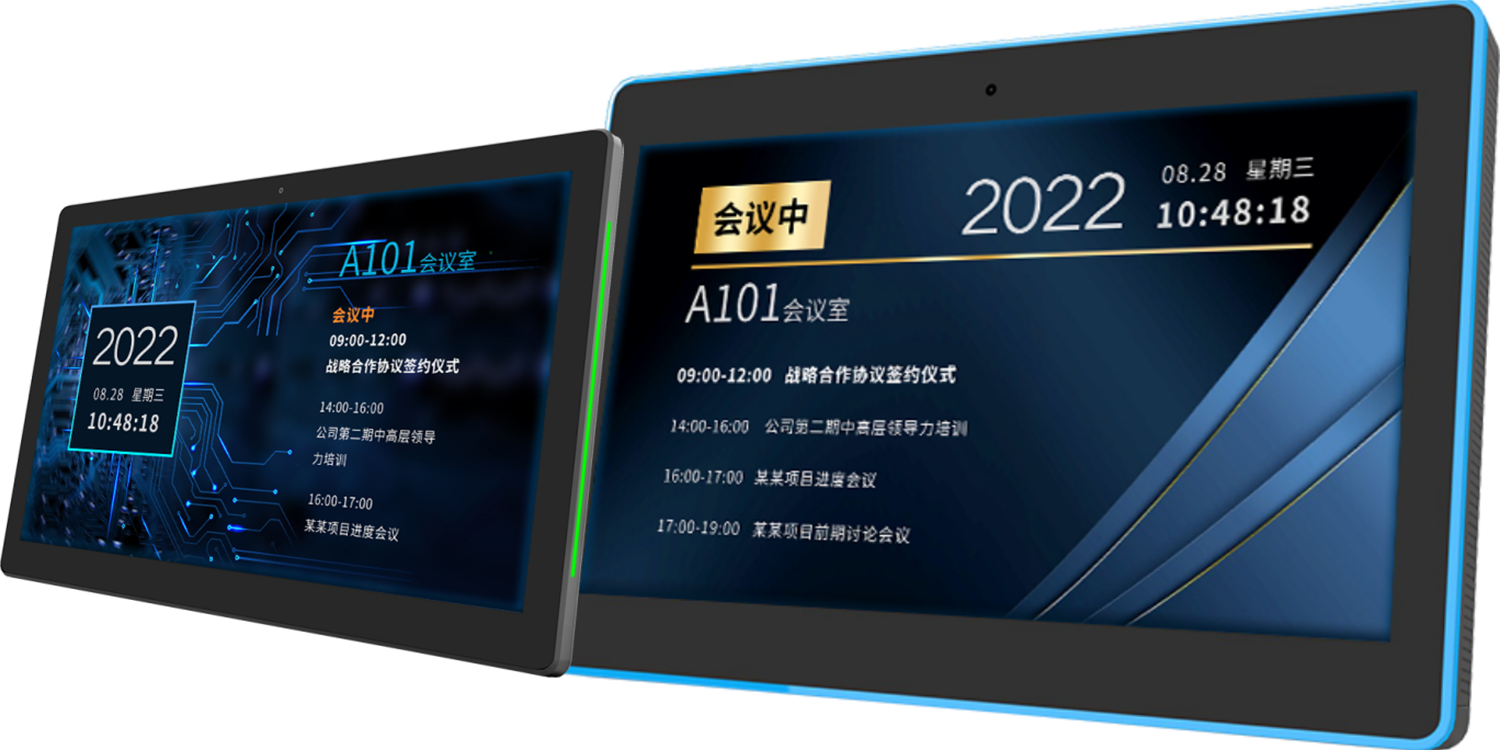
2. Meeting Information Display (Required): The meeting display supports Android tablets and offers customizable features. Installed at the entrance of the meeting room, it can be wall-mounted or recessed into the wall. It displays the meeting room name, usage status, service status (e.g., “In Session” or “Next Meeting Time”), current date and time, and the day’s meeting schedule.
3. WeChat Official Account Reservation System (Optional): User organizations can link their corporate information to a WeChat Official Account. To reserve a meeting room, users simply open WeChat, access the Official Account to view available time slots, and select a time to complete the reservation. Additionally, users can quickly view their personal meeting schedules through the Official Account.
4. DingTalk Reservation System (Optional): Integrates with the organization’s DingTalk account, automatically synchronizing data with the corporate organizational structure and employee information; enables meeting reservations for the organization’s conference rooms via the DingTalk app; allows selection of attendees during the reservation process; and automatically sends meeting invitation notifications upon successful reservation, with all attendees able to view the meeting time, location, topic, and other details in their DingTalk messages.
5. Meeting Service Interaction Software (Optional): Install the Meeting Service Desk application at the front desk or in the meeting room management office. Compatible with touchscreens and PCs, its features include meeting room status monitoring, meeting service requests, and meeting reminders.

Application Process:
Usage Instructions:
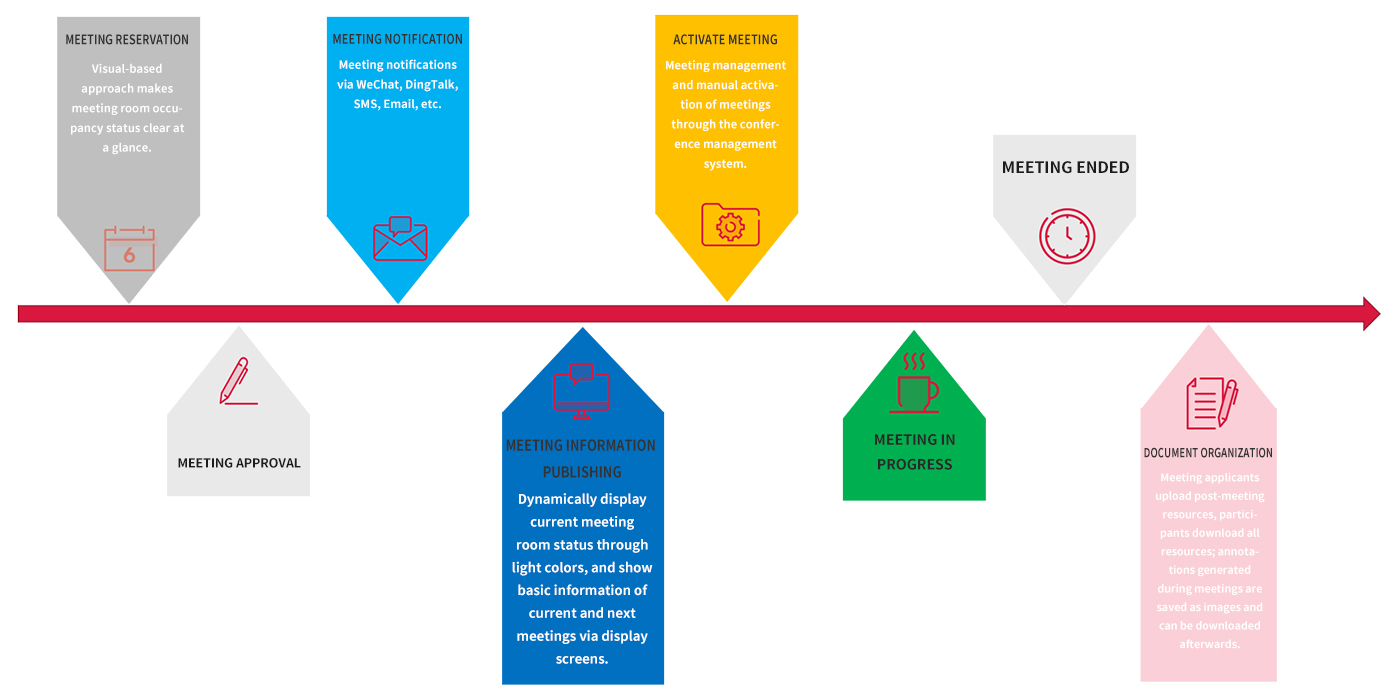
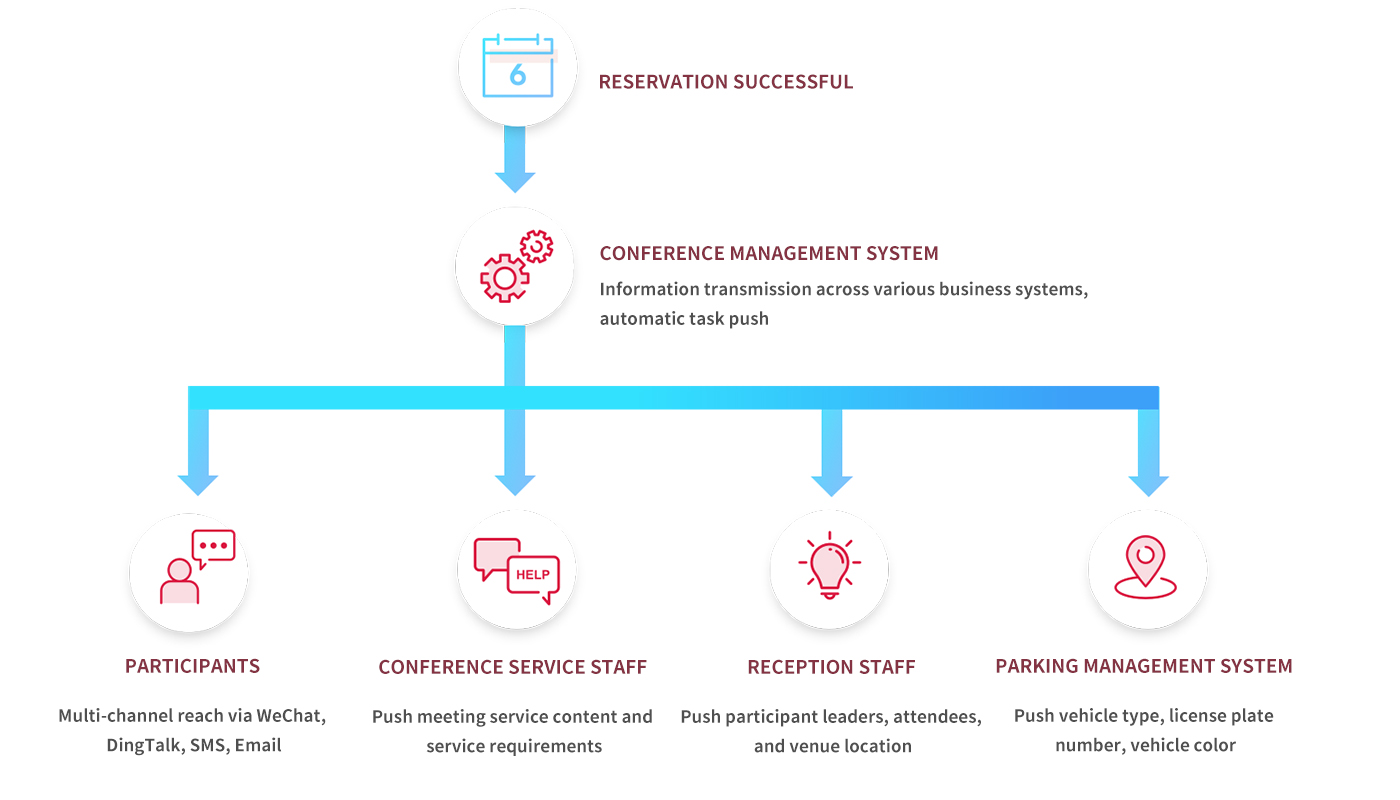
Task Push Process:
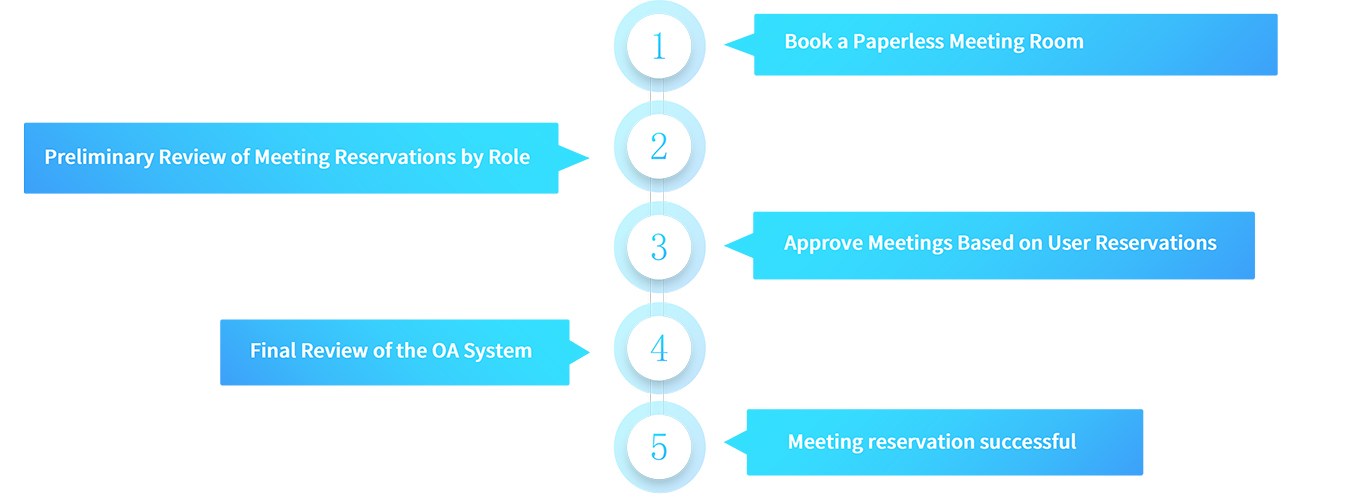
Conference Room Reservations:
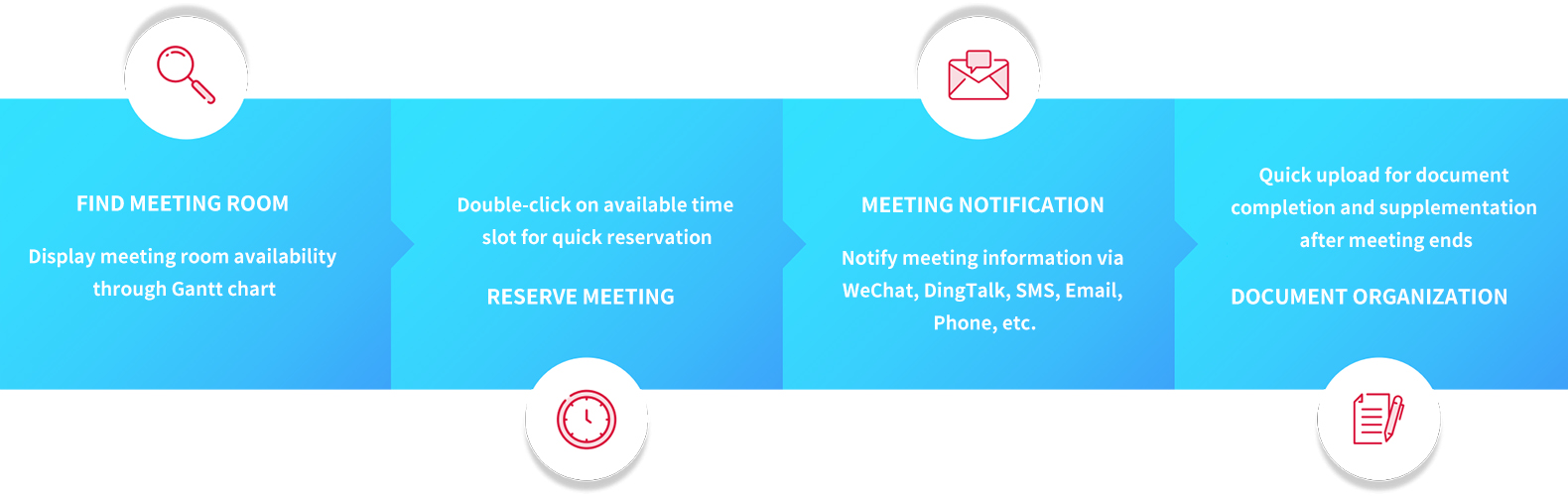
Convenient Appointments:
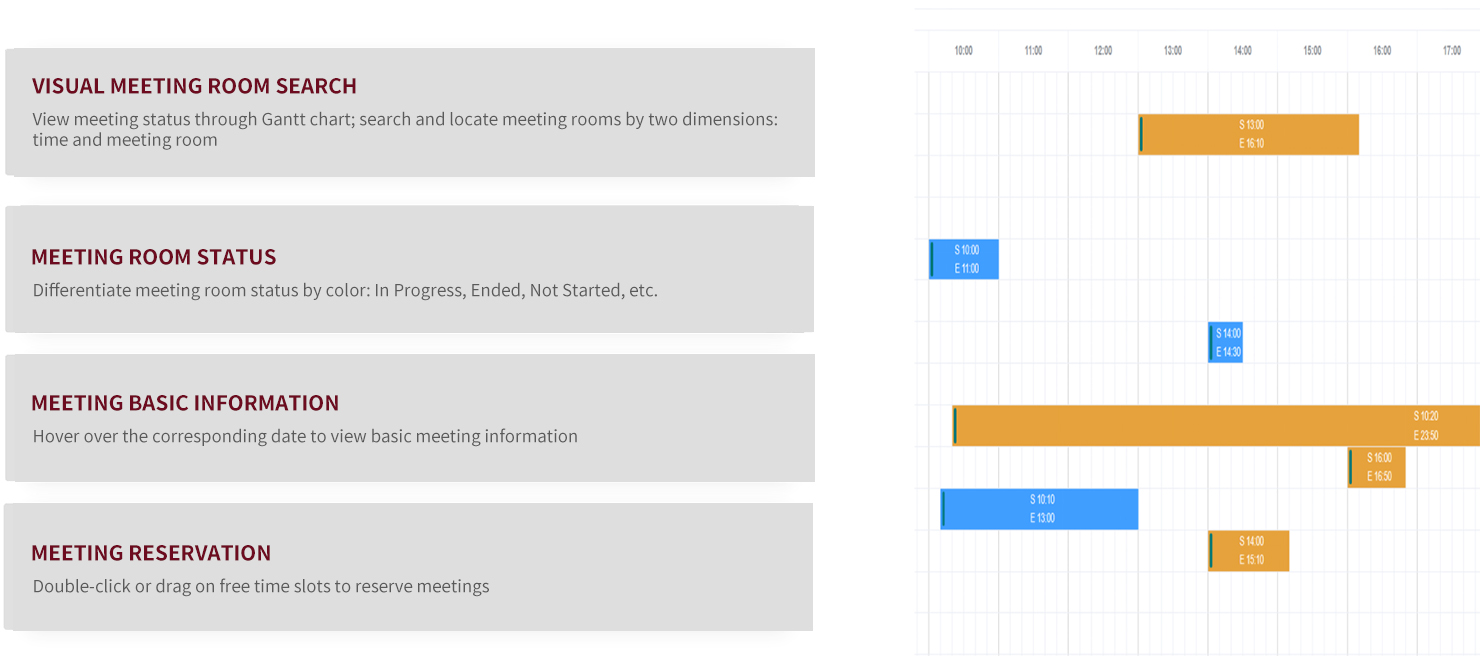
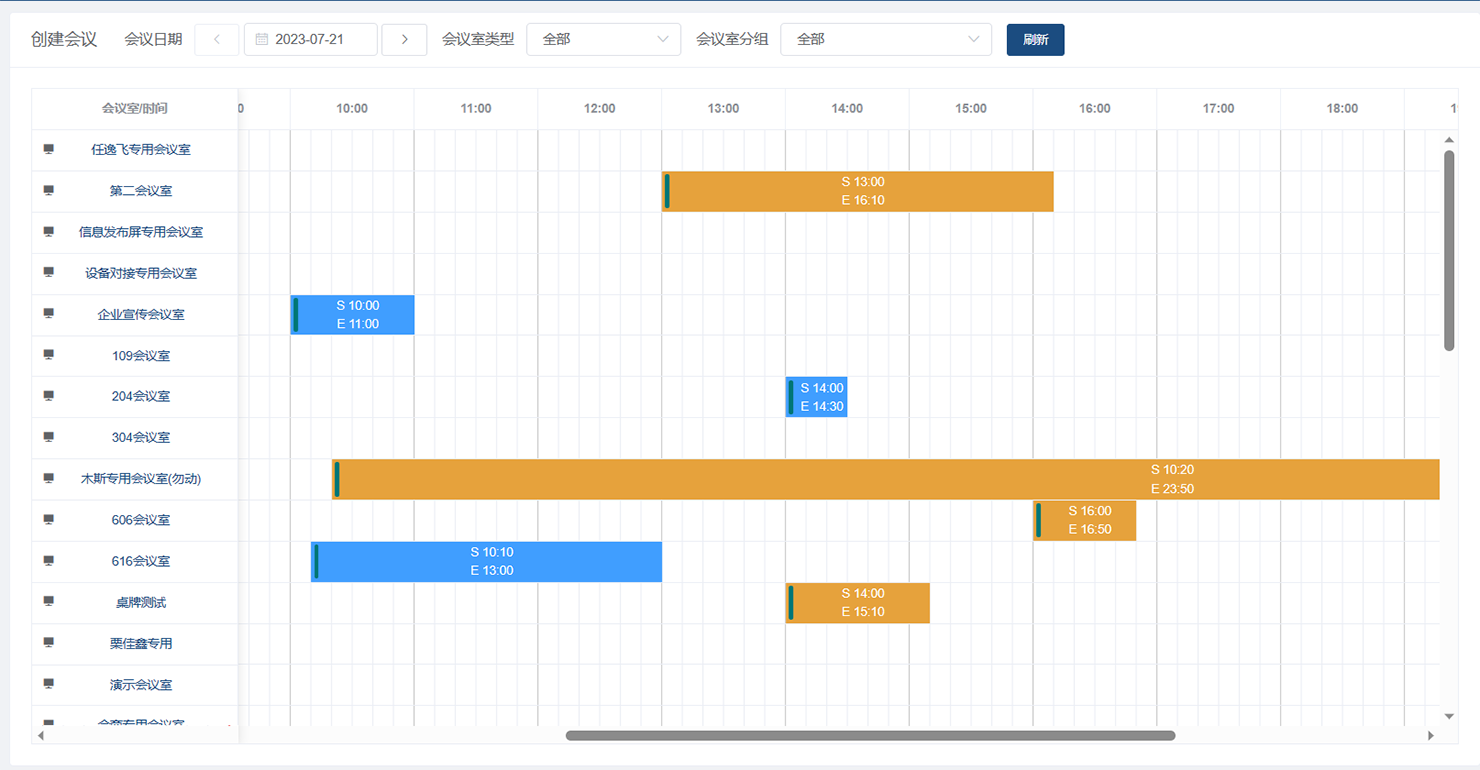
Color Distinctions:
Visual display of available meeting rooms, allowing users to search for and book rooms in an intuitive, visual manner. Different colors on the page indicate different meeting statuses, for example:
• White area: Indicates that the meeting room is available for booking.
• Orange area: Indicates that the meeting room is reserved but the meeting has not yet started.
• Gray area: Indicates that the meeting has ended.
• Blue area: Indicates that a meeting is in progress.
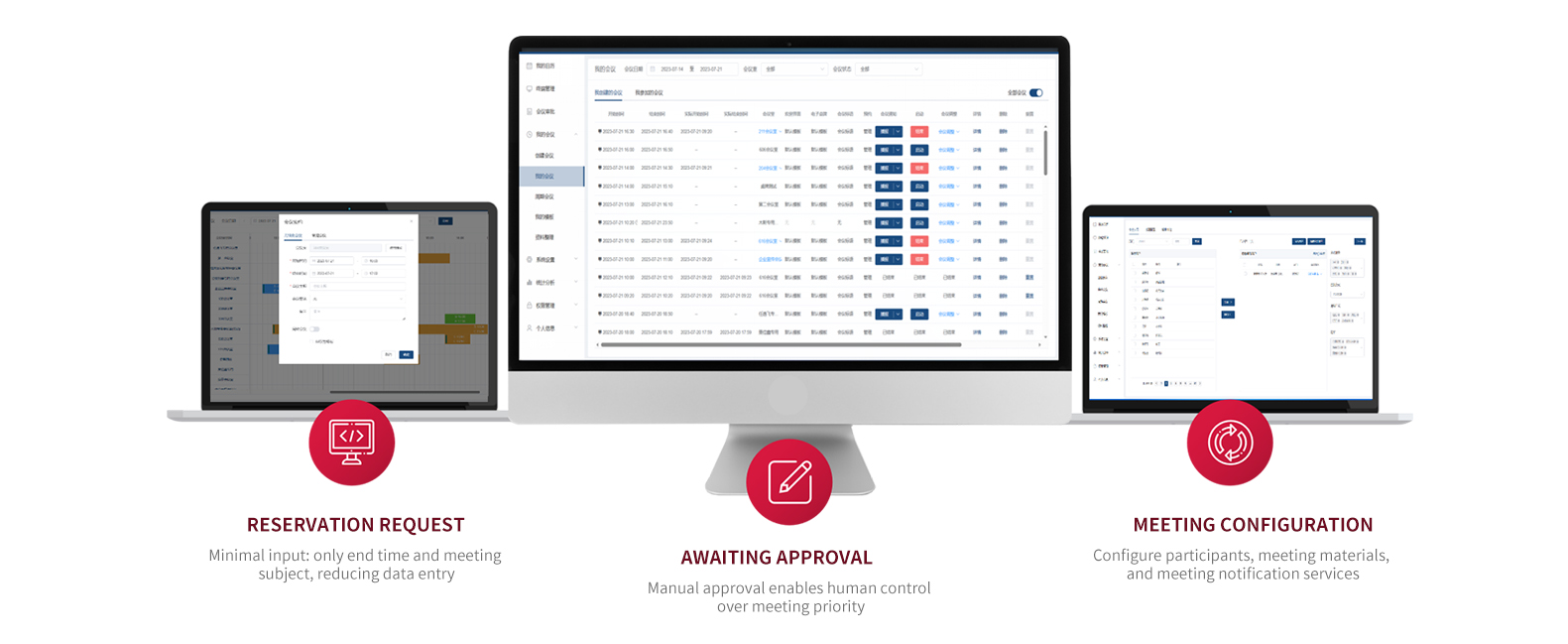
Meeting Scheduling - Process Interface:
Meeting Notice:
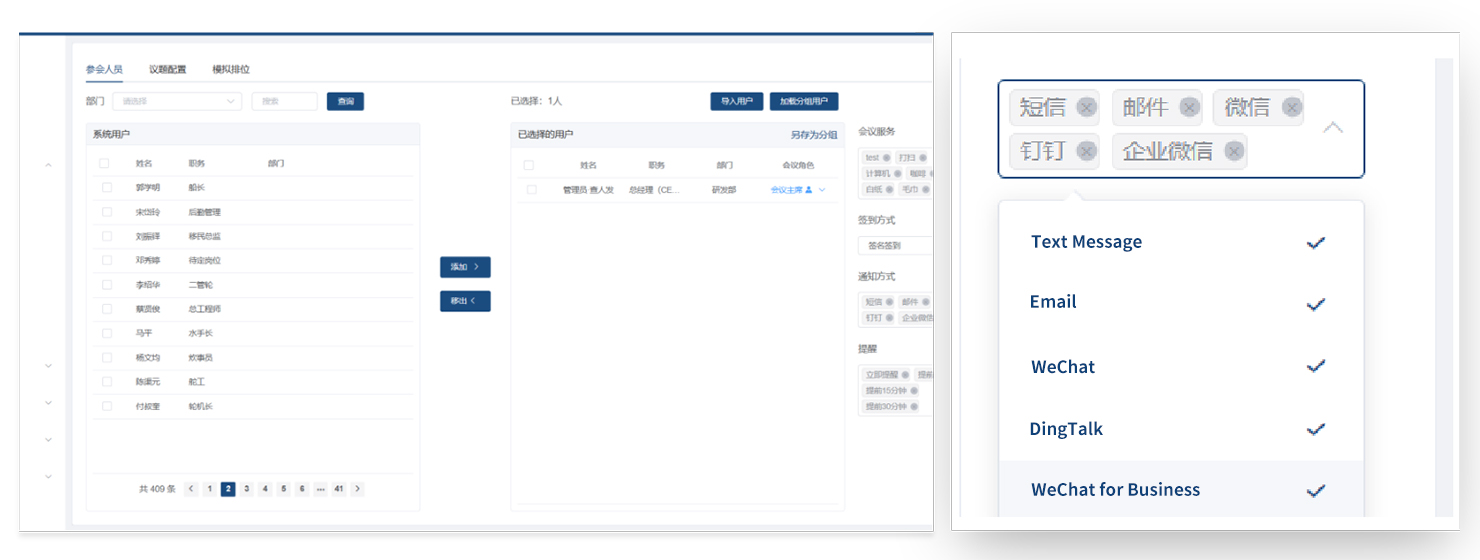
• The system comes standard with SMS meeting notification services, email notification services, phone notification services, and more.
• Receive meeting notifications via WeChat by subscribing to official account push notifications; receive meeting notifications via DingTalk by subscribing to mini-app push notifications.
• Meeting invitation notifications are automatically generated, though you can also edit them manually; meeting notifications are automatically sent once the meeting is approved.
Compiled by:
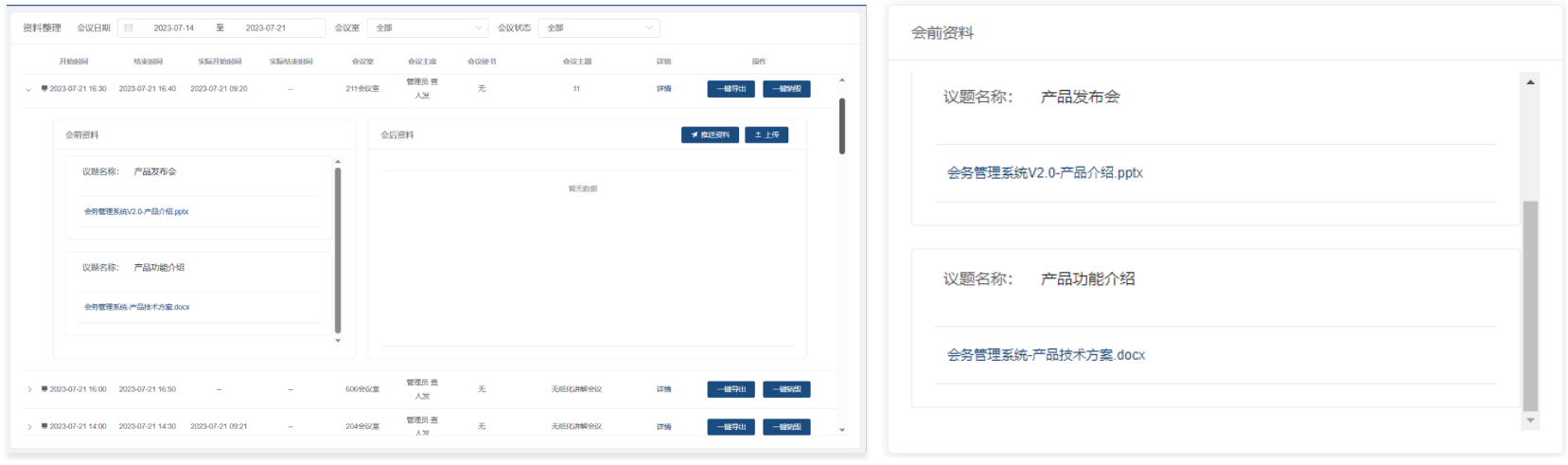
• Once a meeting has been created, participants can download meeting materials from the “Meeting Materials” section to review them in advance.
• After the meeting concludes, the meeting administrator can upload materials generated during the meeting—such as meeting minutes and resolutions—to supplement the post-meeting documentation, making it convenient for participants to download them.
Conference Agenda:
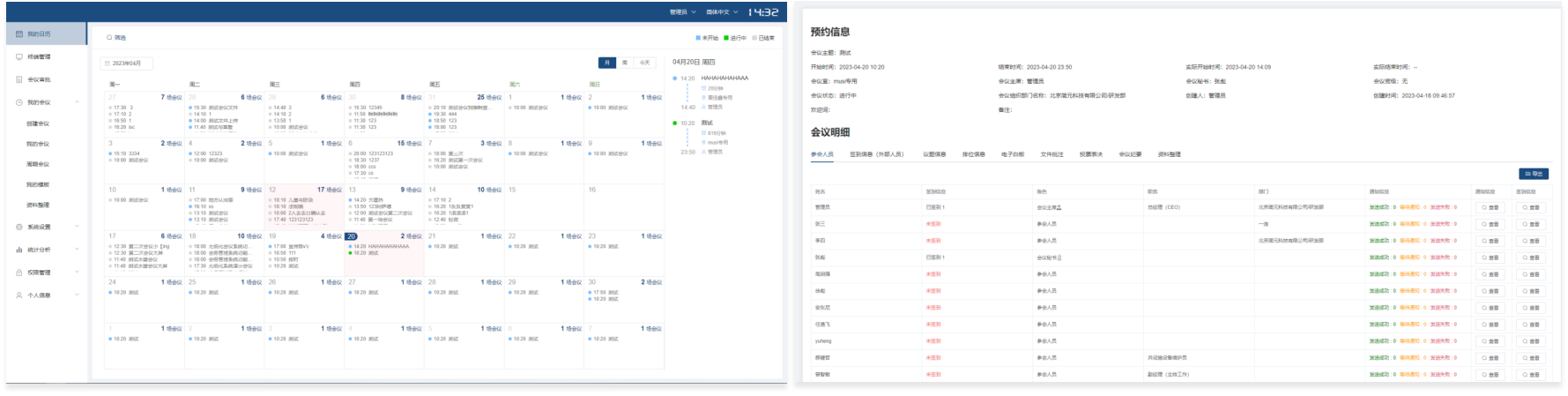
By thoroughly analyzing user habits, we have created a meeting schedule view for regular attendees; using a monthly calendar format, it displays attendees' daily meeting schedules.
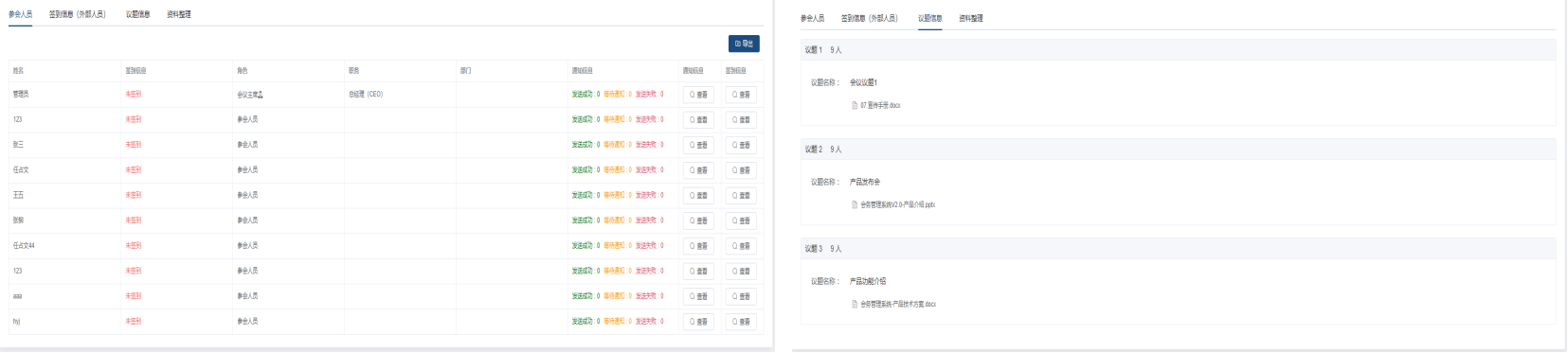
Conference Information:
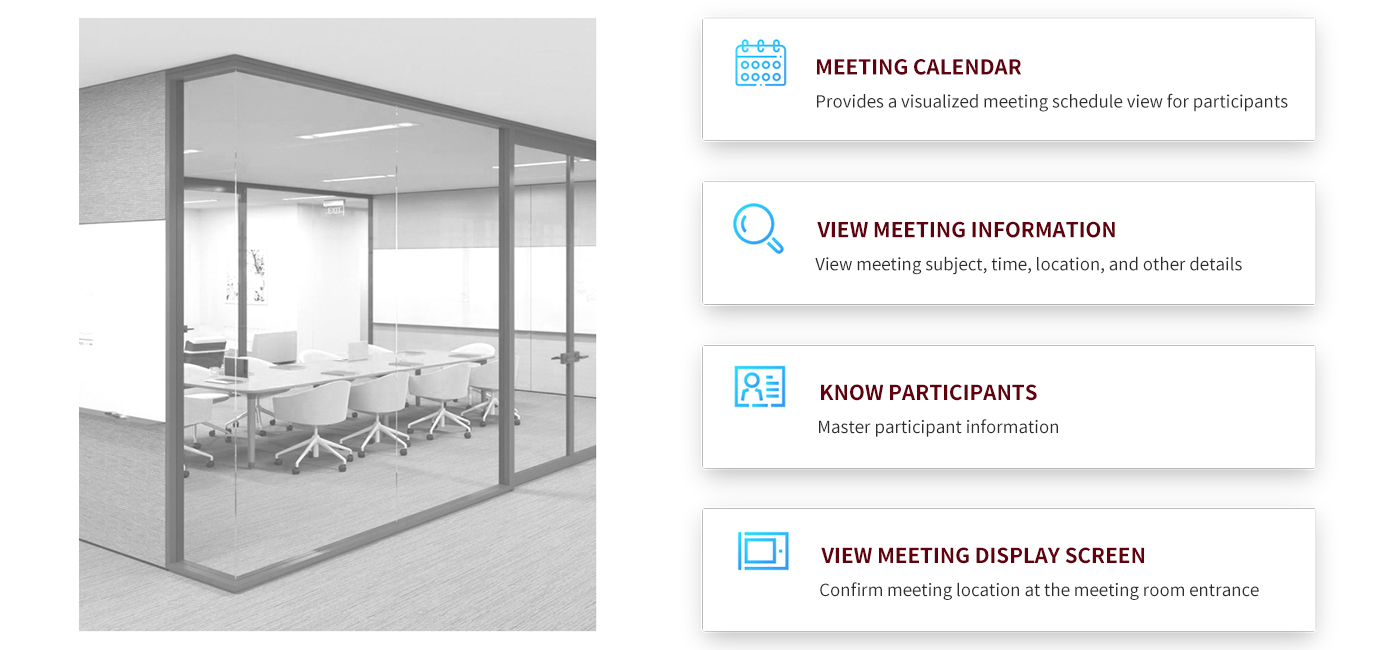
• List of Attendees: Displays the names, contact information, and roles of attendees for this meeting in a list format
• Meeting Materials: Displays meeting materials uploaded before the meeting and meeting minutes uploaded after the meeting on the right side
Meeting Information Display Software:
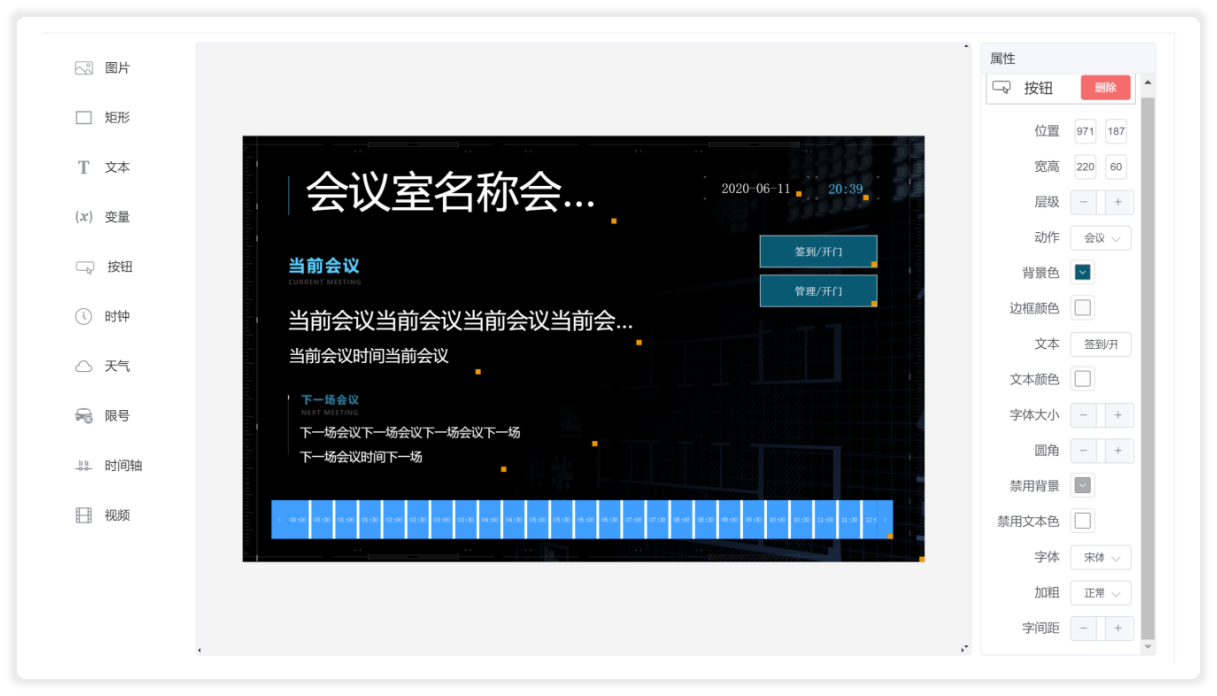
Custom Terminal Display:
The terminal display interface features a wide range of built-in components that support customization, allowing for flexible combinations of layouts and content, and enabling the display of images, videos, weather, clocks, and more.
Conference Information Display:
Installed at the entrance to a conference room, it can be mounted on the wall or recessed into the wall. It displays the conference room name, room status, service status (in session, next meeting time), current date and time, and the day’s meeting schedule.
Information Display and Control System:
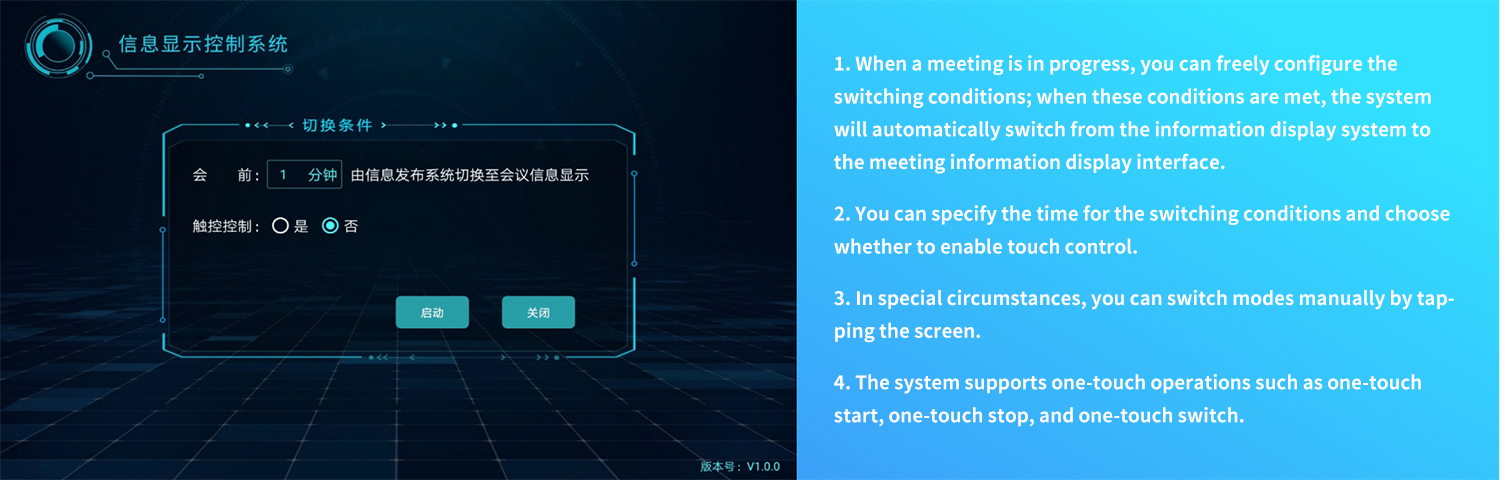
One Screen, Multiple Uses:
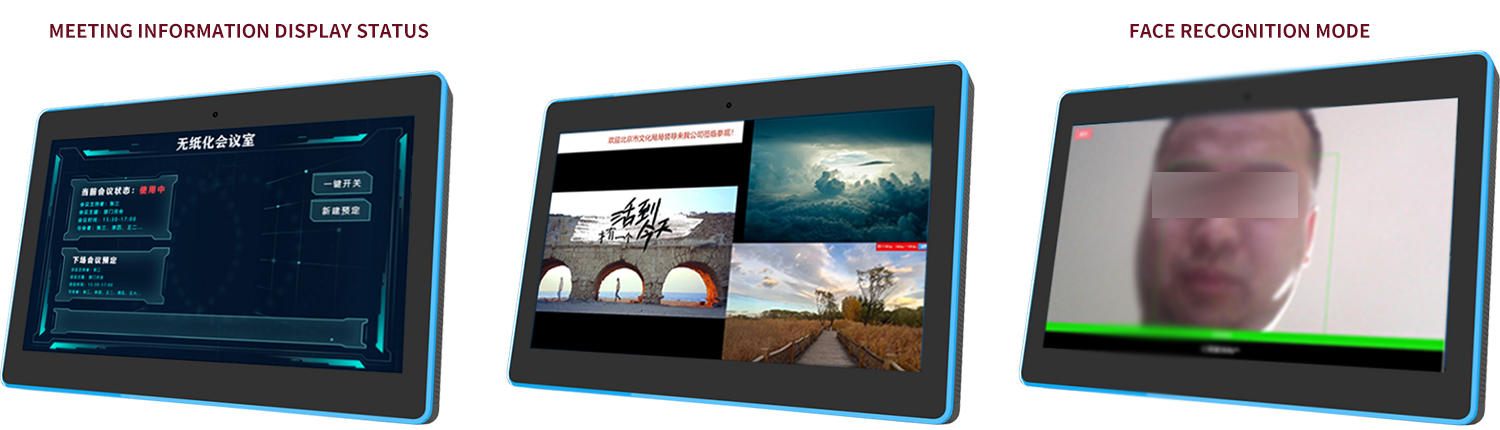
To better meet our customers' needs, we have added the following extended features to our conference information display software:
1. Expanded Touchscreen Functionality: Using the touchscreen capabilities of the display, enable QR code check-in for meetings while continuing to display basic meeting information.
2. Expanded Application Functionality: Without changing the hardware infrastructure or network configuration, enable the meeting information display to support multimedia content distribution.
3. Expanded Integration Functionality: Enable facial recognition check-in and integration with the access control system; allow designated operations and maintenance staff to unlock doors via facial recognition at any time.
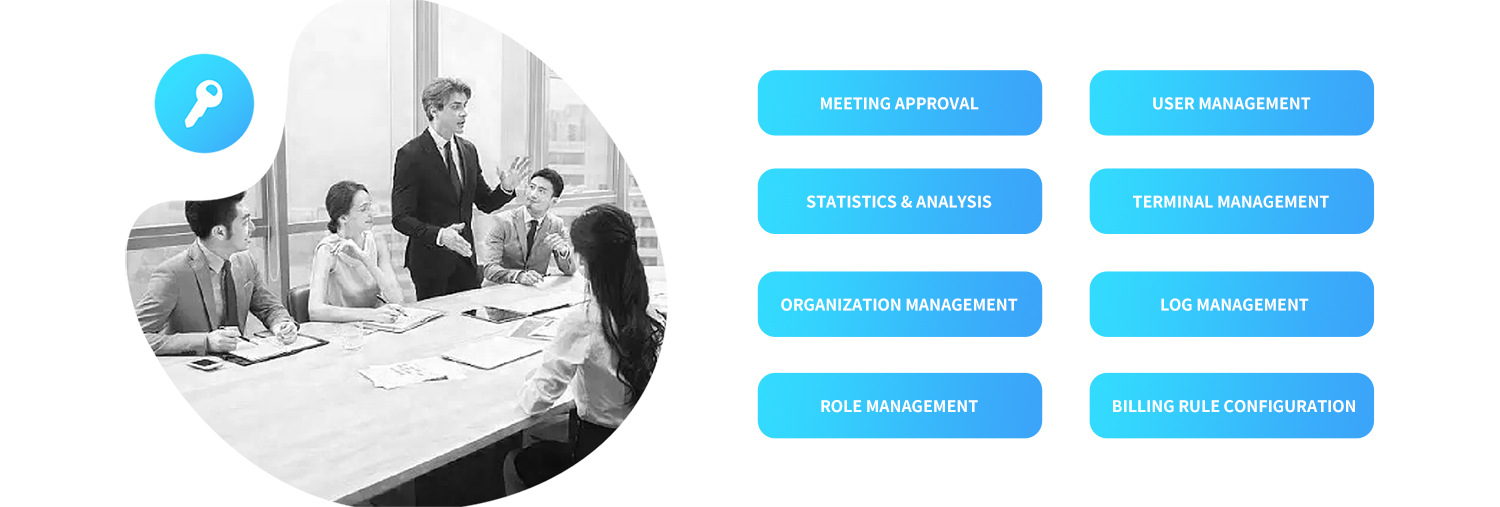
Management and Usage Features:
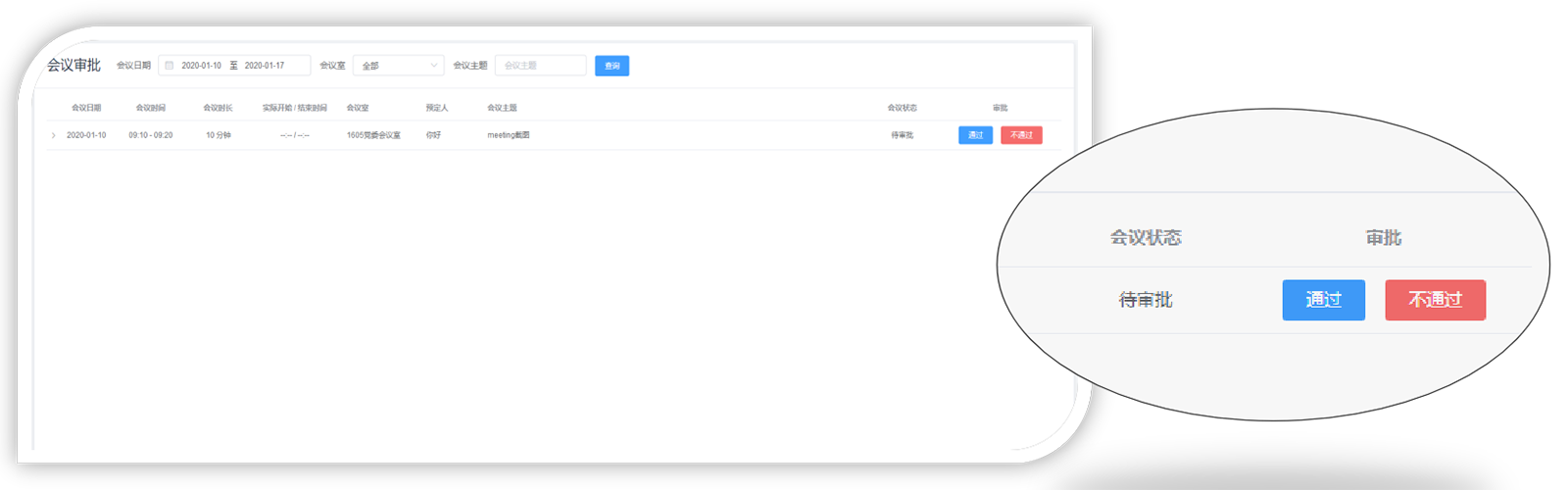
Meeting Approval:
The system includes a meeting approval feature, through which the meeting administrator reviews and decides whether the meeting can be held in that conference room. The purpose of establishing the meeting approval process is:
1. Avoid wasting conference room resources.
2. Administrators can manually confirm the priority of meetings to ensure that important meetings can be booked as scheduled.
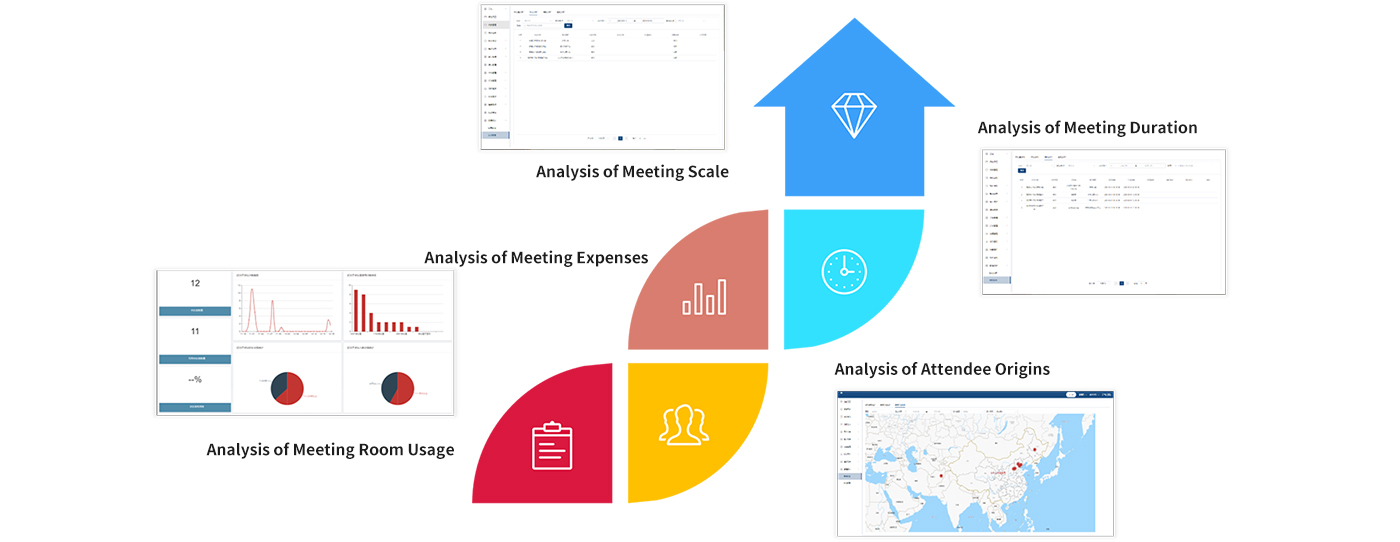
Statistical Analysis:
System Administration:
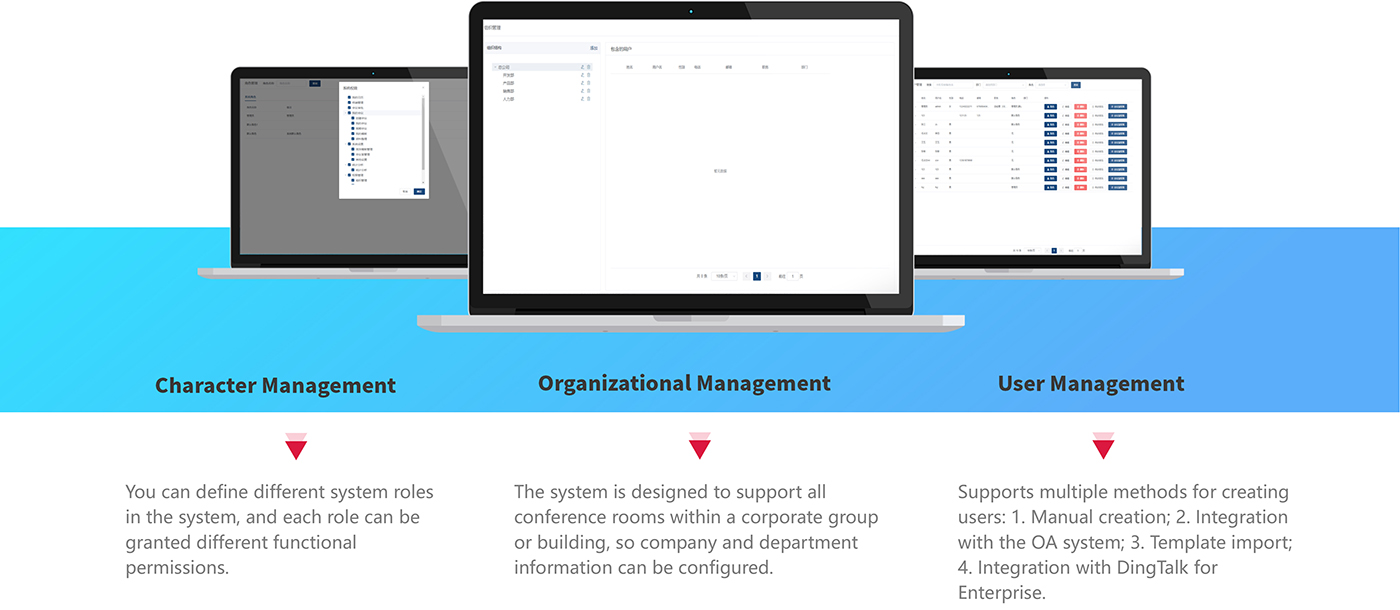
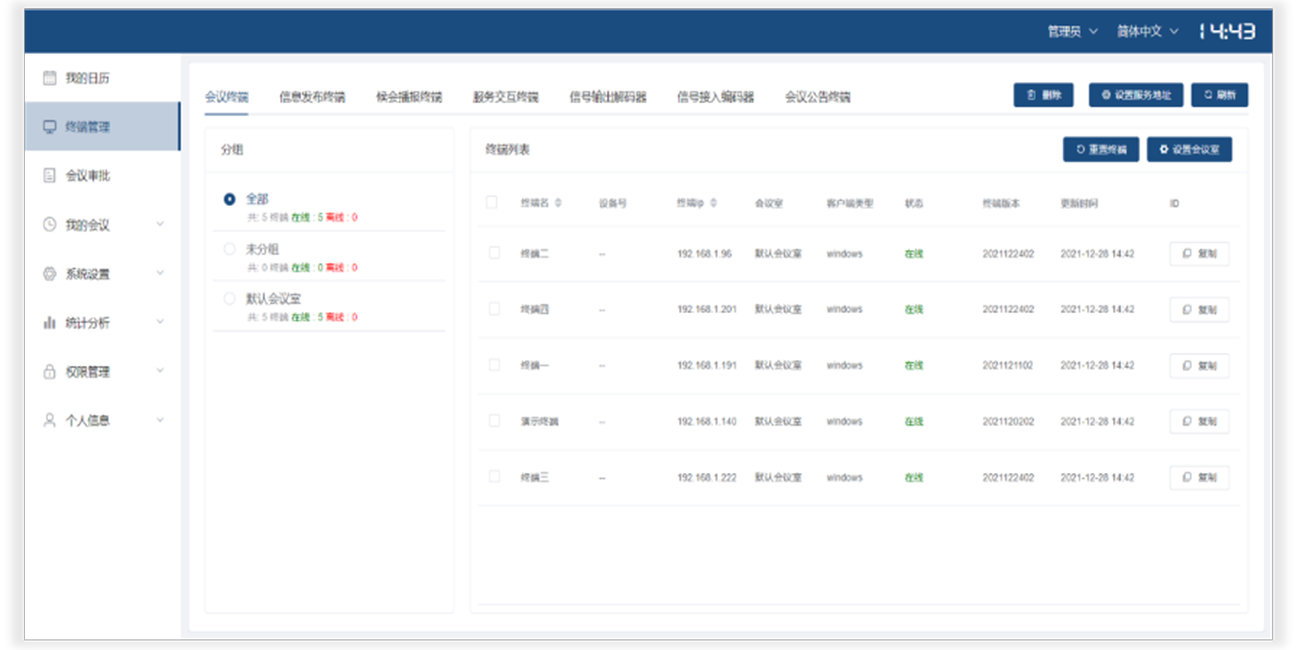
• Terminal Management: The paperless conference system offers strong terminal compatibility and supports a wide range of devices, including paperless conference terminals, electronic door sign terminals for displaying meeting information, voice announcement and waiting room screens, service screens, in-room display controllers, access controllers, and electronic bulletin board terminals. Terminal management involves the unified management, grouping, and maintenance of all IT terminals installed in conference rooms.
• Log Management: Log management records in detail who performed which actions, at what time, and what the results of those actions were. This facilitates the retrieval of operation records, allowing for precise searches based on data fields such as username, operation content, date, operation result, and role.
Fee Policy Settings:
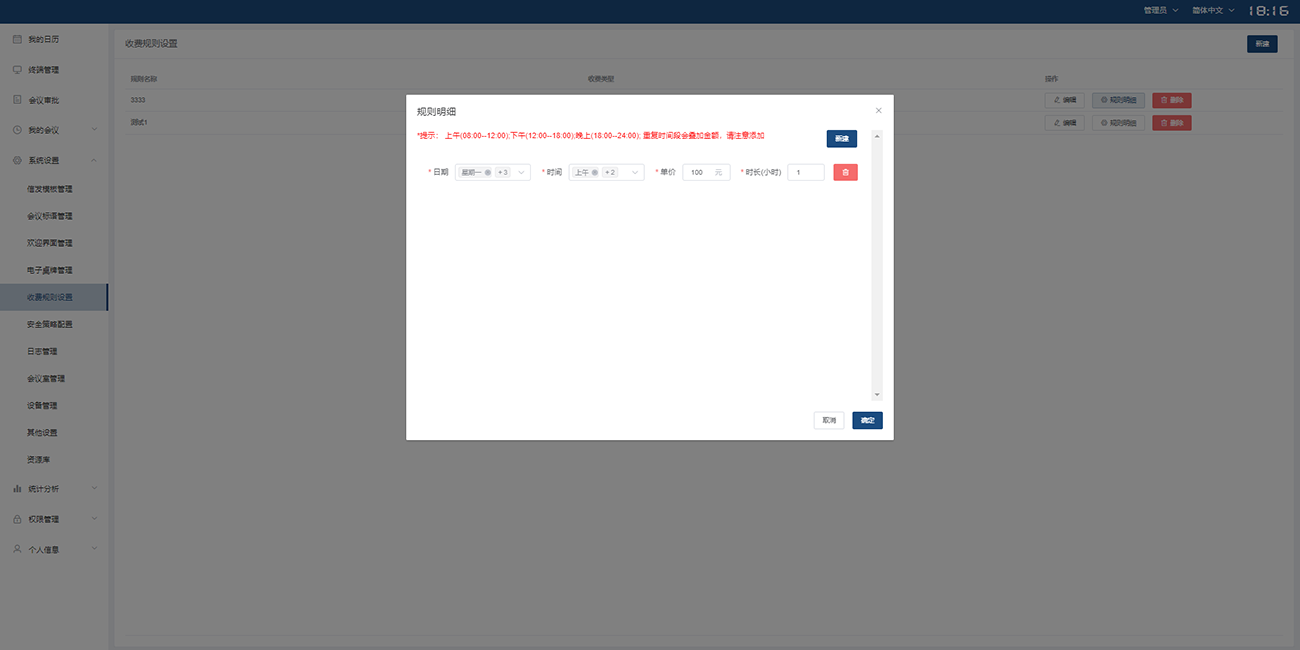
• This feature is typically used in traditional office buildings or serviced offices—any location that offers temporary meeting room rentals—where pricing rules and billing types can be customized based on actual conditions.
• You can select billing time periods and enter unit prices and durations, making it easy for administrators to manage with a single click.
Optional Features—Functions for Conference Staff:
1. Displays all meeting room reservations and usage status for the current day
2. Upon receiving a service request from a meeting room, sends system notifications and voice alerts
3. Allows quick searches by “In Use,” “Reserved,” or “Available” status, displaying meeting room status information visually
4. After a meeting ends, the system sends a notification prompting staff to clean the meeting room so the next meeting can proceed smoothly
Optional Features—WeChat Official Account Appointment Scheduling:
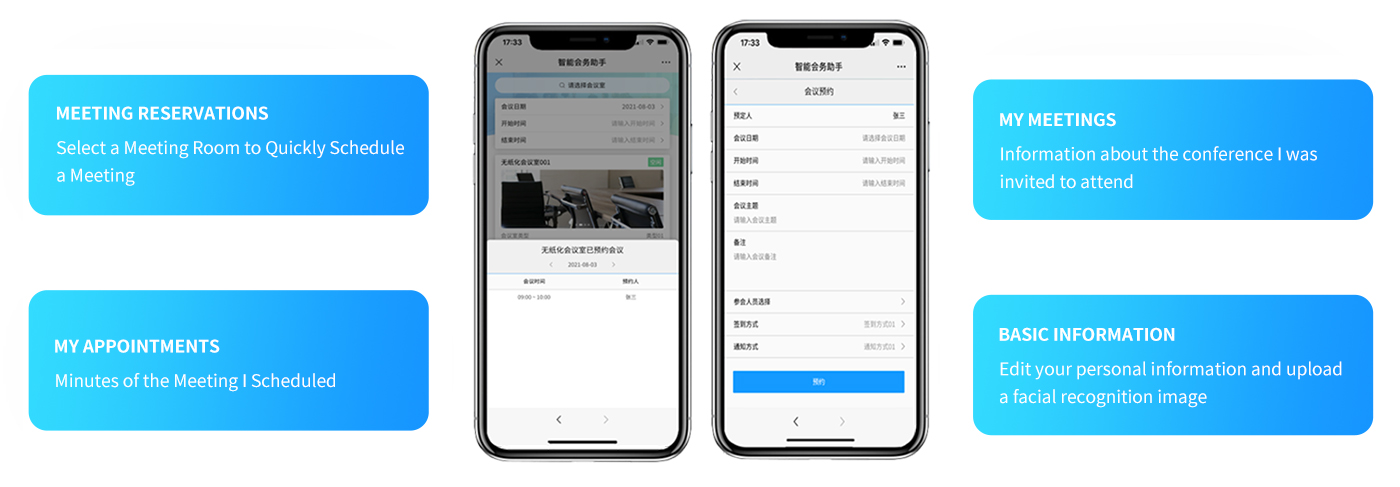
System Architecture:
• Meeting Reservations: Select a meeting room to quickly schedule a meeting
• My Reservations: A record of the meetings I’ve scheduled
• My Meetings: Information about meetings I’ve been invited to; notifications when I accept meeting invitations
• Meeting Approval: Administrators can approve meeting room reservation requests
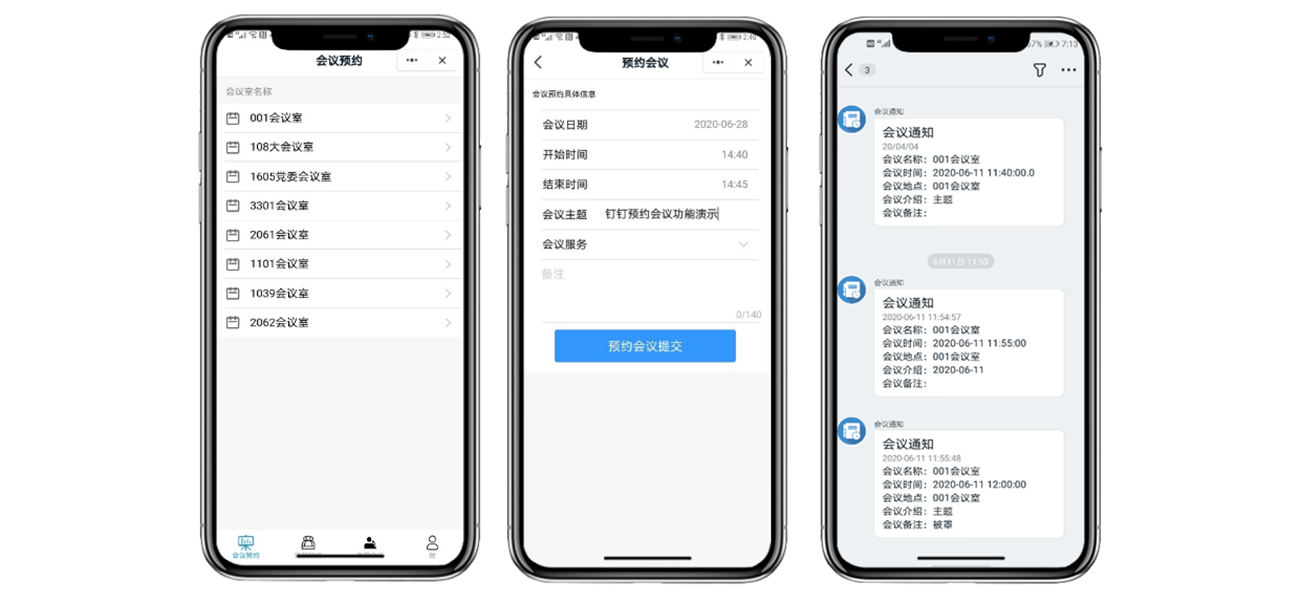
Conference Room Layout Diagram:
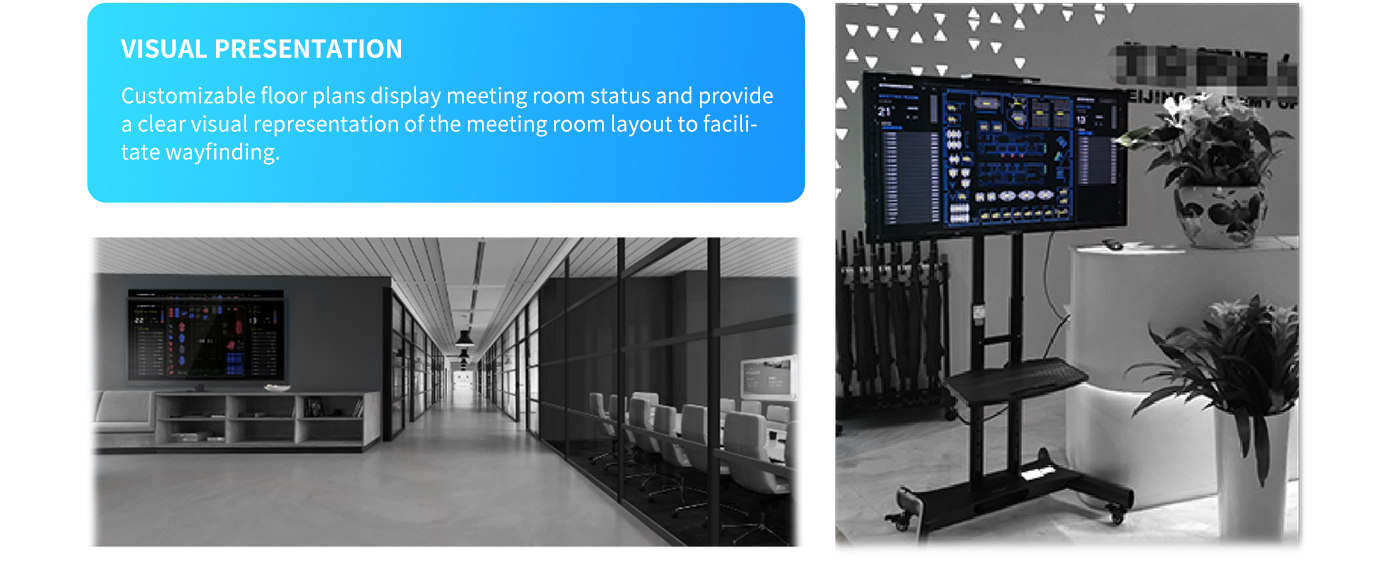
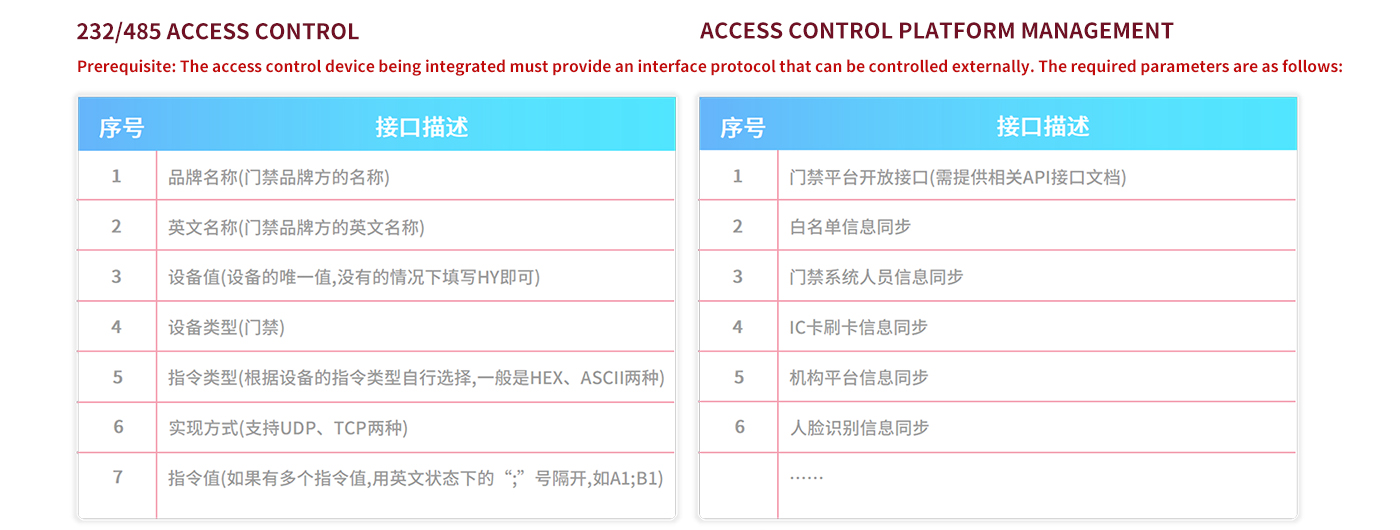
Access Control—Application Scenarios:
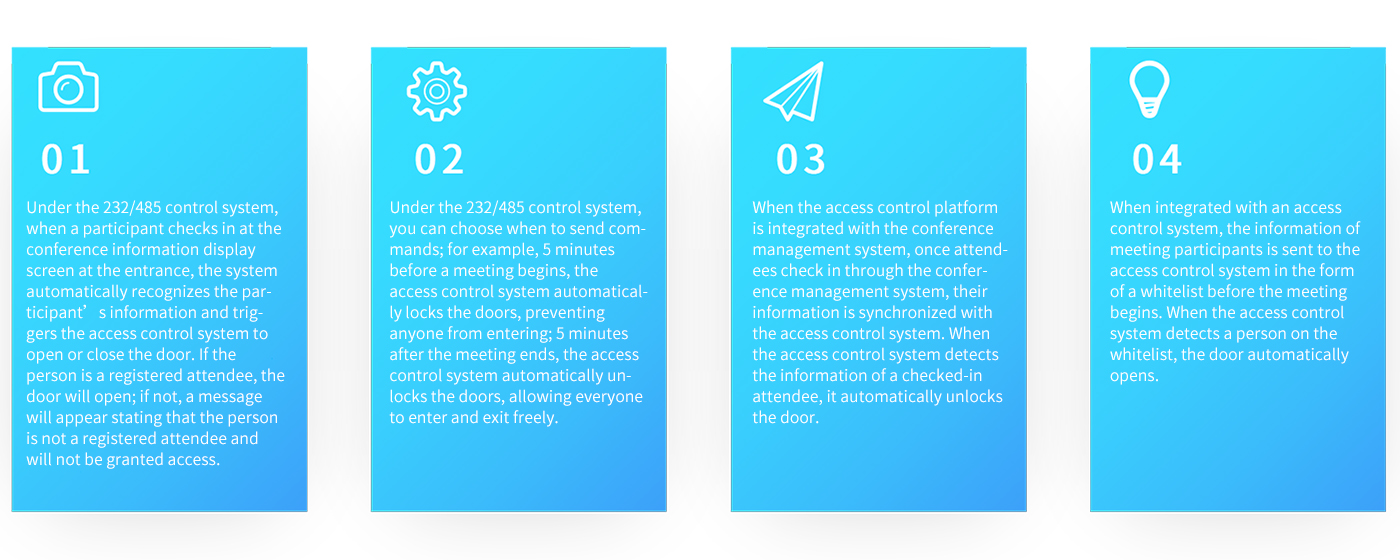
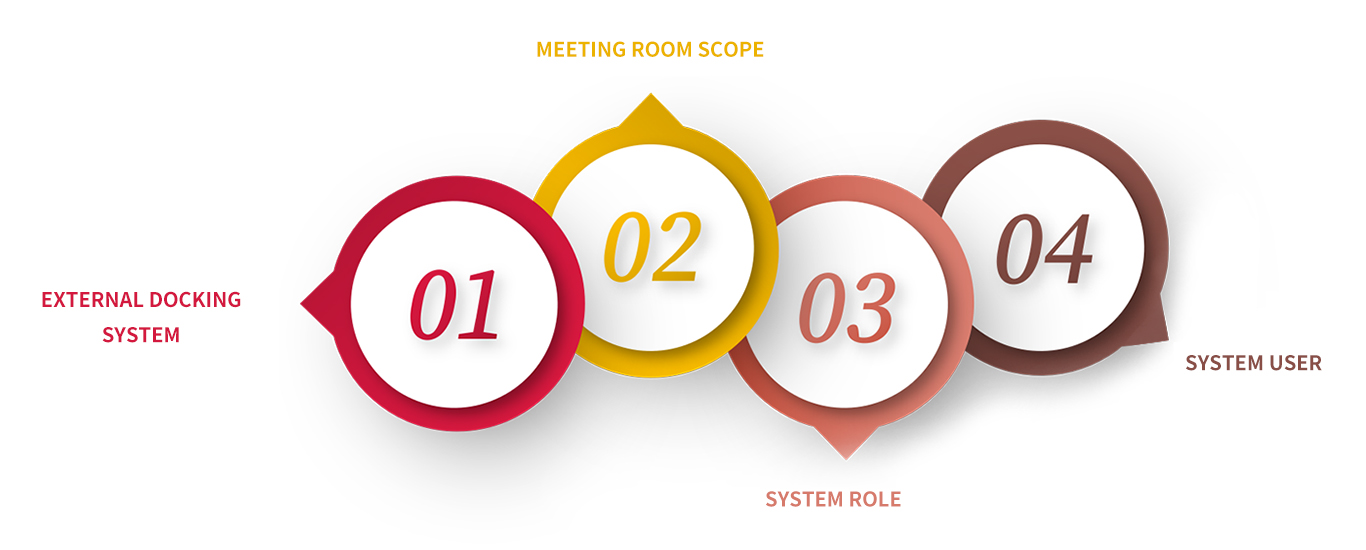
Access Control Integration—Overview of Interface Requirements:
Integration Methods:
Option 1: The conference management system integrates with the OA system. The OA system provides API documentation, and the conference management system develops a customized integration to retrieve meeting reservation data from the OA system.
Option 2: The conference management system provides API documentation, and the OA system performs secondary development to integrate with it. The OA system calls the API to transfer data to the conference management system.
Method 3: If the current version of the OA system is too old to provide an API, the OA system must grant database access permissions, and the conference management system will develop a custom solution to retrieve data directly from the OA system’s database.
Scene Description:
Scenario 1: After a user schedules and approves a meeting in the OA system, the data is transferred to the meeting management system via an API interface. In the meeting management system, attendees are notified via SMS, email, phone, WeChat, DingTalk, and other methods.
Scenario 2: After a meeting is scheduled in the meeting management system, the data is synchronized to the OA system for approval, and finally transferred back to the meeting management system.
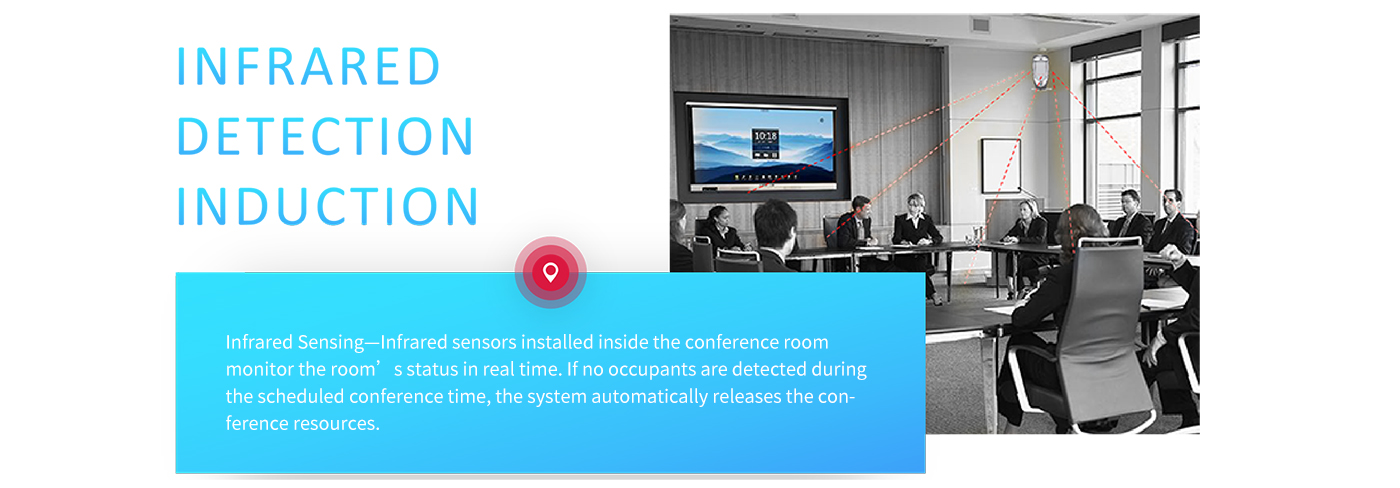
Advanced Features—Infrared Motion Sensor: