



Requirements Analysis for the Speech-to-Text Feature:
System Overview:
Intelligent Speech-to-Text System
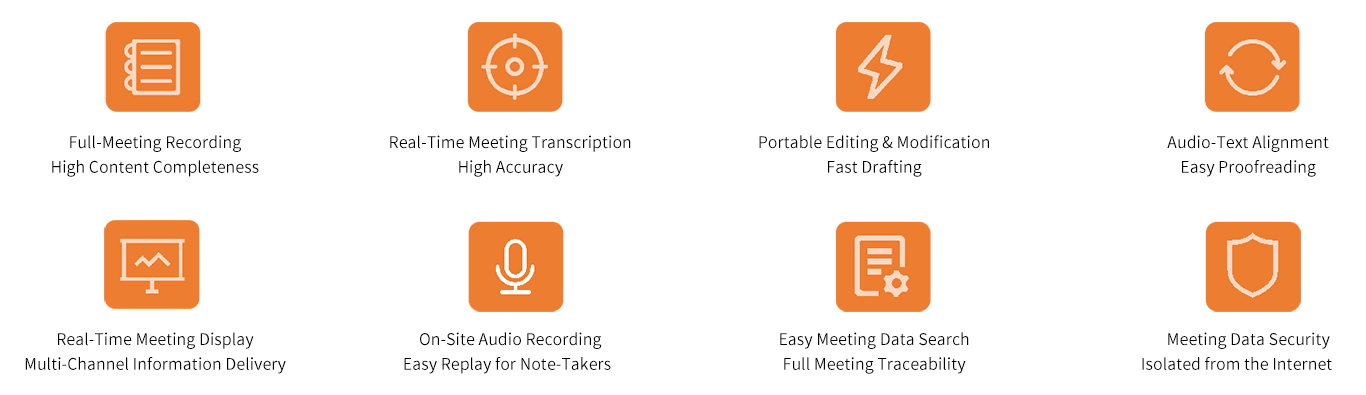
• The intelligent speech-to-text system provides real-time speech recognition and the ability to transcribe recorded audio files. It integrates seamlessly with traditional conference room systems, making meetings more efficient and convenient.
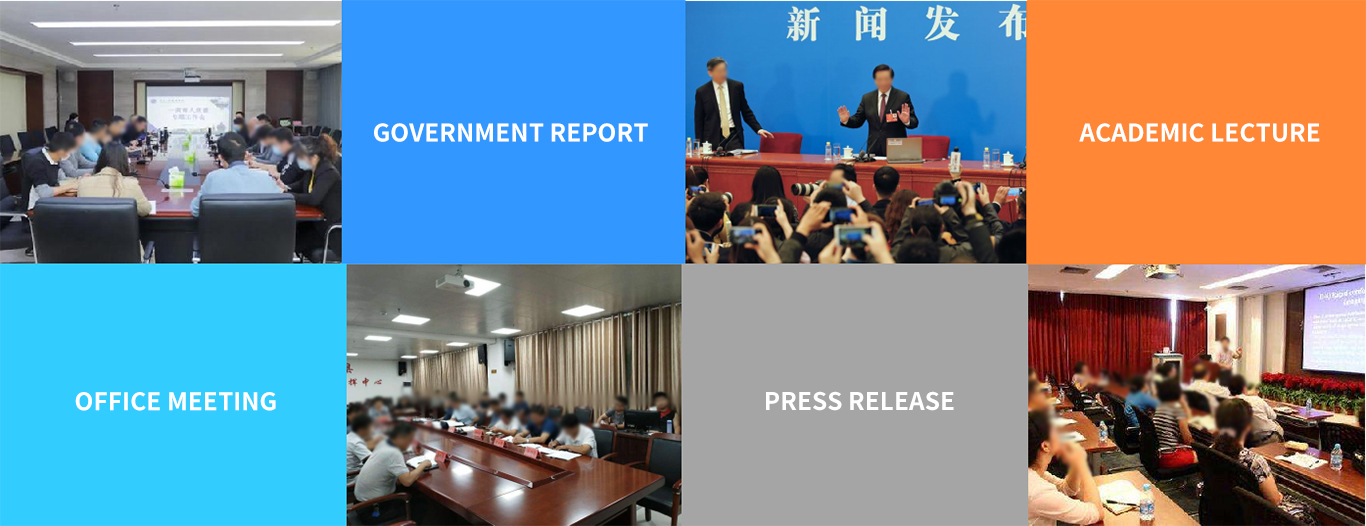
• Applicable scenarios: Office meetings, government briefings, press conferences, academic lectures, and other meeting scenarios across various industries.
• Real-time speech transcription
• Real-time captions
• Real-time display
• Meeting minutes
• Speaker identification
• Recording transcription
• Minutes export
……

Products:
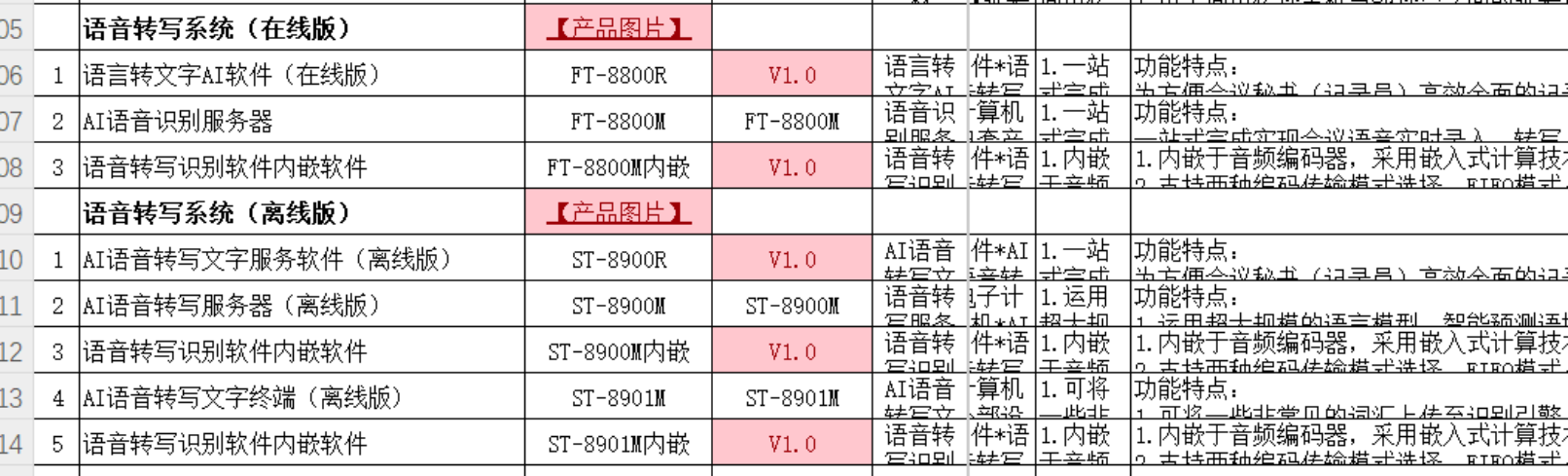
Hardware: Online and offline versions
Online Version:
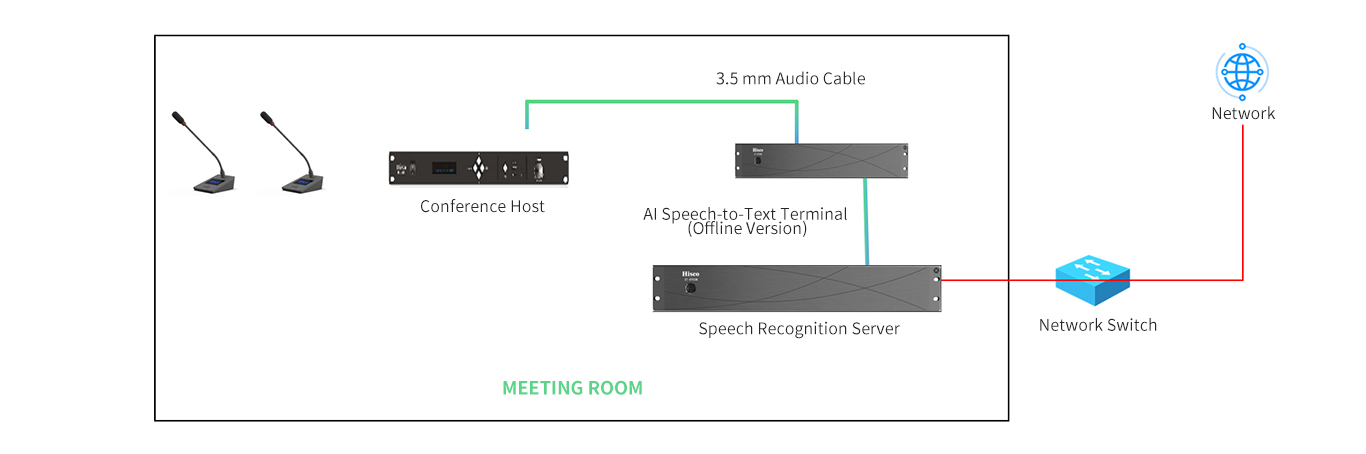
Offline Version:
Product Features:
Online Version Product Features:
1. High Accuracy: Deployed online using cloud servers, with fast data updates, resulting in greater accuracy for internet slang
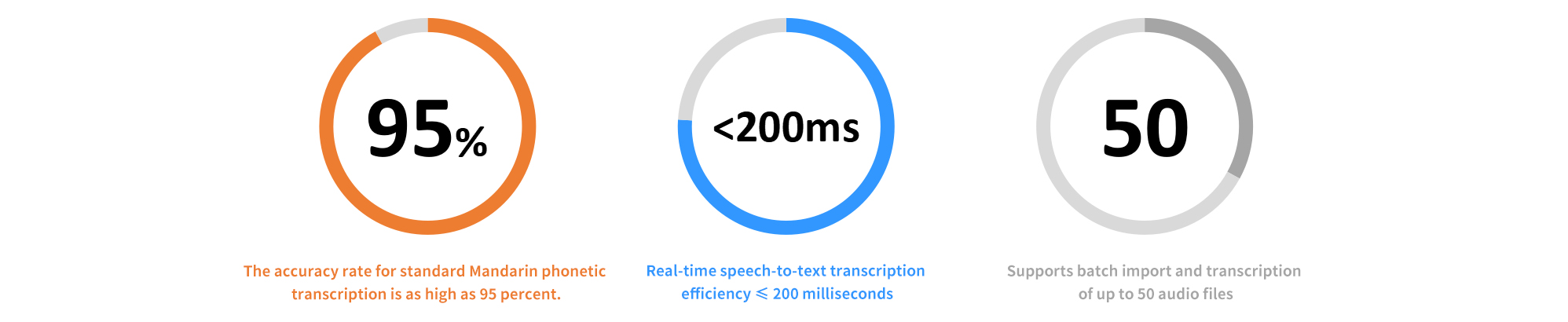
2. High Transcription Accuracy: Mandarin Chinese ≥95%, Native English ≥90%
3. Excellent Translation Quality: Intelligent sentence segmentation, advanced acoustic models, and language model training
4. High Processing Efficiency: Real-time transcription with results returned within 200 ms
5. Historical Audio Processing: 1 hour of audio processed in 10 minutes
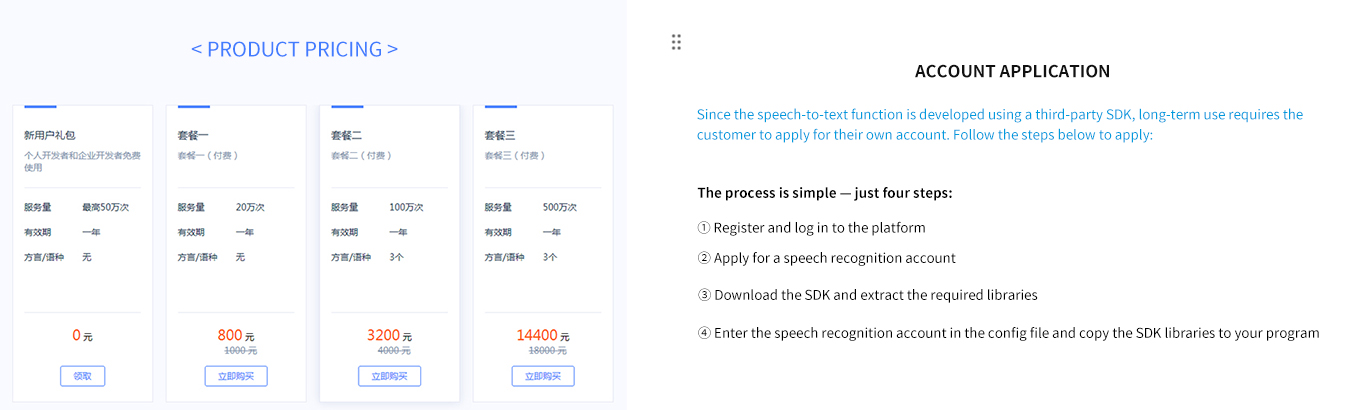
The online version uses iFlytek's cloud servers, which are billed based on usage.
Offline Version Product Features:
1. High security: Offline deployment ensures data security.
2. High transcription accuracy: ≥95% for Mandarin Chinese, ≥90% for native English.
3. Excellent translation quality: Intelligent sentence segmentation, advanced acoustic models, and language model training.
4. High processing efficiency: Real-time transcription with results returned within 200 ms.
5. Historical audio processing: 1 hour of audio processed in 10 minutes.
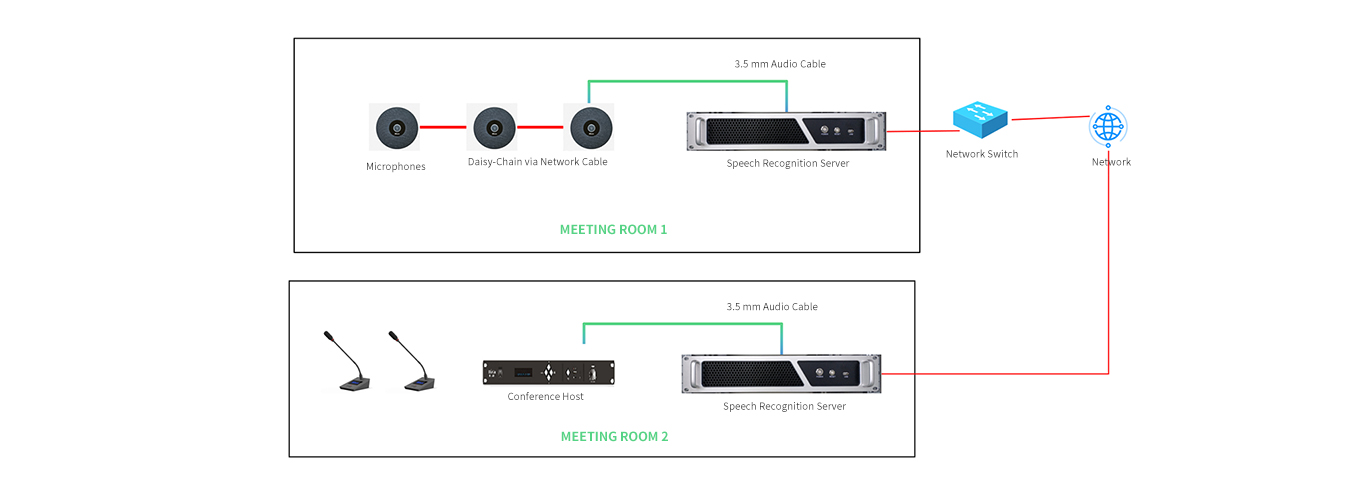
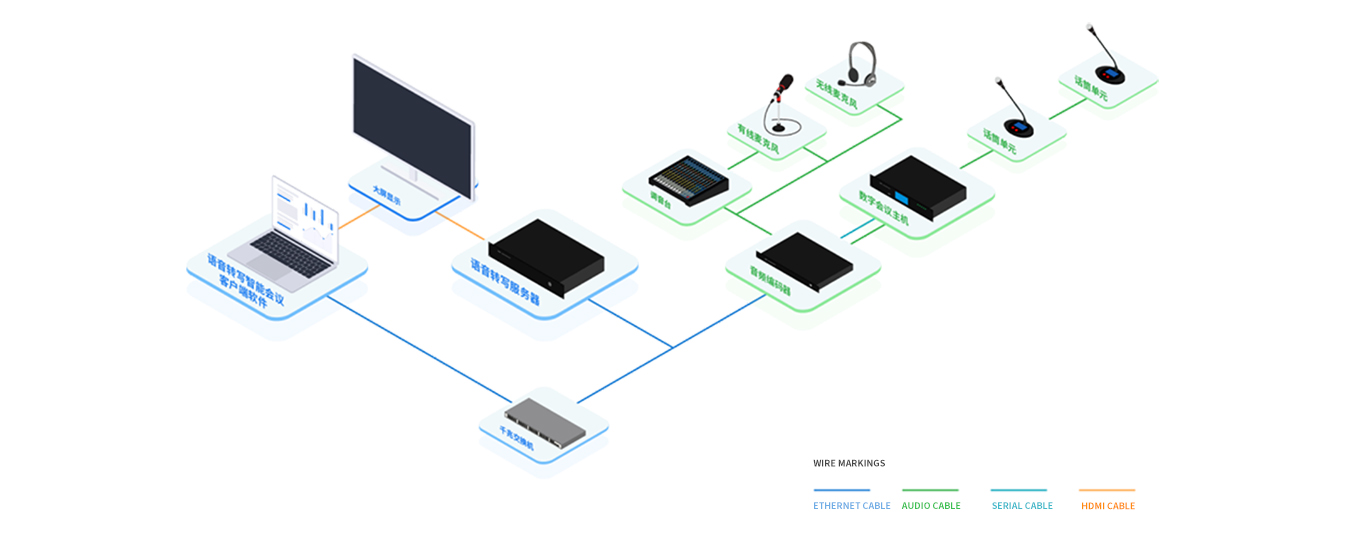
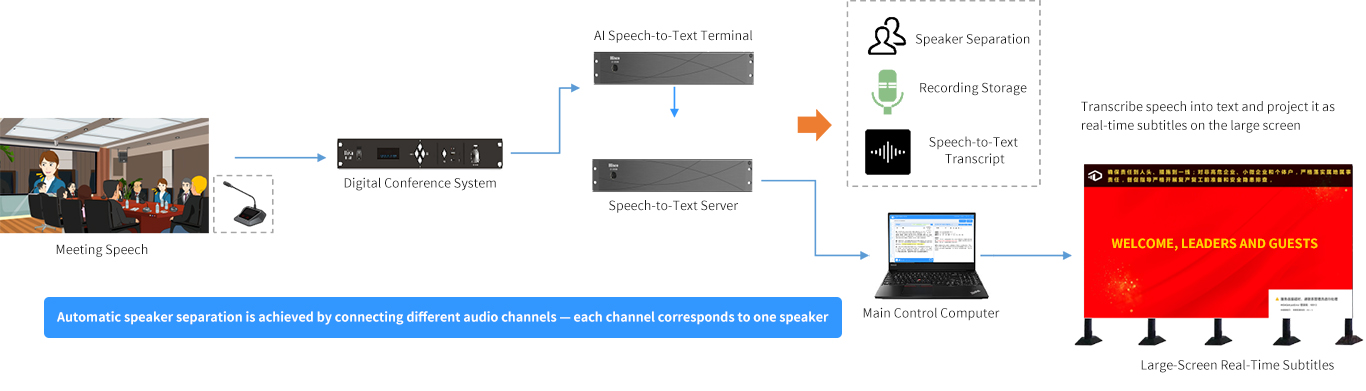
System Topology Diagram:
User Interface:

Feature Overview:
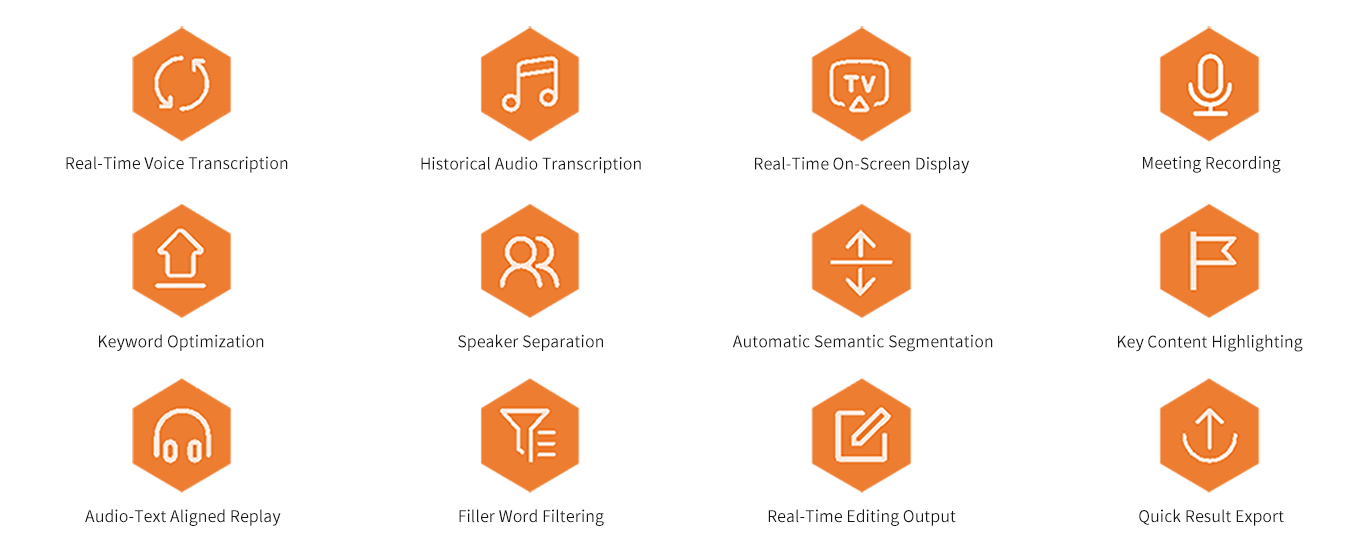
Large-Screen Real-Time Captions: Integrates real-time captioning of meeting remarks and displays them on-screen. Supports projection to an extended screen or a standalone large screen. High-quality, low-latency streaming speech recognition technology ensures that real-time captions are displayed with greater immediacy.

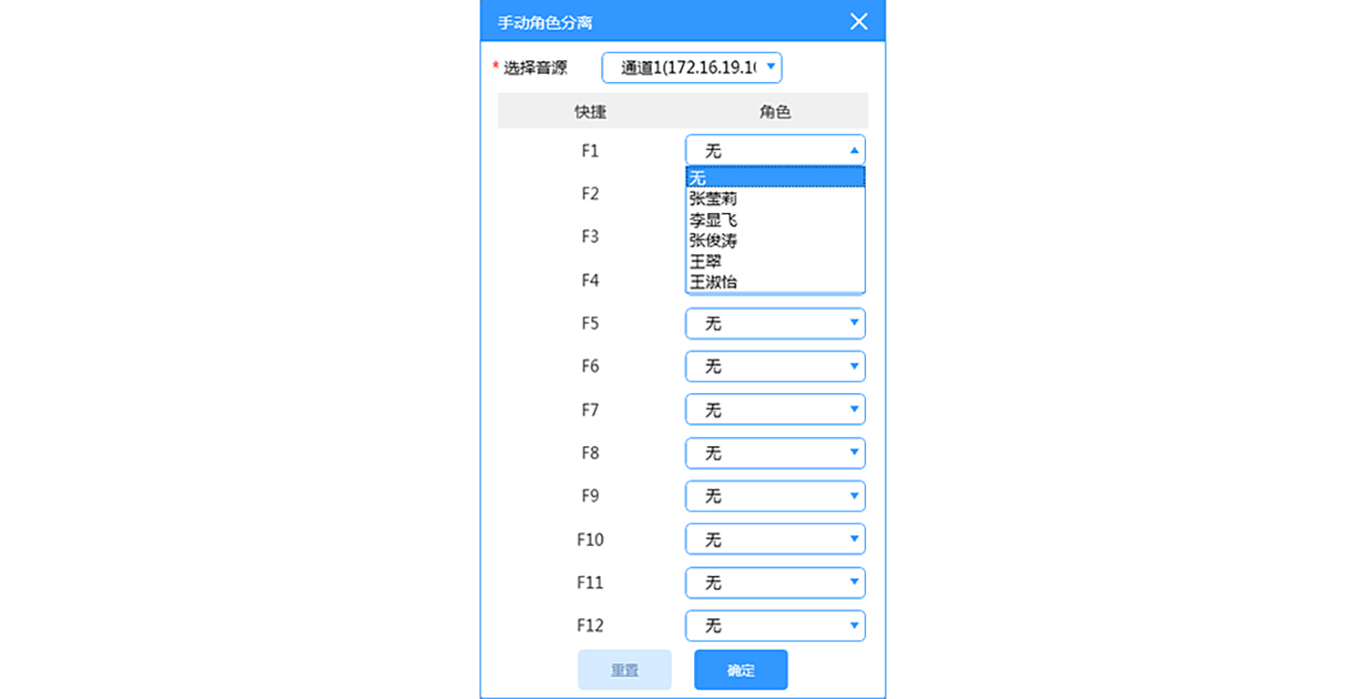
Role-Based Separation: During a meeting, the system automatically and in real time identifies and transcribes the remarks made by the meeting initiator, participants, chairperson, moderator, secretary, and others based on their respective roles, and displays the transcribed text as subtitles on the large screen.
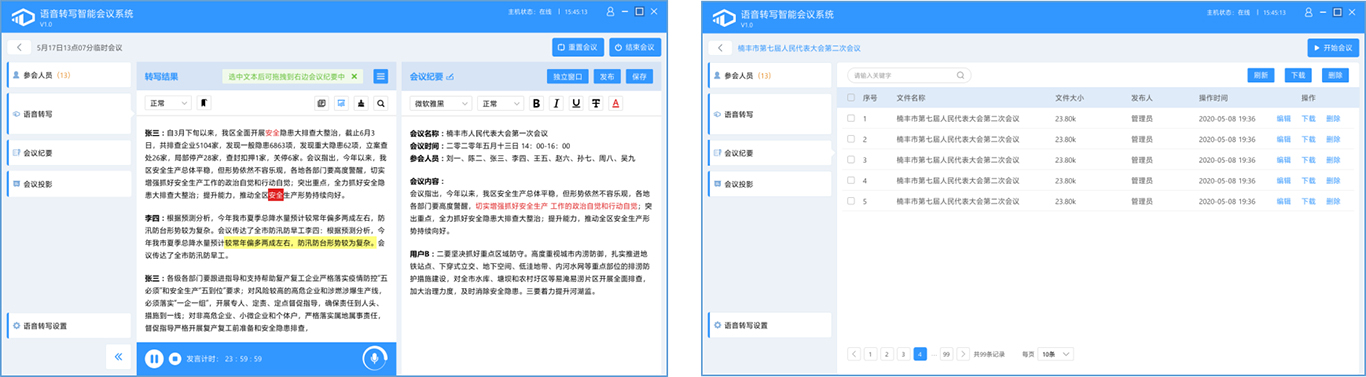
Display of Transcription Results on the Display Panel: The speech transcription display panel shows the transcribed text. You can zoom in or out on the text and highlight key points. The panel automatically synchronizes with the meeting minutes and displays the transcribed text in real time.
Highlighting Key Points: You can highlight content that raises questions to make it easier to organize the transcript after the meeting.

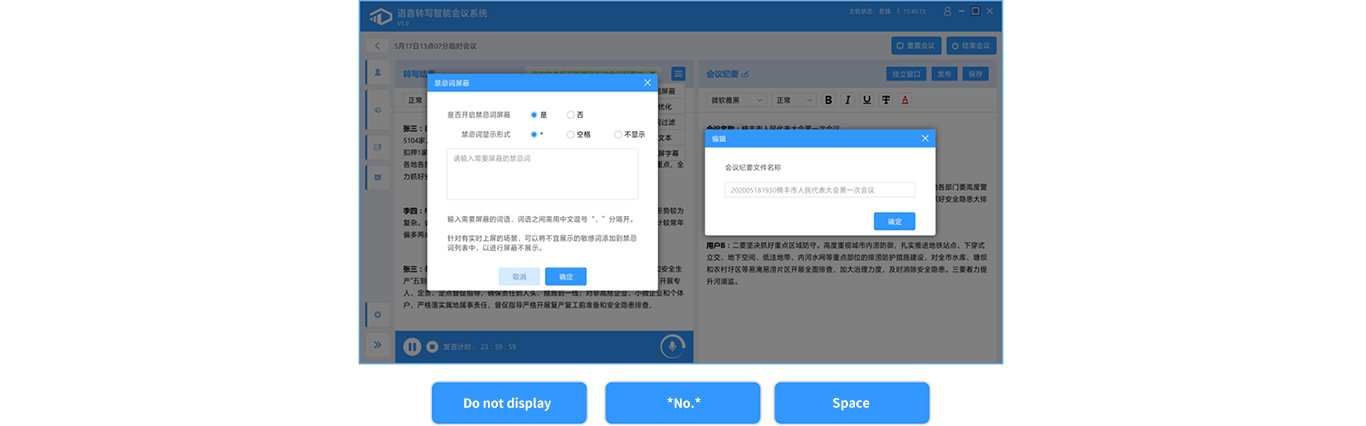
Blocking Prohibited Words: You can add sensitive words that are inappropriate for display to the list of prohibited words to block them. When such words are detected, the system offers three display options: hide, replace with an asterisk (*), or replace with a space.
Hide this prohibited word. When such a word is detected, the system offers three display options: hide, replace with an asterisk (*), or replace with a space.
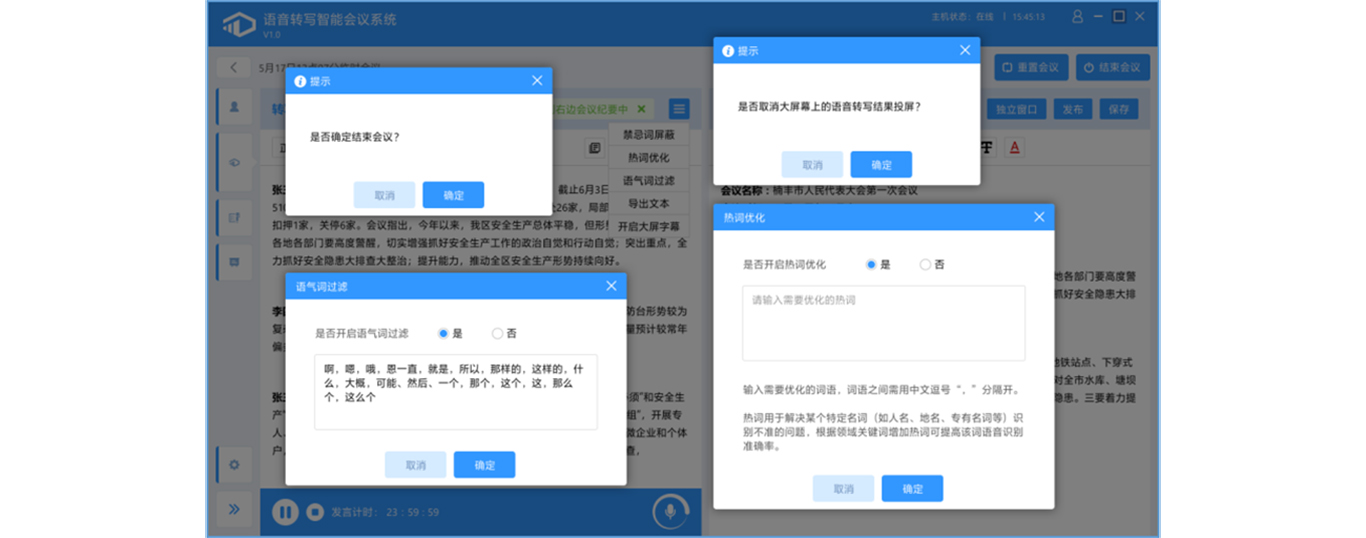
Keyword Optimization: For keywords that require improved recognition accuracy in each meeting, add them to the keyword list as needed. Keywords can be added both before the meeting begins and during the meeting. Examples include names of people, places, and companies.
Filler Word Filtering: Before starting real-time speech transcription or while editing the transcript, choose whether to enable the “Filler Word Filtering” feature as needed. If enabled, this feature removes filler words and redundant terms to ensure the transcript is well-organized.
Editing Meeting Minutes: You can edit meeting minutes by comparing them with the speech transcription results and copying the transcribed text into the minutes, allowing for a more efficient and faster way to record meeting content.
Archiving Meeting Minutes After the Meeting: After the meeting ends, the meeting minutes are automatically archived. Administrators can view and download the meeting minutes from the “Past Meetings” section; meeting minutes can also be shared via a QR code.
Importing and Transcribing Audio Files: Primarily used for transcribing historical audio recordings. Users can record audio using a recording device and import the audio data into the recording management client for rapid transcription. The system supports uploading up to 50 audio files at a time, with a total size not exceeding 5 GB and a duration of less than 18 hours per file. Currently, the system supports audio formats such as MP3, WAV, PCM, WMA, MP4, and AVI. After a successful upload, click “Start Transcription” to begin the transcription process.
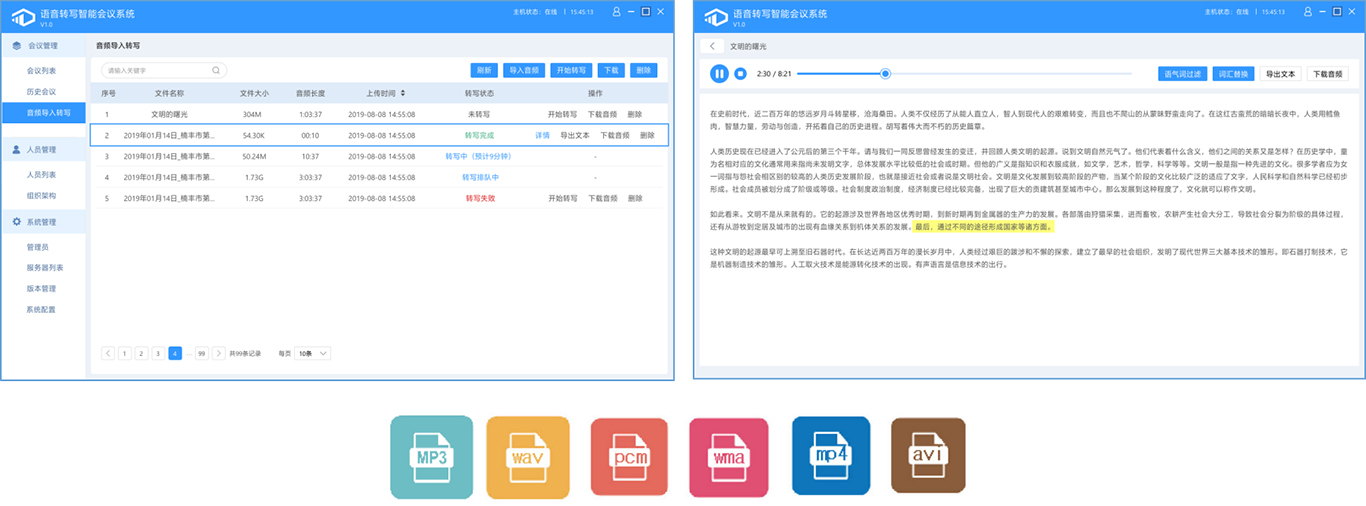
Vocabulary Replacement: Batch-replace content in audio-to-text transcriptions imported from audio files to correct errors in the transcriptions.
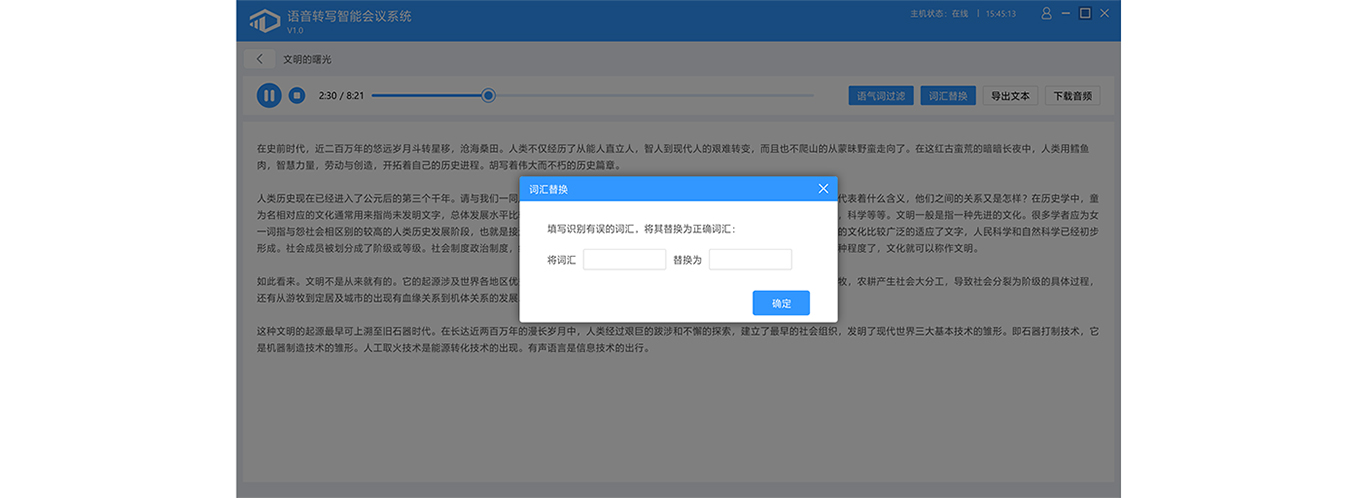
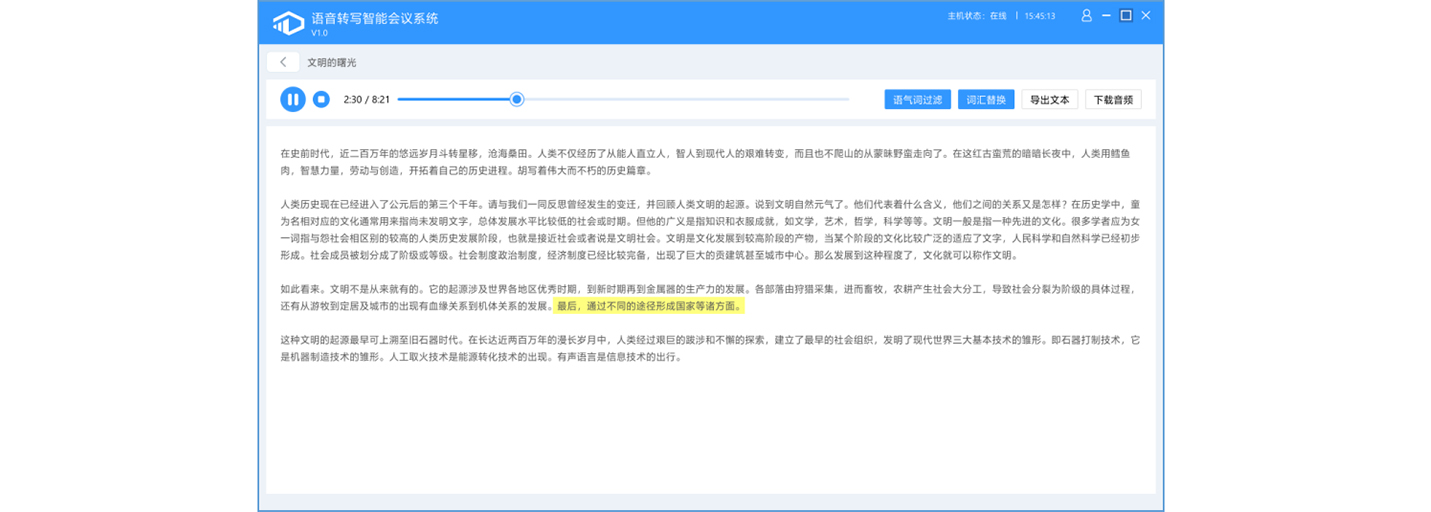
Audio-Text Synchronization: The player, timeline, and text area are synchronized with each other. This makes it easier to locate the corresponding text for a specific point in the recording and make edits.
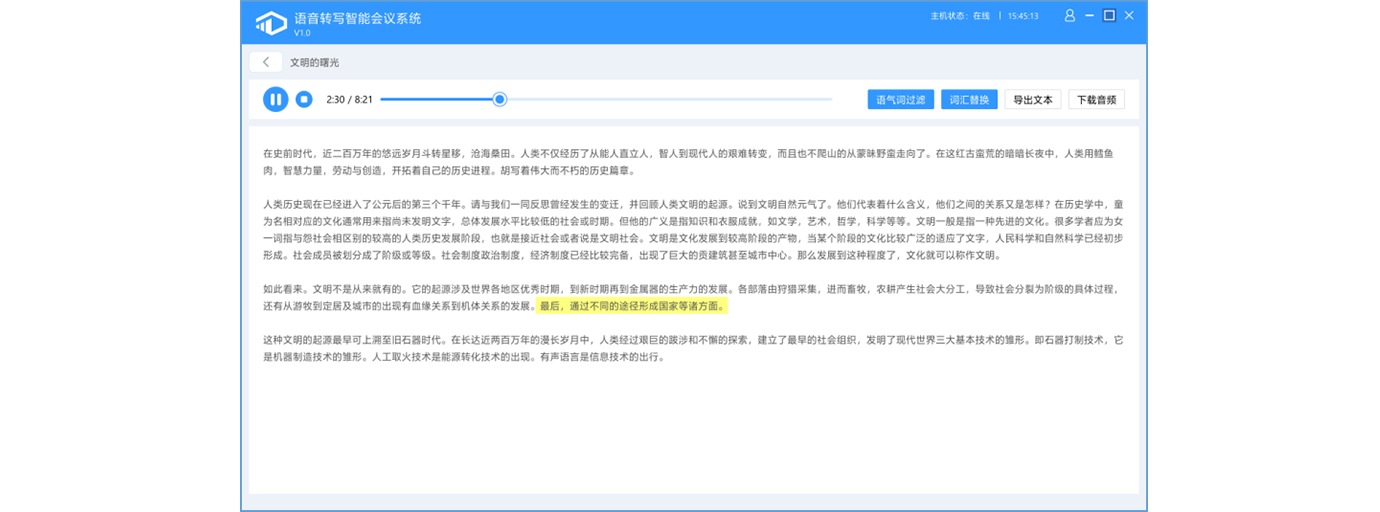
Meeting Recording: Records audio from the meeting venue, allowing the note-taker to review the recording later. The recording can be listened to alongside the transcribed text, making it easier to trace the source of information and improving the efficiency of writing meeting minutes; a QR code can be generated for sharing the recording file.
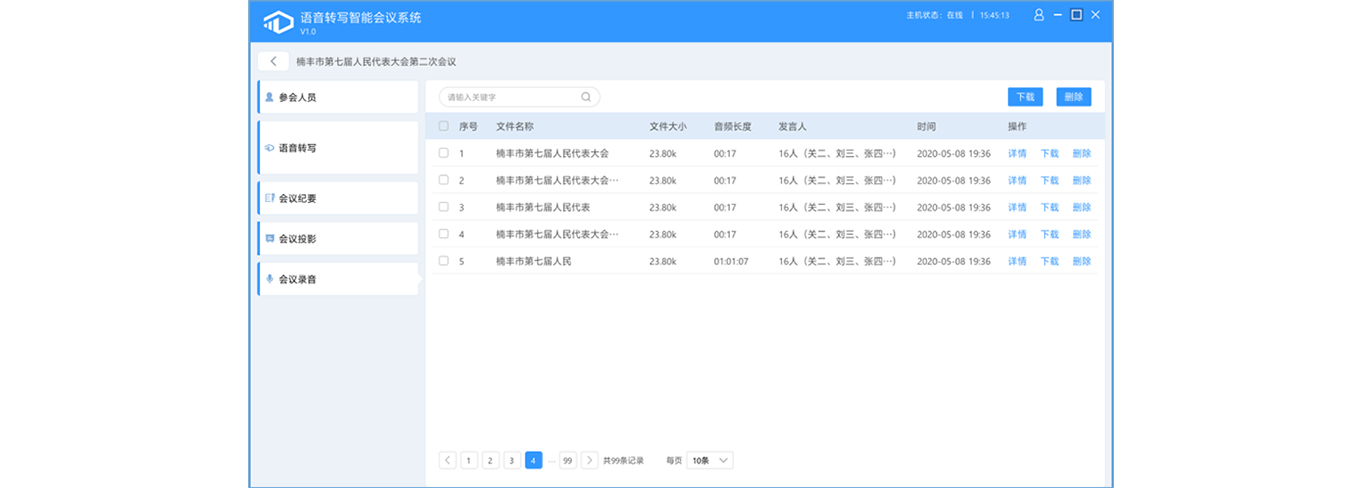
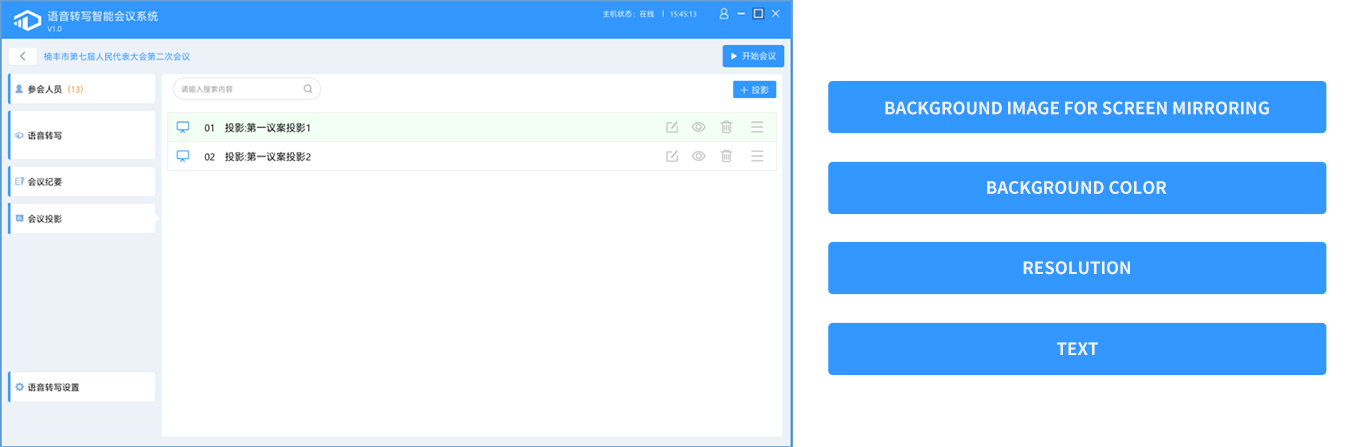
Meeting Projection: The custom meeting projection feature allows you to project to an extended screen or a standalone large screen. You can customize the projection background image, background color, resolution, text, and QR codes.
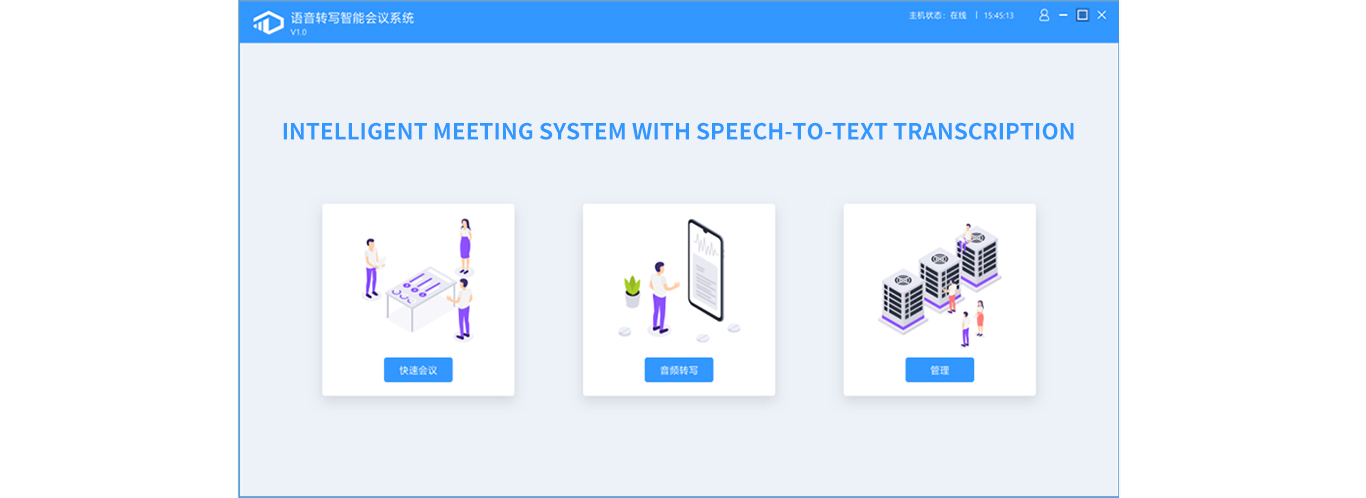
Quick Meetings: Skip the complicated meeting setup process and start meetings quickly and easily. This greatly improves meeting efficiency.
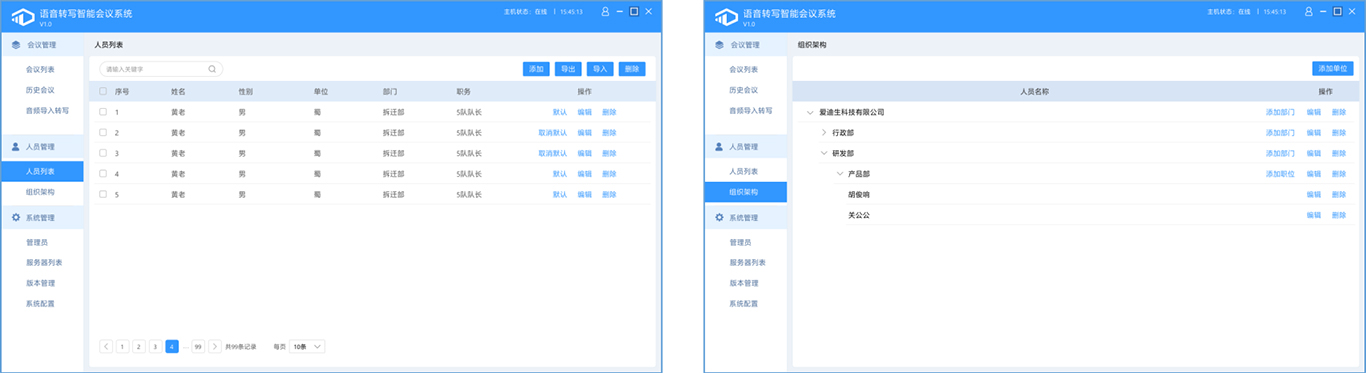
Feature Overview - User Management
Attendee List: Set attendees as default participants so you don’t have to add them repeatedly for each meeting. Supports batch import and export of attendees.
Organizational Structure: Three-tier organizational structure feature that allows you to customize units, departments, and job titles. When selecting attendees, you can sort them by organizational structure.
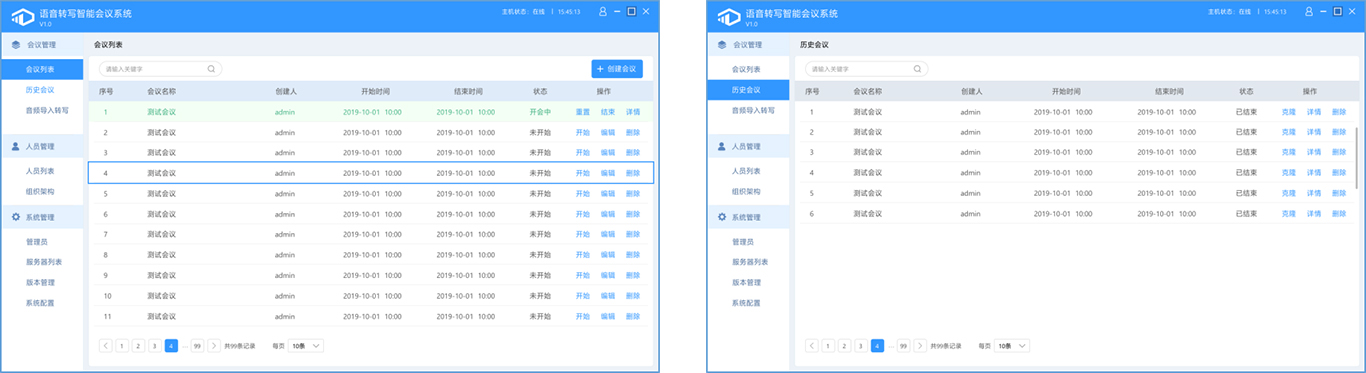
Feature Overview - Meeting Management
Meeting List: View all currently created meetings that have not yet started or are in progress.
Past Meetings: Supports cloning past meetings, eliminating the need to reconfigure meeting details and improving meeting efficiency.
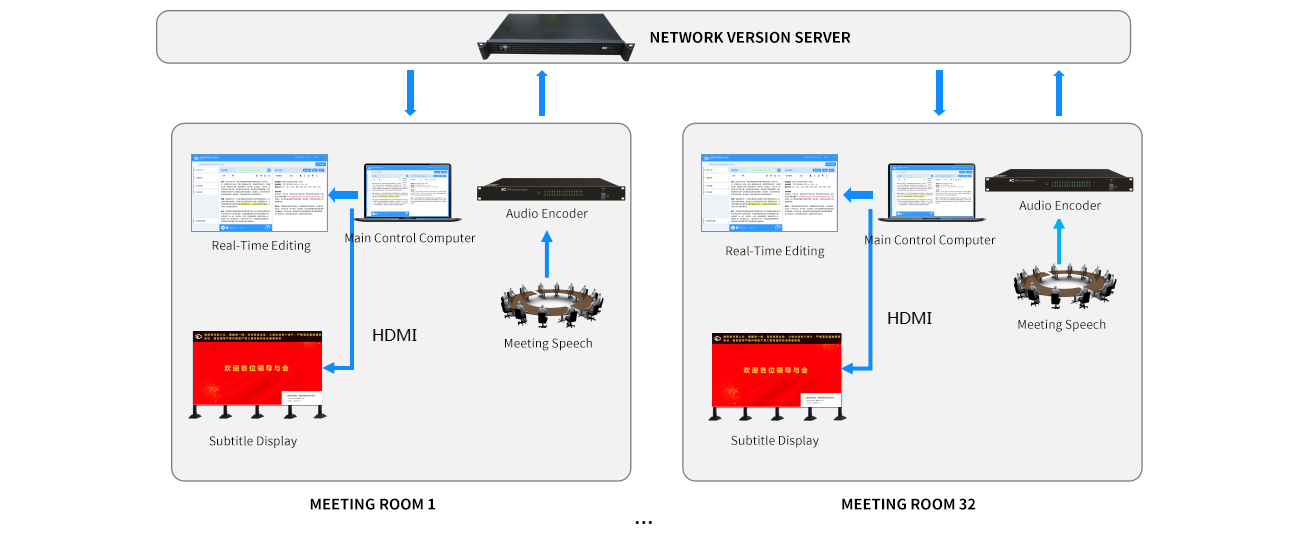
Multi-conference mode:
When multiple conference rooms are equipped with the Web Edition of the speech-to-text service, it provides a unified speech-to-text service capability, supporting simultaneous use in up to 32 conference rooms. Each conference room requires only one management computer and the necessary conference equipment.
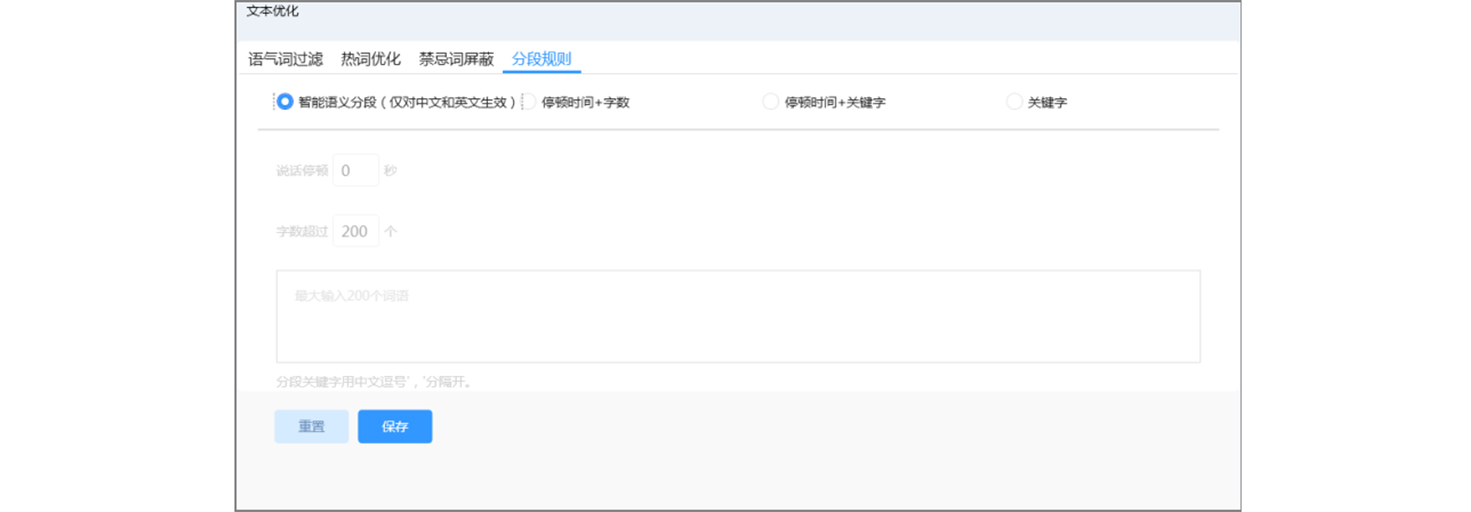
Text Paragraphing:
It supports text segmentation using a variety of combination modes, including intelligent semantic segmentation, pause duration, character count, and keywords, offering greater flexibility in configuration.
Synchronized Pronunciation:
It features a text-to-audio synchronization function, allowing you to drag the audio bar while viewing the text or select specific text to jump to the corresponding point in the audio.
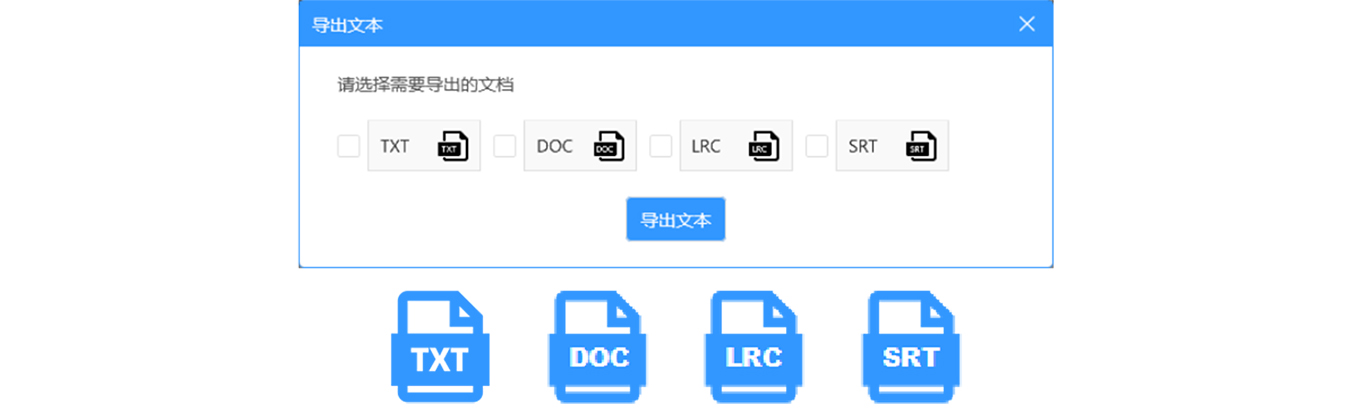
Multi-format Export: Text export supports exporting files in multiple formats, including TXT, DOC, LRC, and SRT.
Manual Character Separation: After binding the audio source, press F1 through F12 to manually separate the 12 characters.
Key Advantages:
Smart Sentence Break:
Sentence and Paragraph Segmentation: By extracting context-relevant semantic features and combining them with speech features such as pauses and fundamental frequency information, the system performs sentence and paragraph segmentation; it comprehensively utilizes context-relevant semantic features and phonetic features to address the challenges of sentence and paragraph segmentation.
Text Smoothing: By using generalized features in combination with context-relevant semantic features and phonetic features, we remove filler words, interjections, and repeated words from the transcription results, making the smoothed text easier to read.
Suitable for a wide range of scenarios: ideal for meetings in various industries, including office meetings, government briefings, press conferences, and academic lectures. It is particularly well-suited for industries—such as government agencies, enterprises, and banking sectors—that cannot use public network-based speech recognition services.